
Episode 5: Load Balancer Security Auditor - SSL, Protocols, and Public Exposure
Tarek Cheikh
Founder & AWS Cloud Architect
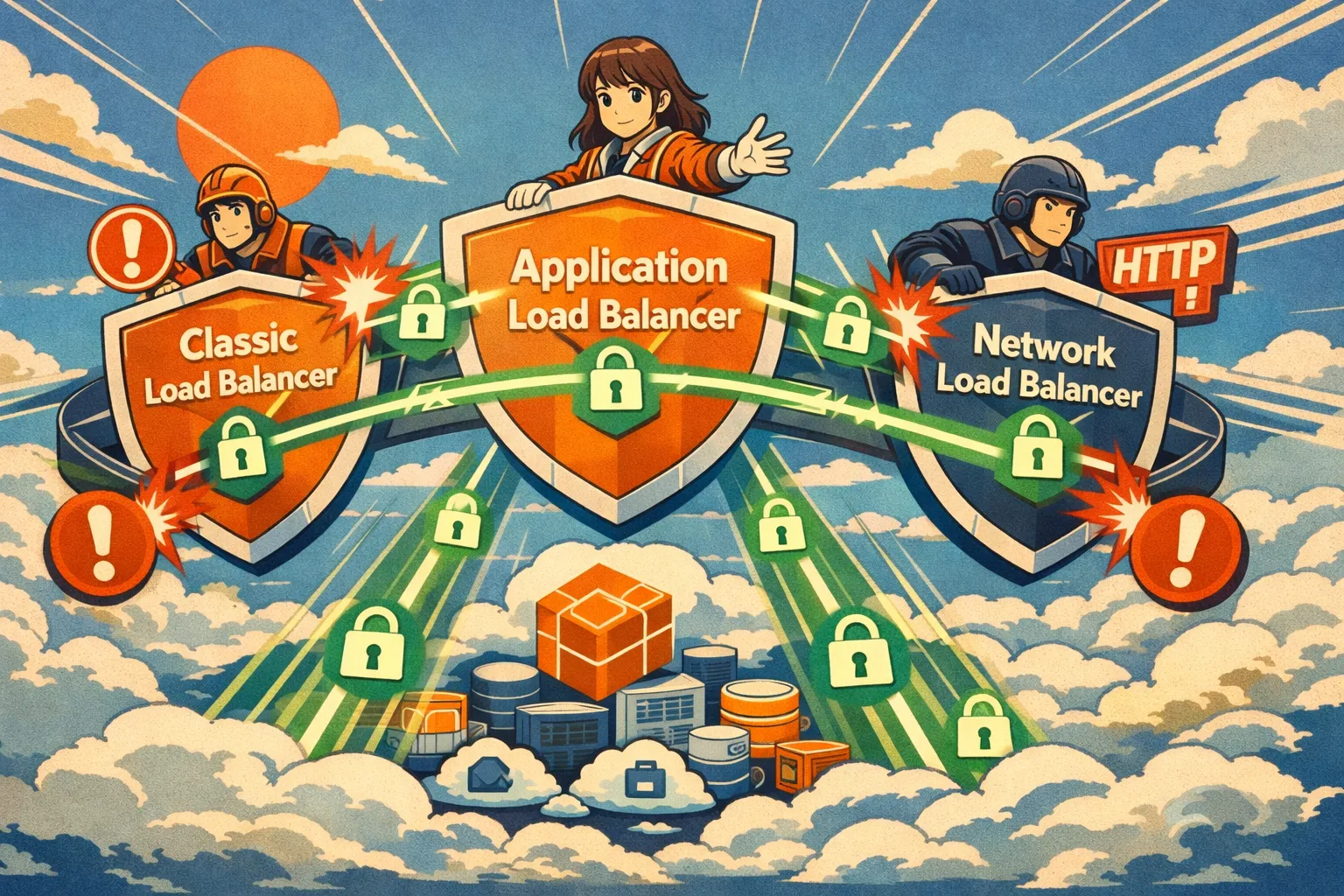
The Problem
You have 20 load balancers across 3 AWS accounts. Security audit next week.
Old way: Open console. Click each load balancer. Check listeners. Check if it's public. Check SSL policy. Repeat 20 times. Miss one. Get flagged in the audit.
I got tired of this. So I built a tool that scans everything in one command.
Quick Start
git clone https://github.com/TocConsulting/aws-helper-scripts.git
cd aws-helper-scripts/elb-audit
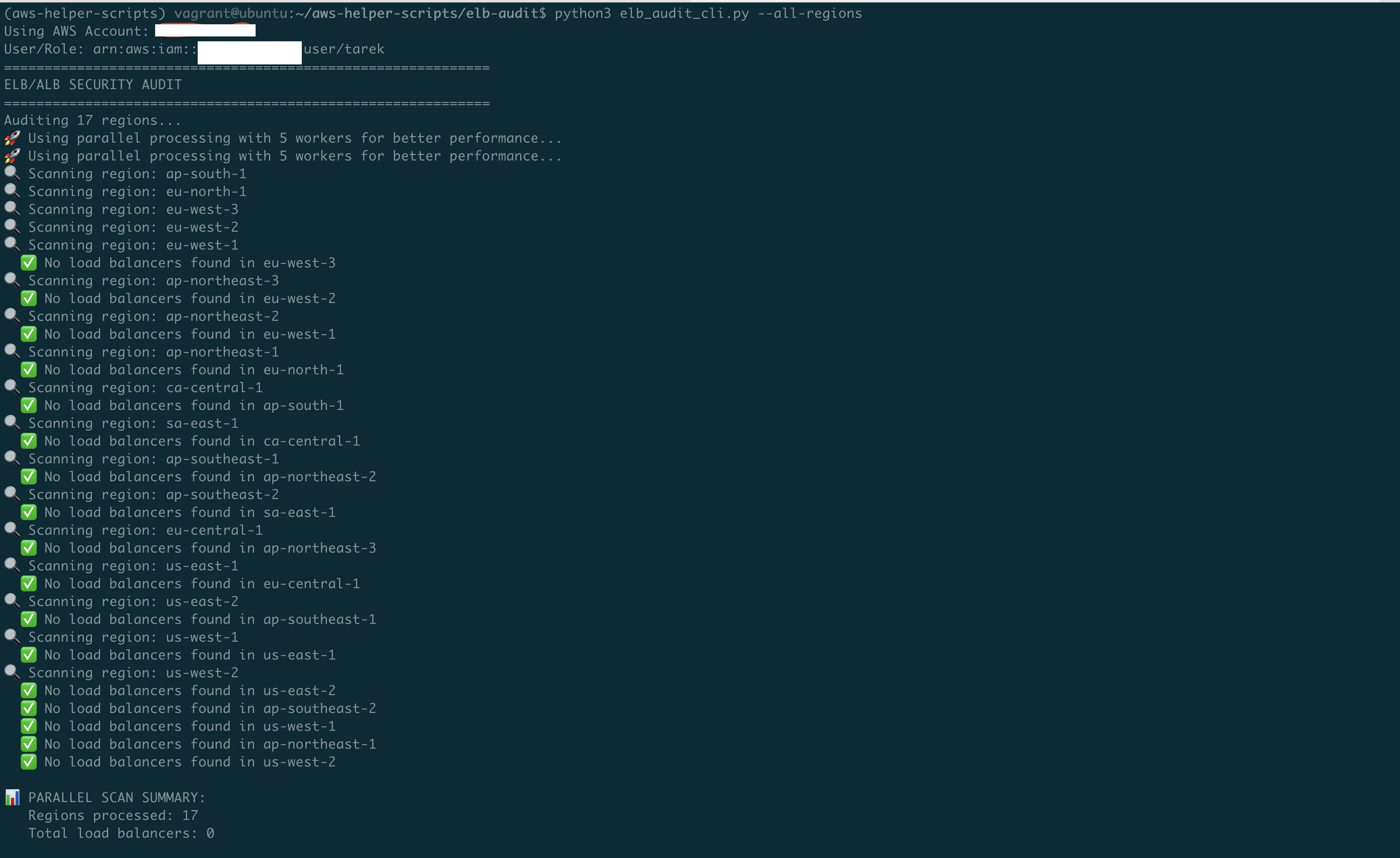
python3 elb_audit_cli.py --all-regions
Done. Every load balancer. Every region. Security issues flagged.
AWS Load Balancer Types — The 30-Second Version
AWS has three types. You probably have all three.
Classic Load Balancer (CLB)
The 2009 original. Still works. AWS wants you to migrate off it.
aws elb describe-load-balancers # Note: 'elb' not 'elbv2'Application Load Balancer (ALB)
The 2016 upgrade. Smart routing based on URLs, headers, paths. Use this for web apps.
aws elbv2 describe-load-balancers # Note: 'elbv2'Network Load Balancer (NLB)
The 2017 speed demon. Millions of requests per second. Use this for raw TCP/UDP traffic.
aws elbv2 describe-load-balancers # Same API as ALBThe confusing part: Classic uses aws elb. ALB and NLB both use aws elbv2. Don't mix them up.
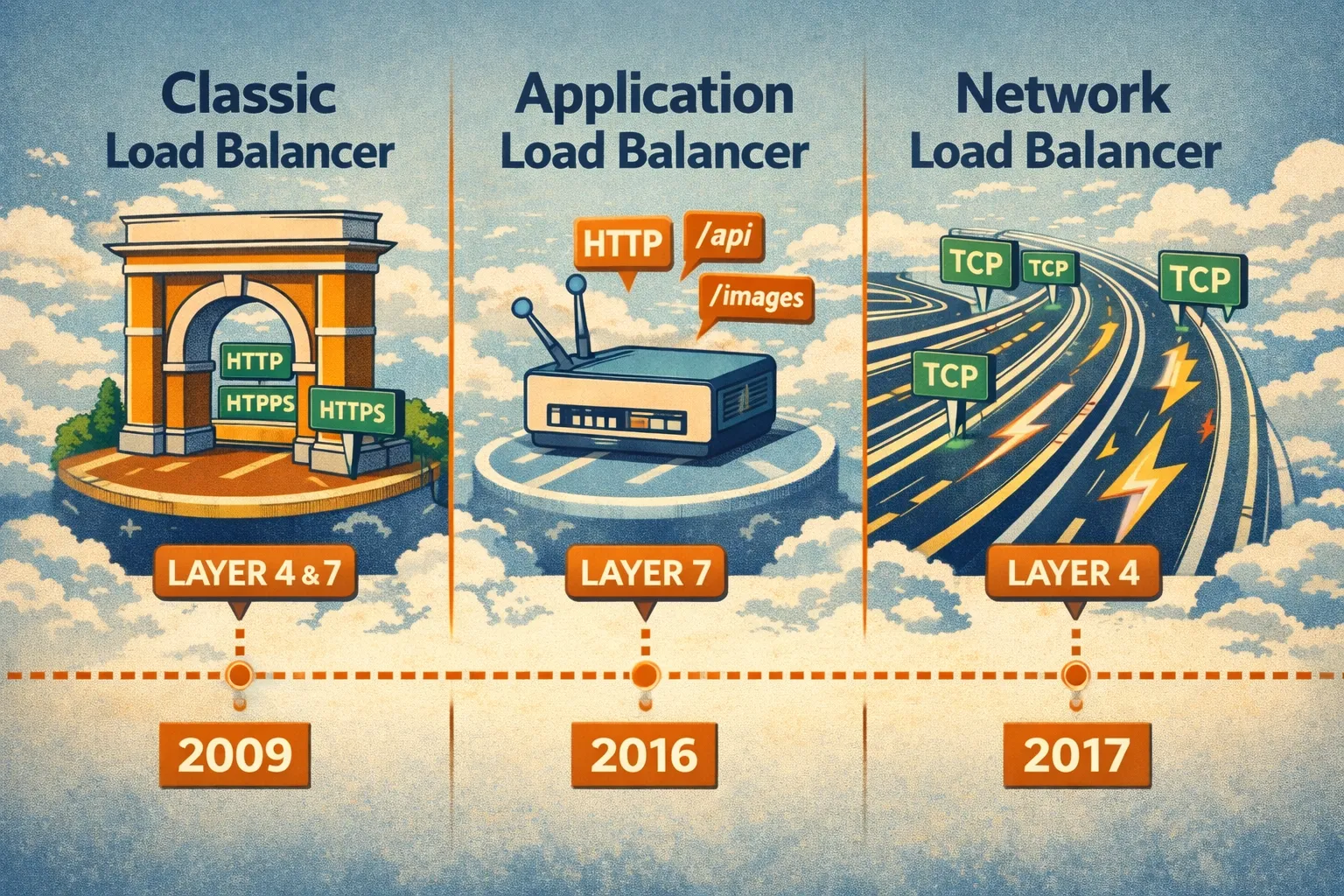
Layer 4 vs Layer 7 — What Does This Actually Mean?
You'll see "Layer 4" and "Layer 7" everywhere. Here's what they actually see.
The complete flow — step by step:
Step 1: Client to Load Balancer (Public Internet)
| Field       | Value                                        |
|-------------|----------------------------------------------|
| Source      | 203.0.113.50:52431 (client public IP)        |
| Destination | 52.94.123.45:443 (load balancer public IP)   |
| Traffic     | HTTPS encrypted                              |
Layer 4 (NLB) sees: IP addresses + ports only. Can't read anything inside.
Step 2: SSL Termination (at Load Balancer)
Load balancer decrypts the HTTPS traffic using your SSL certificate. Now it can read:
GET /api/users HTTP/1.1
Host: api.company.com
Authorization: Bearer eyJhbGc...
Cookie: session=xyz789
Layer 7 (ALB) sees: Full HTTP request. URLs, headers, cookies. Smart routing possible.
Layer 4 (NLB) still sees: Just TCP packets. Forwards blindly.
Step 3: Load Balancer to EC2 (Private Network)
| Field       | Value                                      |
|-------------|--------------------------------------------|
| Source      | 10.0.0.50 (load balancer private IP)       |
| Destination | 10.0.1.100:8080 (EC2 private IP)           |
| Traffic     | HTTP clear text (or HTTPS if configured)   |
ALB adds headers so your app knows the real client:
| Header              | Value          | Purpose            |
|---------------------|----------------|--------------------|
| X-Forwarded-For     | 203.0.113.50   | Original client IP |
| X-Forwarded-Proto   | https          | Original protocol  |
| X-Forwarded-Port    | 443            | Original port      |
What your EC2 application sees
- TCP connection from:
10.0.0.50(load balancer's private IP) - Real client IP: Read
X-Forwarded-Forheader →203.0.113.50
Security note: Traffic between load balancer and EC2 is often unencrypted HTTP inside your VPC. This is usually fine (VPC is isolated), but for sensitive data you can configure HTTPS to targets too.
The trade-off:
|                       | Layer 4 (NLB)                    | Layer 7 (ALB)                  |
|-----------------------|----------------------------------|--------------------------------|
| Speed                 | ~100,000 requests/sec per target | ~1,000 requests/sec per target |
| Latency               | Microseconds                     | Milliseconds                   |
| Can route by URL      | No                               | Yes                            |
| Can see HTTP headers  | No                               | Yes                            |
| Can do authentication | No                               | Yes                            |
| Use for               | Databases, gaming, IoT           | Web apps, APIs, microservices  |
Real example:
Your e-commerce site needs:
/api/*→ API servers/images/*→ CDN/admin/*→ Admin servers (with auth)
Layer 4 can't do this. It just sees "port 443". Layer 7 reads the URL and routes accordingly.
Rule of thumb: Web traffic → ALB. Everything else → NLB. Classic → migrate when you can.
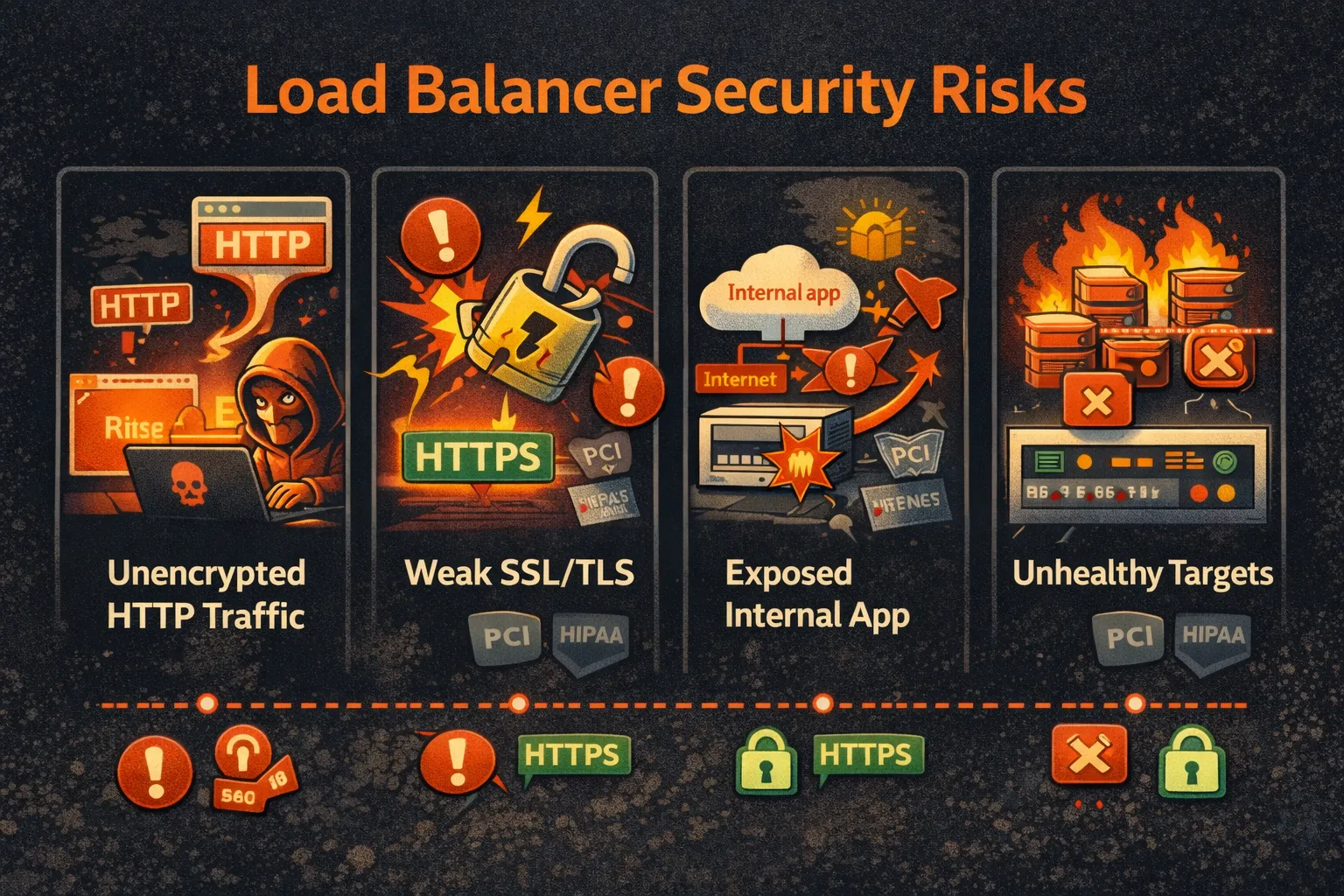
Why This Matters for Security
Load balancers are your front door. Misconfigure them and nothing else matters.
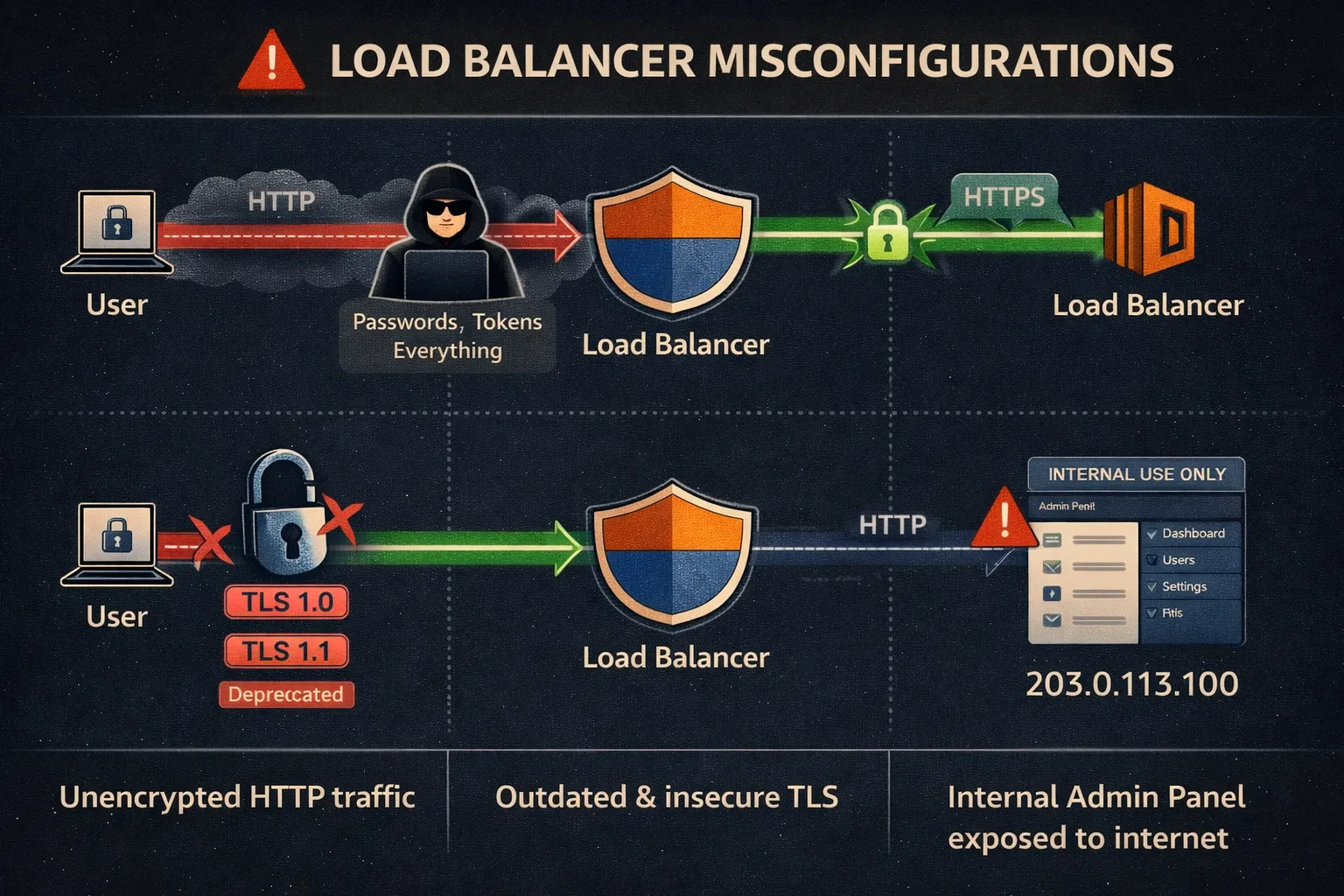
HTTP on a public load balancer?
Anyone between your users and AWS can read the traffic. Passwords. Tokens. Everything.
User --> [Attacker sniffing] --> Your Load Balancer --> Your AppOutdated TLS policy?
TLS 1.0 and 1.1 are broken. If your load balancer still accepts them, attackers can downgrade connections and decrypt traffic.
Internal app on internet-facing load balancer?
Your admin panel is now on the internet. Congrats.
What the Tool Checks
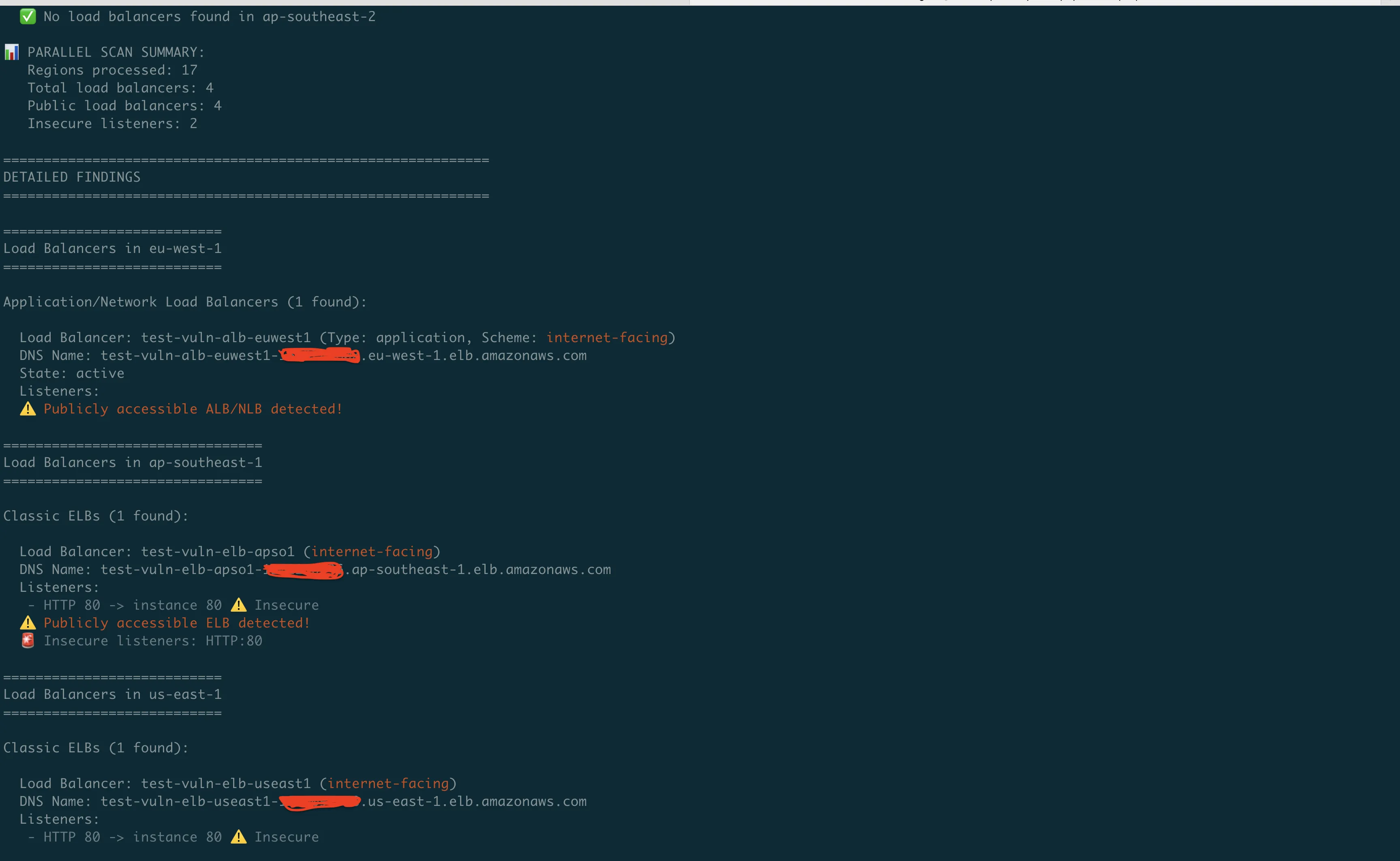
python3 elb_audit_cli.py --all-regionsOutput:
================================================================================
Classic ELBs in us-east-1
================================================================================

Load Balancer: prod-web-elb (internet-facing)
Listeners:
 - HTTP 80 -> instance 80 -- Insecure (HTTP on port 80)
 - HTTPS 443 -> instance 80
Publicly accessible ELB detected!

================================================================================
Application/Network Load Balancers (ALB/NLB) in us-east-1
================================================================================

Load Balancer: api-gateway-alb (Type: application, Scheme: internet-facing)
 - HTTPS port 443
   Target Group: api-servers (HTTP:8080)
     - Target: i-1234567890abcdef0, Health: healthy
     - Target: i-0987654321fedcba0, Health: unhealthy
Publicly accessible ALB/NLB detected!
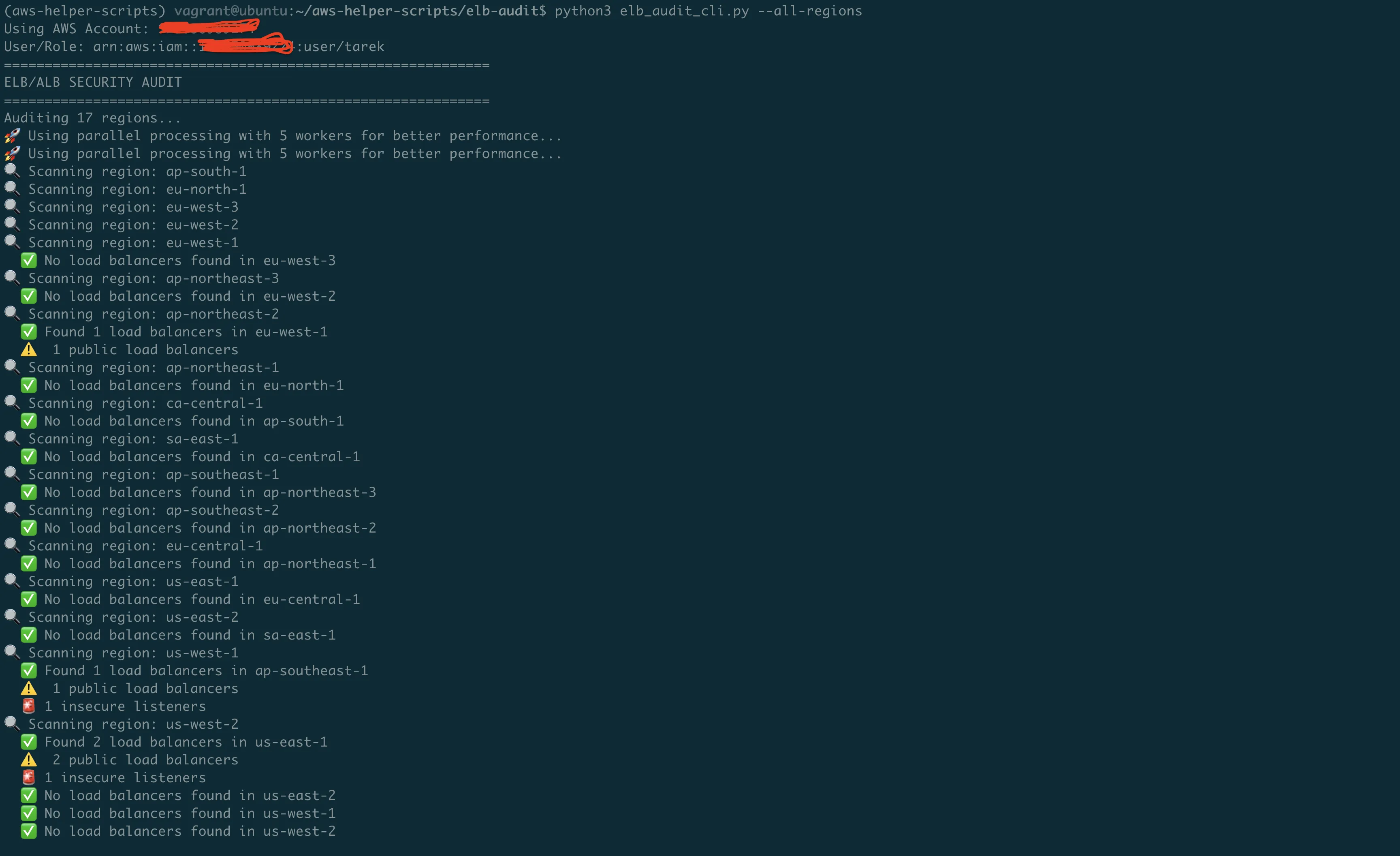
It flags:
- HTTP listeners on public load balancers
- Public exposure (internet-facing scheme)
- Unhealthy targets (often indicates config drift)
- Insecure ports (80, 8080, 8000, 3000 without HTTPS)
The Code That Does the Work
Checking Classic Load Balancers
def audit_classic_elbs(elb_client, region):
    """Audit Classic Load Balancers with security focus."""
    elbs = elb_client.describe_load_balancers()['LoadBalancerDescriptions']

    for elb in elbs:
        name = elb['LoadBalancerName']
        # 'Scheme' is 'internet-facing' or 'internal'
        public = elb.get('Scheme', '') == 'internet-facing'

        for listener in elb['ListenerDescriptions']:
            protocol = listener['Listener']['Protocol']
            port = listener['Listener']['LoadBalancerPort']

            # HTTP on port 80 + public = bad
            if protocol.upper() == 'HTTP' and public:
                print(f"WARNING {name}: Public HTTP listener on port {port}")
Checking ALB/NLB
def audit_alb_nlb(elbv2_client, region):
    """Audit Application and Network Load Balancers."""
    lbs = elbv2_client.describe_load_balancers()['LoadBalancers']

    for lb in lbs:
        name = lb['LoadBalancerName']
        lb_type = lb['Type']  # 'application' or 'network'
        public = lb.get('Scheme') == 'internet-facing'

        # Get listeners for this load balancer
        listeners = elbv2_client.describe_listeners(
            LoadBalancerArn=lb['LoadBalancerArn']
        )['Listeners']

        for listener in listeners:
            protocol = listener.get('Protocol', '')
            port = listener.get('Port', 0)

            if protocol == 'HTTP' and public:
                print(f"WARNING {name}: Public HTTP on port {port}")
Checking Target Health
Unhealthy targets often mean something changed. Sometimes that "something" breaks security too.
def check_target_health(elbv2_client, target_group_arn):
    """Check target health - unhealthy often means config drift."""
    response = elbv2_client.describe_target_health(
        TargetGroupArn=target_group_arn
    )

    for target in response['TargetHealthDescriptions']:
        target_id = target['Target']['Id']
        state = target['TargetHealth']['State']

        if state != 'healthy':
            reason = target['TargetHealth'].get('Reason', 'Unknown')
            print(f"  WARNING {target_id}: {state} ({reason})")
SSL/TLS — The Settings That Actually Matter
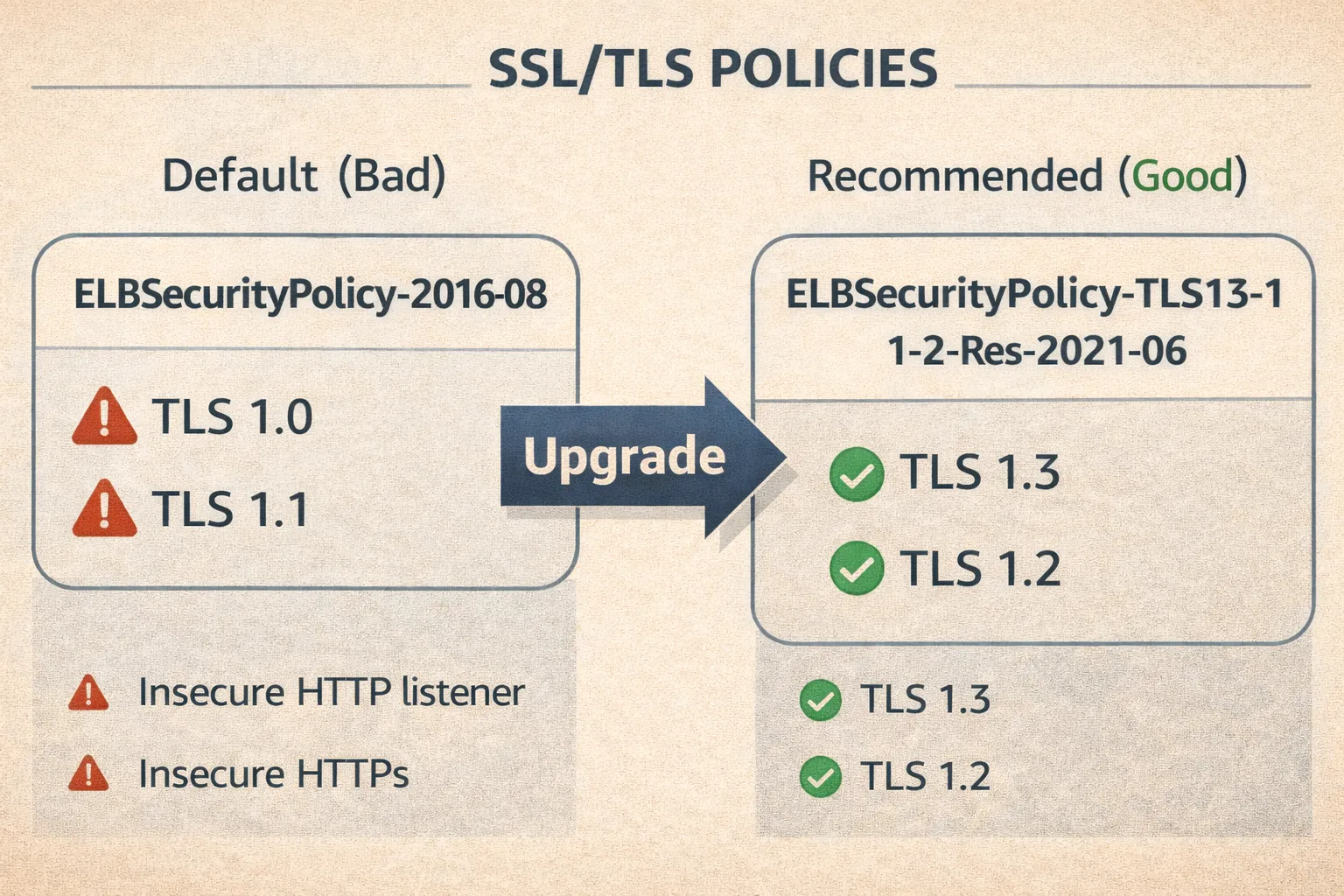
The Default is Bad
When you create an HTTPS listener via CLI without specifying a policy:
aws elbv2 create-listener --protocol HTTPS ...You get ELBSecurityPolicy-2016-08. This enables TLS 1.0 and 1.1. Both are deprecated.
What to Use Instead
For ALB/NLB:
aws elbv2 create-listener \
  --load-balancer-arn $ALB_ARN \
  --protocol HTTPS \
  --port 443 \
  --ssl-policy ELBSecurityPolicy-TLS13-1-2-Res-2021-06 \
  --certificates CertificateArn=$CERT_ARN \
  --default-actions Type=forward,TargetGroupArn=$TG_ARN
ELBSecurityPolicy-TLS13-1-2-Res-2021-06 = TLS 1.3 + TLS 1.2 only. No legacy junk.
For Classic Load Balancer:
aws elb set-load-balancer-policies-of-listener \
  --load-balancer-name my-elb \
  --load-balancer-port 443 \
  --policy-names ELBSecurityPolicy-TLS-1-2-2017-01
Redirect HTTP to HTTPS
ALB can do this automatically:
aws elbv2 create-listener \
  --load-balancer-arn $ALB_ARN \
  --protocol HTTP \
  --port 80 \
  --default-actions 'Type=redirect,RedirectConfig={Protocol=HTTPS,Port=443,StatusCode=HTTP_301}'
Classic Load Balancer can't do redirects. You need to handle it in your app or migrate to ALB.
SSL Certificate Checking
The tool also checks your certificates:
# Note: Requires Python 3.7+ for ssl.TLSVersion enum
def analyze_ssl_certificate(cert_arn, region):
    """Check certificate expiration and key strength."""
    acm = boto3.client('acm', region_name=region)
    cert = acm.describe_certificate(CertificateArn=cert_arn)['Certificate']

    # Expiration check
    expiry = cert.get('NotAfter')
    if expiry:
        days_left = (expiry.replace(tzinfo=None) - datetime.now()).days
        if days_left < 30:
            print(f"CRITICAL Certificate expires in {days_left} days!")
        elif days_left < 90:
            print(f"WARNING Certificate expires in {days_left} days")

    # Key strength check
    key_algo = cert.get('KeyAlgorithm', '')
    if key_algo == 'RSA-1024':
        print(f"CRITICAL Weak RSA-1024 key - use 2048+ bit")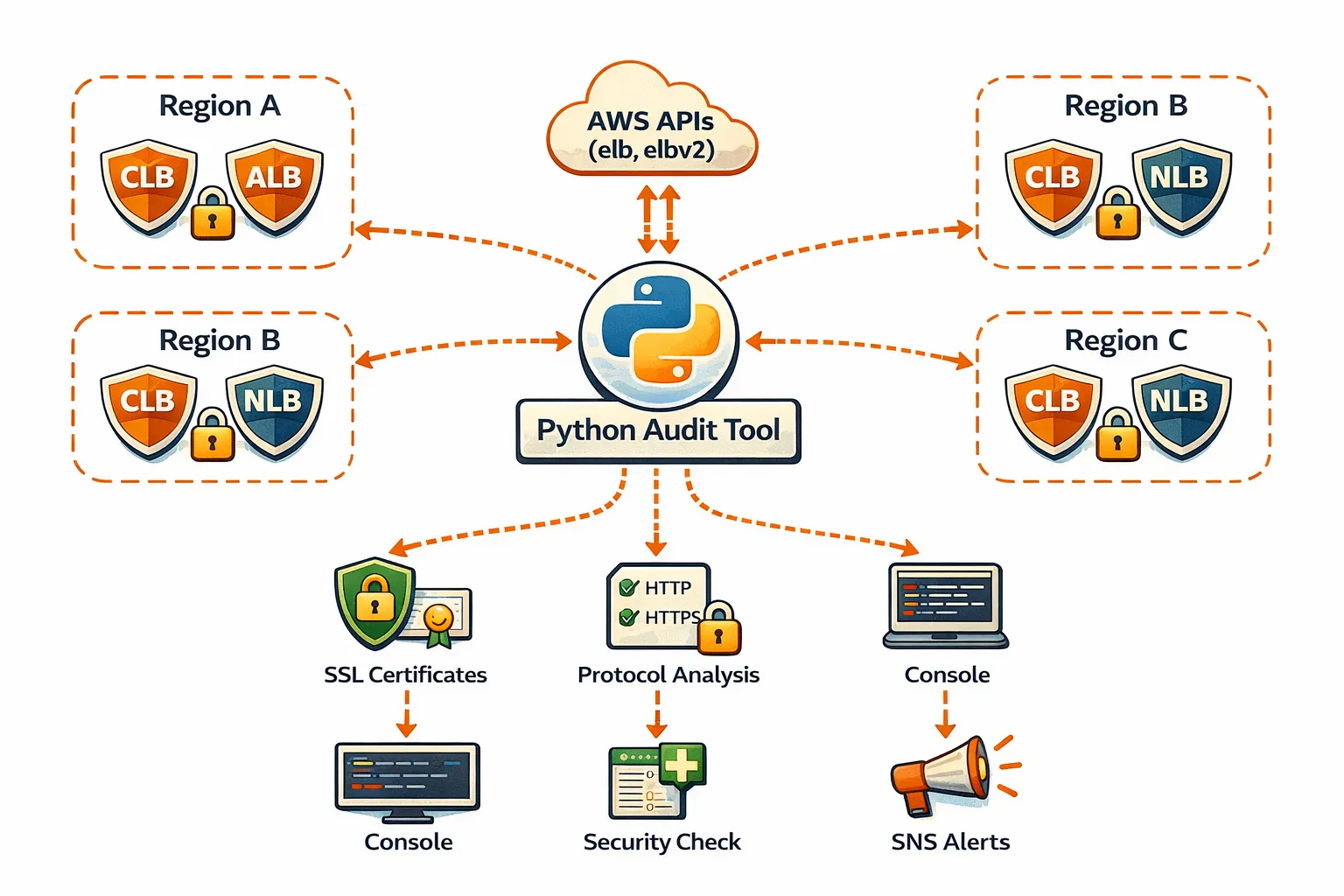
Running Across All Regions
AWS has 33 commercial regions (plus GovCloud and China which need separate credentials).
# Scan all accessible regions
python3 elb_audit_cli.py --all-regions

# Scan specific region
python3 elb_audit_cli.py --region us-east-1

# Use specific AWS profile
python3 elb_audit_cli.py --profile production --all-regions
Parallel Scanning
Scanning 33 regions sequentially takes ~2 minutes. Parallel drops it to ~15 seconds.
# Default: 5 parallel workers
python3 elb_audit_cli.py --all-regions

# Faster: 10 workers
python3 elb_audit_cli.py --all-regions --max-workers 10

# Sequential (if you're debugging)
python3 elb_audit_cli.py --all-regions --no-parallel
Lambda Version for Continuous Monitoring
One-time scans find today's problems. Scheduled scans catch tomorrow's.
cd elb-audit-lambda
./deploy.sh
Runs daily. Sends SNS alerts when it finds:
- New public HTTP listeners
- Expiring certificates
- New internet-facing load balancers
IAM Permissions Needed
{
    "Version": "2012-10-17",
    "Statement": [
        {
            "Effect": "Allow",
            "Action": [
                "elasticloadbalancing:DescribeLoadBalancers",
                "elasticloadbalancing:DescribeListeners",
                "elasticloadbalancing:DescribeTargetGroups",
                "elasticloadbalancing:DescribeTargetHealth",
                "acm:DescribeCertificate"
            ],
            "Resource": "*"
        }
    ]
}
Add sns:Publish if you want alerts.
Quick Reference
| What you need    | Command                                                              |
|------------------|----------------------------------------------------------------------|
| Scan all regions | python3 elb_audit_cli.py --all-regions                               |
| Scan one region  | python3 elb_audit_cli.py --region us-east-1                          |
| Use AWS profile  | python3 elb_audit_cli.py --profile prod --all-regions                |
| Faster scanning  | python3 elb_audit_cli.py --all-regions --max-workers 10              |
| With SNS alerts  | python3 elb_audit_cli.py --all-regions --sns-topic arn:aws:sns:...   |
Common Fixes
HTTP listener on public ALB:
# Add HTTPS listener
aws elbv2 create-listener \
  --load-balancer-arn $ALB_ARN \
  --protocol HTTPS --port 443 \
  --ssl-policy ELBSecurityPolicy-TLS13-1-2-Res-2021-06 \
  --certificates CertificateArn=$CERT_ARN \
  --default-actions Type=forward,TargetGroupArn=$TG_ARN

# Redirect HTTP to HTTPS
aws elbv2 create-listener \
  --load-balancer-arn $ALB_ARN \
  --protocol HTTP --port 80 \
  --default-actions 'Type=redirect,RedirectConfig={Protocol=HTTPS,Port=443,StatusCode=HTTP_301}'
Outdated TLS policy:
# Update ALB/NLB listener
aws elbv2 modify-listener \
  --listener-arn $LISTENER_ARN \
  --ssl-policy ELBSecurityPolicy-TLS13-1-2-Res-2021-06

# Update Classic ELB
aws elb set-load-balancer-policies-of-listener \
  --load-balancer-name $ELB_NAME \
  --load-balancer-port 443 \
  --policy-names ELBSecurityPolicy-TLS-1-2-2017-01
Coming Next
Episode 6: DNS Security Validator — Subdomain Takeover & Email Spoofing.
Links
- GitHub: https://github.com/TocConsulting/aws-helper-scripts
- AWS ELB Security Policies: https://docs.aws.amazon.com/elasticloadbalancing/latest/application/describe-ssl-policies.html
- AWS Classic ELB Policies: https://docs.aws.amazon.com/elasticloadbalancing/latest/classic/elb-security-policy-table.html
git clone https://github.com/TocConsulting/aws-helper-scripts.git
cd aws-helper-scripts/elb-audit
python3 elb_audit_cli.py --all-regions
That's it. No more clicking through the console.
If you found this useful, follow me for more AWS security automation content.
Go Deeper: The State of AWS Security 2026
This article is just the start. Get the full picture with our free whitepaper - 8 chapters covering IAM, S3, VPC, monitoring, agentic AI security, compliance, and a prioritized action plan with 50+ CLI commands.
More Articles
Run AI Locally for AWS Security Work: The Complete Ollama Guide
Stop sending your IAM policies, CloudTrail logs, and infrastructure code to third-party APIs. Run LLMs locally with Ollama on Apple Silicon: private, offline, fast. Complete setup guide with AWS security use cases.
We Detonated the Real LiteLLM Malware on EC2: Here's What Happened
We obtained the actual compromised litellm packages, set up a disposable EC2 instance with honeypot credentials and mitmproxy, and detonated the malware. Full evidence: fork bomb, credential theft in under 2 seconds, IMDS queries, AWS API calls, and C2 exfiltration.
Anatomy of a Supply Chain Attack: How LiteLLM Was Weaponized in 6 Hours
A deep technical breakdown of how threat actor TeamPCP compromised Trivy, pivoted to LiteLLM, and turned a popular AI proxy into a credential-stealing weapon targeting AWS IMDS, Secrets Manager, and Kubernetes.