
I Built a Free AWS IAM Activity Tracker Because CloudTrail Alone Isn't Enough
Tarek Cheikh
Founder & AWS Cloud Architect
If you've ever tried to answer the question "who did what in our AWS account last month?", you know the pain. CloudTrail has the data, but getting actionable insights from it requires either expensive third-party tools or hours of manual log parsing.
After spending too many hours writing custom scripts to investigate IAM incidents, I decided to build a proper solution. The IAM Activity Tracker is a serverless tool that continuously monitors IAM, STS, and Console signin activities across all AWS regions, with real-time security alerts and long-term analytics.
The best part? It runs within the AWS free tier for most organizations.
The Problem with Native AWS Tools
CloudTrail is fantastic at recording events. But it has limitations that make security monitoring difficult:
90-day retention on the free tier. After 90 days, events are gone unless you've configured (and paid for) S3 storage.
No real-time alerting. CloudTrail records events, but it doesn't tell you when something suspicious happens. You need EventBridge rules, Lambda functions, and SNS topics — all configured manually.
Regional event distribution. IAM events only appear in us-east-1, but STS events (like AssumeRole) are distributed across all regions where they occur. Correlating activity across regions requires querying multiple places.
Noise from AWS services. A significant portion of IAM/STS events come from AWS service-linked roles doing routine operations. Finding the security-relevant events means filtering through thousands of background operations.
AWS Security Hub and GuardDuty help, but they're expensive at scale and don't provide the granular IAM audit trail that compliance teams need.
What the IAM Activity Tracker Does
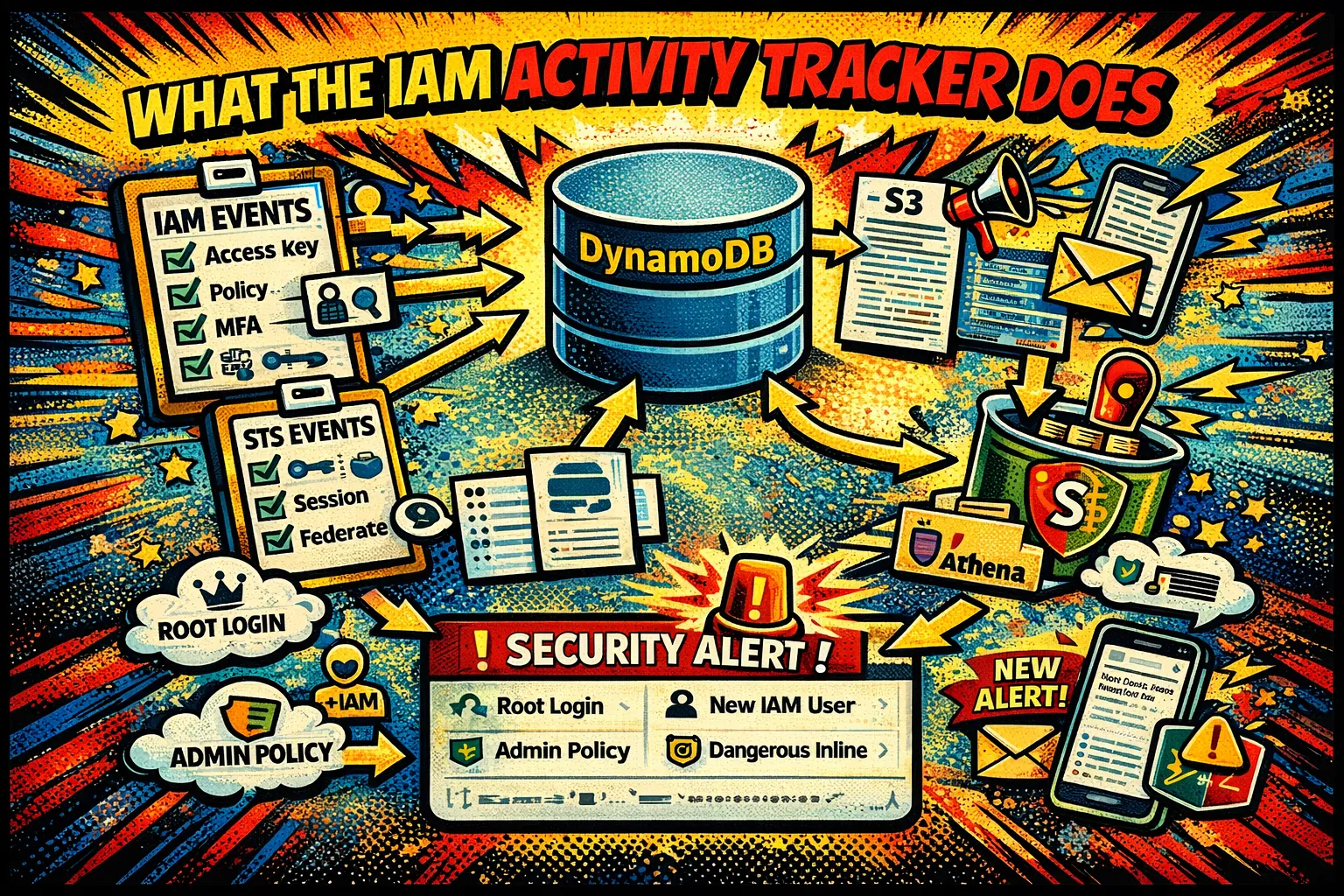
The tracker collects three types of events:
- IAM events — User creation, policy attachments, access key changes, MFA modifications
- STS events — Role assumptions, session tokens, federated access across all regions
- Console signin events — Successful and failed logins, including root account access
It stores everything in DynamoDB for real-time queries and optionally exports to S3 in Parquet format for long-term analytics with Athena.
Real-Time Security Alerts
The tracker monitors for 14 different security-relevant patterns and sends SNS notifications when they occur:
- Root account login or failed login attempts
- IAM user creation
- Admin policy attachments (AdministratorAccess, IAMFullAccess, PowerUserAccess)
- Dangerous inline policies with
*:*oriam:*permissions - Access key creation or status changes
- Role trust policy modifications with external accounts
- MFA device deletion or deactivation
- SSO permission set changes and account assignments
Each alert includes the event details, source IP, timestamp, and the user who performed the action.
Pre-Built Analytics Queries
For longer-term analysis, the tracker includes 15 pre-built Athena queries:
make run-query Q=failed_auth        # Failed authentication attempts
make run-query Q=root_usage         # Root account activity
make run-query Q=off_hours          # After-hours access
make run-query Q=permission_changes # IAM policy modifications
make run-query Q=role_assumptions   # Role usage patterns
The queries output in formatted tables with execution metrics and cost estimates.
Architecture Overview
+-------------------+     +--------------------+     +-------------------+
|   EventBridge     |---->| Tracker Lambda     |---->|    DynamoDB       |
|   (Hourly)        |     |(Multi-threaded)    |     |    (Events)       |
+-------------------+     +--------------------+     +-------------------+
                                 |                           |
                                 v                           v
                          +--------------------+     +-------------------+
                          | CloudTrail Event   |     | Security Alerts   |
                          |   History API      |     |      (SNS)        |
                          | (Free 90 days)     |     +-------------------+
                          +--------------------+

+-------------------+     +--------------------+     +-------------------+
|   EventBridge     |---->|  Export Lambda     |---->|   S3 + Athena     |
|    (Daily)        |     |   (Parquet)        |     |   (Analytics)     |
+-------------------+     +--------------------+     +-------------------+
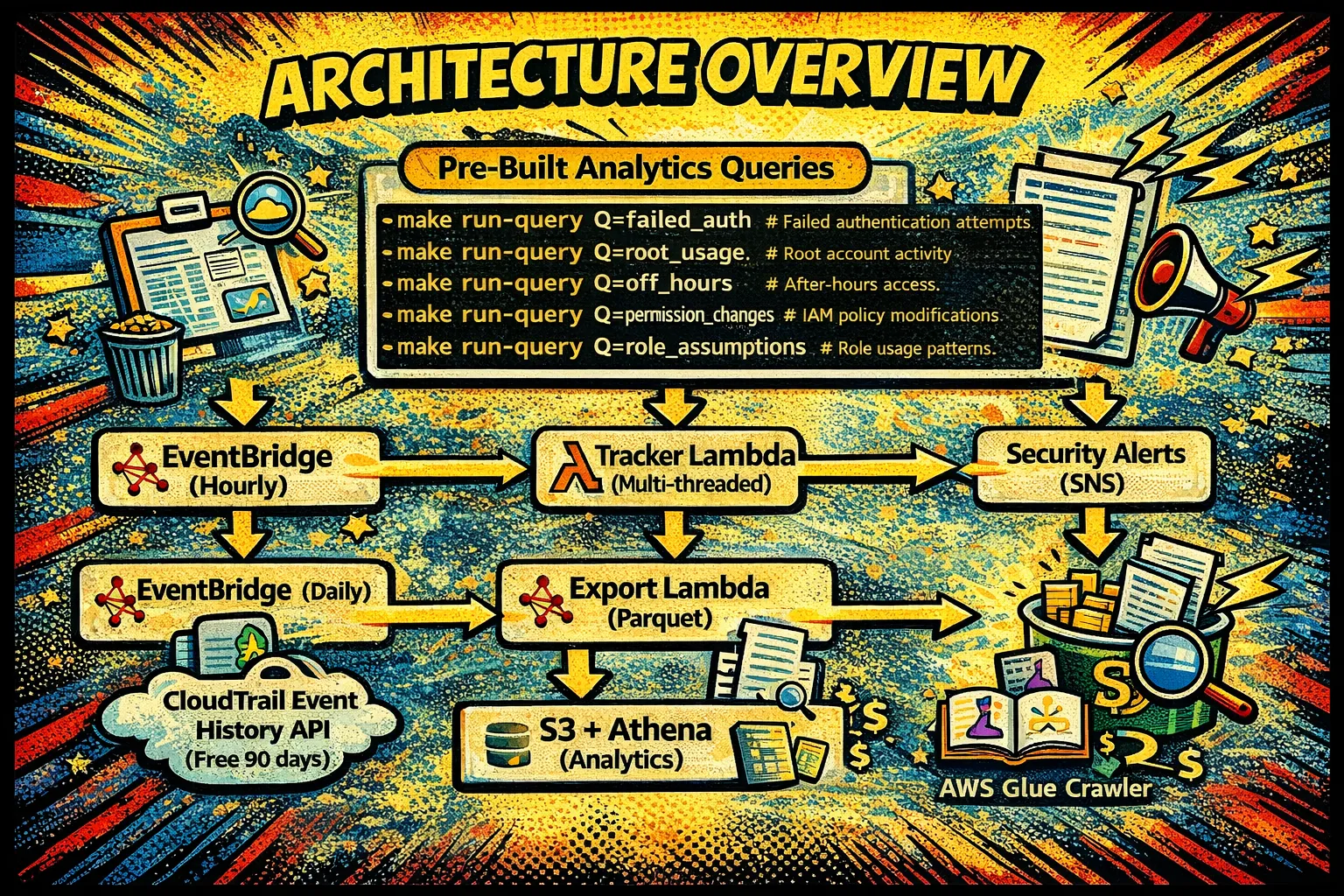
The Tracker Lambda runs hourly, querying CloudTrail's free 90-day event history API across all regions in parallel. Events are stored in DynamoDB with indexes on user name and event name for fast lookups.
The Export Lambda runs daily, converting DynamoDB records to Parquet files in S3. A Glue crawler discovers partitions, and Athena enables SQL queries over the entire dataset.
Technical Decisions Worth Explaining
Multi-Region Parallel Processing
IAM events only exist in us-east-1, but STS events are distributed across all active regions. A role assumption in eu-west-1 creates an event in eu-west-1, not us-east-1.
The tracker uses a ThreadPoolExecutor with up to 32 concurrent threads to query all regions in parallel:
with ThreadPoolExecutor(max_workers=MAX_WORKERS) as executor:
    futures = []
    # IAM events (us-east-1 only)
    futures.append(executor.submit(process_region_events, 'us-east-1', 'iam.amazonaws.com'))
    # STS events (all regions in parallel)
    for region in active_regions:
        futures.append(executor.submit(process_region_events, region, 'sts.amazonaws.com'))
This reduces collection time from minutes to seconds for accounts with activity across many regions.
Checkpoint-Based Incremental Processing
Each region/source combination maintains its own checkpoint timestamp in a DynamoDB control table. On each run, the tracker only queries events newer than the last checkpoint.
The first run collects up to 90 days of historical events. Subsequent runs are incremental, typically processing only the last hour of activity.
Filtering AWS Service Noise
AWS services generate enormous volumes of IAM/STS events through service-linked roles. These are legitimate operations but create noise that obscures security-relevant activity.
The tracker filters events based on multiple conditions:
def is_service_linked_role_event(event):
    user_identity = event.get('UserIdentity', {})
    if user_identity.get('type') == 'AWSService':
        # Check if request is from AWS internal infrastructure
        is_aws_internal = (
            user_agent.endswith('.amazonaws.com') or
            source_ip.endswith('.amazonaws.com')
        )
        # Check if assuming a service-linked role
        is_service_role = '/aws-service-role/' in request_params.get('roleArn', '')
        return is_aws_internal and is_service_role
    return False
This multi-condition approach prevents false positives while removing 80–90% of background noise.
CSPM Tool Filtering
If you use cloud security tools like PrismaCloud, Wiz, or Orca, you know they generate thousands of API calls scanning your account. These are legitimate security operations, but they dominate IAM activity logs.
The tracker supports pattern-based role filtering:
export FILTERED_ROLES="PrismaCloud*,WizSecurityRole,*Scanner*"
make deploy
Wildcards are converted to regex patterns, matching role names in ARNs regardless of position.
Alert Deduplication
Security alerts are only useful if they're not noisy. The tracker maintains an alerts table with 30-day TTL to prevent duplicate notifications:
def check_event_for_alerts(event):
    for check_function in alert_checks:
        alert = check_function(event)
        if alert and not has_alert_been_sent(event_id, alert['type']):
            send_alert(alert, event)
            record_sent_alert(event_id, alert['type'])
One event can trigger multiple alert types (e.g., root login could trigger both "Root Activity" and "Off-Hours Access"), but the same alert for the same event is never sent twice.
Parquet for Cost-Effective Analytics
S3 storage in Parquet format provides 70–90% compression compared to JSON. This reduces both storage costs and Athena query costs (which are based on data scanned).
pq.write_table(
    table,
    buffer,
    compression='snappy',
    row_group_size=10000,
    use_dictionary=True,  # Compress repeated values
    write_statistics=True  # Enable predicate pushdown
)
Combined with S3 lifecycle policies that transition data to cheaper storage classes over time, long-term retention becomes affordable.
Cost Analysis
For small organizations (under 100 users):
- DynamoDB: $0 (free tier)
- Lambda: $0 (free tier)
- CloudTrail: $0 (free event history)
- S3: $0.50-2.00
- Athena: $0.10-1.00
- Total: $0-3/month
For large organizations (1000+ users):
- DynamoDB: $10-25
- Lambda: $2-10
- S3: $5-20
- Athena: $5-15
- Total: $22-70/month
Compare this to commercial IAM monitoring solutions that start at hundreds of dollars per month.
Deployment
The tracker uses AWS SAM for deployment:
git clone https://github.com/TocConsulting/iam-activity-tracker
cd iam-activity-tracker

export AWS_REGION=us-east-1
export AWS_PROFILE=production
make deploy
The deployment process offers immediate initialization, which collects 90 days of historical events. Without initialization, you'd wait 25+ hours for scheduled collection to populate the database.
Configuration Options
# Filter noisy CSPM roles
export FILTERED_ROLES="PrismaCloud*,Wiz*,OrcaSecurityRole"

# Set alert email
export ALERTS_EMAIL_ADDRESS="security@example.com"

# Adjust collection frequency (default: hourly)
export SCHEDULE_EXPRESSION="rate(6 hours)"

# Enable/disable SSO tracking
export PROCESS_SSO_EVENTS=true
export SSO_REGION=us-east-1

make deploy
What I Learned Building This
CloudTrail's event history API is underutilized. Most tutorials show setting up S3 trails, but the free 90-day lookup API is sufficient for many monitoring use cases.
DynamoDB on-demand billing works well for unpredictable workloads. IAM activity varies dramatically — quiet during nights/weekends, spiky during deployments. On-demand pricing handles this without capacity planning.
Parquet is worth the complexity. The AWS SDK for Pandas layer adds deployment overhead, but the storage and query cost savings are significant at scale.
Alert deduplication is harder than it sounds. The naive approach of "don't alert on the same event twice" breaks when you want multiple alert types per event but not duplicate alerts of the same type.
Try It Out
The code is open source under MIT license:
If you're responsible for AWS security or compliance, give it a try. The deployment takes about 5 minutes, and the immediate initialization means you'll have 90 days of historical data to query right away.
Feedback and contributions are welcome.
Resources
Go Deeper: The State of AWS Security 2026
This article is just the start. Get the full picture with our free whitepaper - 8 chapters covering IAM, S3, VPC, monitoring, agentic AI security, compliance, and a prioritized action plan with 50+ CLI commands.
More Articles
Run AI Locally for AWS Security Work: The Complete Ollama Guide
Stop sending your IAM policies, CloudTrail logs, and infrastructure code to third-party APIs. Run LLMs locally with Ollama on Apple Silicon: private, offline, fast. Complete setup guide with AWS security use cases.
We Detonated the Real LiteLLM Malware on EC2: Here's What Happened
We obtained the actual compromised litellm packages, set up a disposable EC2 instance with honeypot credentials and mitmproxy, and detonated the malware. Full evidence: fork bomb, credential theft in under 2 seconds, IMDS queries, AWS API calls, and C2 exfiltration.
Anatomy of a Supply Chain Attack: How LiteLLM Was Weaponized in 6 Hours
A deep technical breakdown of how threat actor TeamPCP compromised Trivy, pivoted to LiteLLM, and turned a popular AI proxy into a credential-stealing weapon targeting AWS IMDS, Secrets Manager, and Kubernetes.