
IAM Fundamentals: Your First Line of Defense in AWS
Tarek Cheikh
Founder & AWS Cloud Architect
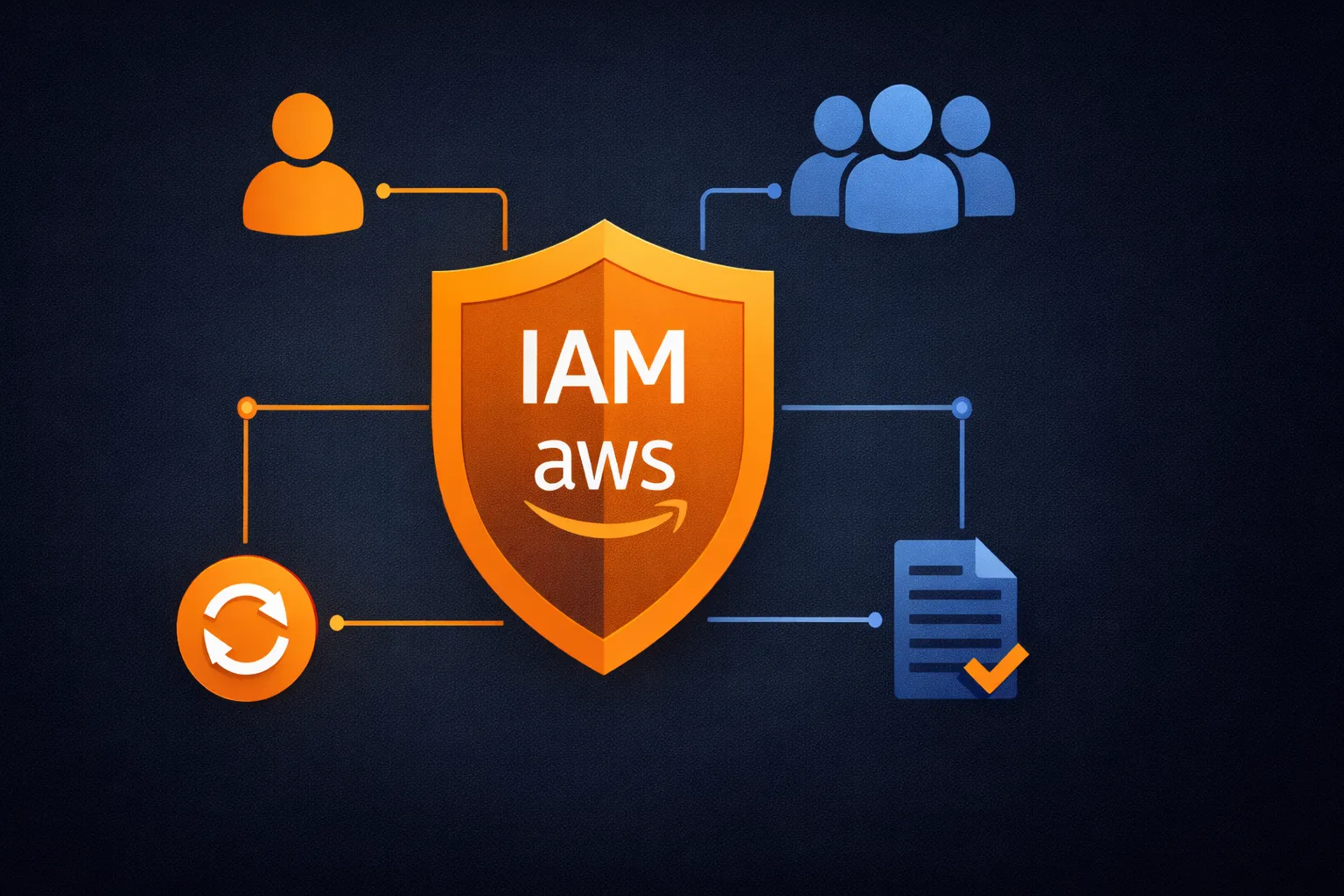
In the previous article, we set up our AWS developer environment with CLI access, Python automation, and proper credential management. Now it is time to dive into the service that will make or break your AWS security: Identity and Access Management (IAM).
IAM is not just another AWS service. Every other service depends on IAM for security, and a single misconfigured permission can mean the difference between a secure deployment and a breach. If you have ever seen an AWS account compromised because someone attached Action: "*" on Resource: "*" to get past a permission error, you know exactly what I mean.
Understanding IAM: The Four Core Components
IAM operates on four fundamental concepts that work together to control access in your AWS account.
1. Users — Digital Identities for Humans
Users represent individual people who need access to your AWS account. Each user gets their own credentials and permissions.
When to create users:
- Individual developers on your team
- DevOps engineers managing infrastructure
- Business stakeholders who need Console access
- Auditors requiring read-only access
Best practices:
- One user per person (never share accounts)
- Descriptive usernames (
john.smith-developer, notuser123) - Strong password policies with MFA
- Regular access reviews and cleanup
Note: For organizations with many users, consider IAM Identity Center (formerly AWS SSO) instead of creating individual IAM users. It provides centralized access management with federation support.
2. Groups — Organize Users by Function
Groups are collections of users who need similar permissions. Instead of managing permissions for each user individually, you assign permissions to groups and add users to the appropriate groups.
Common group patterns:
Developers— Code deployment and testing permissionsDevOps— Infrastructure management permissionsDataScientists— Analytics and ML service accessAuditors— Read-only access across services
3. Roles — Temporary Access for Services and External Entities
Roles provide temporary credentials that AWS services or external entities can assume. Unlike users, roles do not have permanent credentials — they issue short-lived tokens.
When to use roles:
- EC2 instances accessing S3 buckets
- Lambda functions writing to DynamoDB
- Cross-account access between AWS accounts
- Temporary access for contractors or external auditors
4. Policies — The Rule Book
Policies are JSON documents that define what actions are allowed or denied. They are the actual rules that determine who can do what.
Policy types:
- Identity-based policies — Attached to users, groups, or roles
- Resource-based policies — Attached to AWS resources (like S3 buckets)
- Permission boundaries — Maximum permissions a user or role can have
- Service control policies (SCPs) — Organization-wide restrictions via AWS Organizations
Hands-On IAM: Building a Secure Team Setup
Let us build a practical IAM setup that demonstrates all four components working together. We will create a development team structure for a small team with different access levels.
Step 1: Creating IAM Groups
First, create groups through the AWS Console:
- Navigate to IAM in the AWS Console
- Click User groups in the left sidebar
- Click Create group
- Name the group
Developers - Attach the
PowerUserAccessmanaged policy - Click Create group
Repeat for:
DevOpswithAdministratorAccessReadOnlywithReadOnlyAccess
Now let us automate this with Python. Create create_groups.py:
#!/usr/bin/env python3
"""Create IAM groups for team organization."""

import boto3


def create_group(group_name):
    """Create a single IAM group."""
    iam = boto3.client('iam')
    try:
        iam.create_group(GroupName=group_name)
        print(f"[OK] Created group: {group_name}")
        return True
    except iam.exceptions.EntityAlreadyExistsException:
        print(f"[SKIP] Group already exists: {group_name}")
        return True
    except Exception as e:
        print(f"[FAIL] Error creating {group_name}: {e}")
        return False


def attach_policy(group_name, policy_arn):
    """Attach an AWS managed policy to a group."""
    iam = boto3.client('iam')
    try:
        iam.attach_group_policy(GroupName=group_name, PolicyArn=policy_arn)
        print(f"[OK] Attached policy to {group_name}")
    except Exception as e:
        print(f"[FAIL] Error attaching policy to {group_name}: {e}")


if __name__ == "__main__":
    groups = {
        "Developers": "arn:aws:iam::aws:policy/PowerUserAccess",
        "DevOps": "arn:aws:iam::aws:policy/AdministratorAccess",
        "ReadOnly": "arn:aws:iam::aws:policy/ReadOnlyAccess",
    }

    for name, policy in groups.items():
        if create_group(name):
            attach_policy(name, policy)
python create_groups.py[OK] Created group: Developers
[OK] Attached policy to Developers
[OK] Created group: DevOps
[OK] Attached policy to DevOps
[OK] Created group: ReadOnly
[OK] Attached policy to ReadOnlyStep 2: Creating IAM Users and Assigning to Groups
Create create_users.py:
#!/usr/bin/env python3
"""Create IAM users and assign them to groups."""

import boto3


def create_user(username):
    """Create a single IAM user."""
    iam = boto3.client('iam')
    try:
        iam.create_user(UserName=username)
        print(f"[OK] Created user: {username}")
        return True
    except iam.exceptions.EntityAlreadyExistsException:
        print(f"[SKIP] User already exists: {username}")
        return True
    except Exception as e:
        print(f"[FAIL] Error creating {username}: {e}")
        return False


def add_to_group(username, group_name):
    """Add a user to an IAM group."""
    iam = boto3.client('iam')
    try:
        iam.add_user_to_group(UserName=username, GroupName=group_name)
        print(f"[OK] Added {username} to {group_name}")
    except Exception as e:
        print(f"[FAIL] Error adding {username} to {group_name}: {e}")


if __name__ == "__main__":
    team = [
        ("alice.johnson", "Developers"),
        ("bob.smith", "Developers"),
        ("charlie.ops", "DevOps"),
        ("diana.analyst", "ReadOnly"),
    ]

    for username, group in team:
        if create_user(username):
            add_to_group(username, group)
python create_users.py[OK] Created user: alice.johnson
[OK] Added alice.johnson to Developers
[OK] Created user: bob.smith
[OK] Added bob.smith to Developers
[OK] Created user: charlie.ops
[OK] Added charlie.ops to DevOps
[OK] Created user: diana.analyst
[OK] Added diana.analyst to ReadOnlyStep 3: Creating Service Roles
Service roles let AWS services act on your behalf. An EC2 instance needs a role to access S3, a Lambda function needs a role to write logs.
Create create_roles.py:
#!/usr/bin/env python3
"""Create service roles for EC2 and Lambda."""

import json
import boto3


def create_service_role(role_name, service, policy_arn):
    """Create a service role with a trust policy and attached permission."""
    iam = boto3.client('iam')

    trust_policy = {
        "Version": "2012-10-17",
        "Statement": [{
            "Effect": "Allow",
            "Principal": {"Service": service},
            "Action": "sts:AssumeRole"
        }]
    }

    try:
        iam.create_role(
            RoleName=role_name,
            AssumeRolePolicyDocument=json.dumps(trust_policy),
            Description=f"Service role for {service}"
        )
        iam.attach_role_policy(RoleName=role_name, PolicyArn=policy_arn)
        print(f"[OK] Created role: {role_name}")
    except iam.exceptions.EntityAlreadyExistsException:
        print(f"[SKIP] Role already exists: {role_name}")
    except Exception as e:
        print(f"[FAIL] Error creating {role_name}: {e}")


if __name__ == "__main__":
    roles = [
        (
            "EC2-S3-Access-Role",
            "ec2.amazonaws.com",
            "arn:aws:iam::aws:policy/AmazonS3ReadOnlyAccess"
        ),
        (
            "Lambda-Basic-Role",
            "lambda.amazonaws.com",
            "arn:aws:iam::aws:policy/service-role/AWSLambdaBasicExecutionRole"
        ),
    ]

    for role_name, service, policy_arn in roles:
        create_service_role(role_name, service, policy_arn)
python create_roles.py[OK] Created role: EC2-S3-Access-Role
[OK] Created role: Lambda-Basic-RoleStep 4: AWS Managed Policies vs Custom Policies
The scripts above use AWS managed policies — pre-built permission sets that AWS maintains. Here is when to use each type:
AWS Managed Policies (recommended for most use cases):
PowerUserAccess— Everything except IAM managementReadOnlyAccess— View resources across all servicesAdministratorAccess— Full access (use sparingly)- Maintained and updated by AWS as new services launch
Custom Policies (when you need fine-grained control):
- Granular control over specific actions and resources
- Conditional logic (restrict by IP, time, MFA status)
- Resource-level restrictions (specific S3 buckets, DynamoDB tables)
- More complex to write and maintain
Example of the dangerous "allow everything" policy that causes breaches:
{
  "Version": "2012-10-17",
  "Statement": [
    {
      "Effect": "Allow",
      "Action": "*",
      "Resource": "*"
    }
  ]
}
Never use this in production. If you find yourself tempted to use Action: "*" to get past a permission error, stop and figure out exactly which permissions you need instead.
Step 5: Testing Your IAM Setup
Create test_permissions.py to verify your setup:
#!/usr/bin/env python3
"""Test IAM permissions for the current user."""

import boto3
from botocore.exceptions import ClientError


def test_service(service_name, client_name, operation):
    """Test access to an AWS service."""
    try:
        client = boto3.client(client_name)
        getattr(client, operation)()
        print(f"[OK] {service_name} access verified")
        return True
    except ClientError as e:
        code = e.response['Error']['Code']
        if code in ('AccessDenied', 'AccessDeniedException'):
            print(f"[DENIED] {service_name} access denied")
        else:
            print(f"[FAIL] {service_name} error: {code}")
        return False


if __name__ == "__main__":
    print("Testing AWS permissions")
    print("=" * 40)

    tests = [
        ("S3", "s3", "list_buckets"),
        ("EC2", "ec2", "describe_instances"),
        ("IAM", "iam", "list_users"),
    ]

    passed = sum(1 for name, client, op in tests if test_service(name, client, op))
    print(f"\nResult: {passed}/{len(tests)} services accessible")
python test_permissions.pyTesting AWS permissions
========================================
[OK] S3 access verified
[OK] EC2 access verified
[OK] IAM access verified
Result: 3/3 services accessibleIAM Security Best Practices
These are non-negotiable practices based on real-world incidents:
1. Enable MFA Everywhere
Multi-Factor Authentication is mandatory, not optional. Even with strong passwords, accounts without MFA are compromised regularly.
2. Follow the Principle of Least Privilege
Start with minimal permissions and add only what is needed. Never use Action: "*" to get past permission errors.
3. Use Groups, Not Individual User Policies
Managing permissions through groups scales better and reduces errors. A user should inherit all their permissions from group membership.
4. Regular Access Reviews
Review who has access to what on a regular schedule. People change roles, leave companies, and accumulate permissions over time. Use IAM Access Analyzer to identify unused permissions.
5. Monitor with CloudTrail
Every IAM action should be logged. Set up alerts for suspicious activities like console logins from unusual locations or permission escalation attempts.
6. Rotate Access Keys
Access keys should be rotated periodically. Create a new key, update your configuration, verify it works, then delete the old key. Better yet, use IAM roles with temporary credentials wherever possible.
Summary
We covered the four core IAM components:
- Users — individual identities for people
- Groups — collections of users with shared permissions
- Roles — temporary credentials for services and cross-account access
- Policies — JSON documents that define allowed and denied actions
We also built a working IAM setup with Python scripts for group creation, user management, service roles, and permission testing.
In the next article, we will dive deep into IAM Policies — advanced policy syntax, conditions, permission boundaries, and real-world policy patterns for complex environments.
Go Deeper: The State of AWS Security 2026
This article is just the start. Get the full picture with our free whitepaper - 8 chapters covering IAM, S3, VPC, monitoring, agentic AI security, compliance, and a prioritized action plan with 50+ CLI commands.
More Articles
Run AI Locally for AWS Security Work: The Complete Ollama Guide
Stop sending your IAM policies, CloudTrail logs, and infrastructure code to third-party APIs. Run LLMs locally with Ollama on Apple Silicon: private, offline, fast. Complete setup guide with AWS security use cases.
We Detonated the Real LiteLLM Malware on EC2: Here's What Happened
We obtained the actual compromised litellm packages, set up a disposable EC2 instance with honeypot credentials and mitmproxy, and detonated the malware. Full evidence: fork bomb, credential theft in under 2 seconds, IMDS queries, AWS API calls, and C2 exfiltration.
Anatomy of a Supply Chain Attack: How LiteLLM Was Weaponized in 6 Hours
A deep technical breakdown of how threat actor TeamPCP compromised Trivy, pivoted to LiteLLM, and turned a popular AI proxy into a credential-stealing weapon targeting AWS IMDS, Secrets Manager, and Kubernetes.