
IAM Policies Mastery: From Zero to Advanced Permission Control
Tarek Cheikh
Founder & AWS Cloud Architect
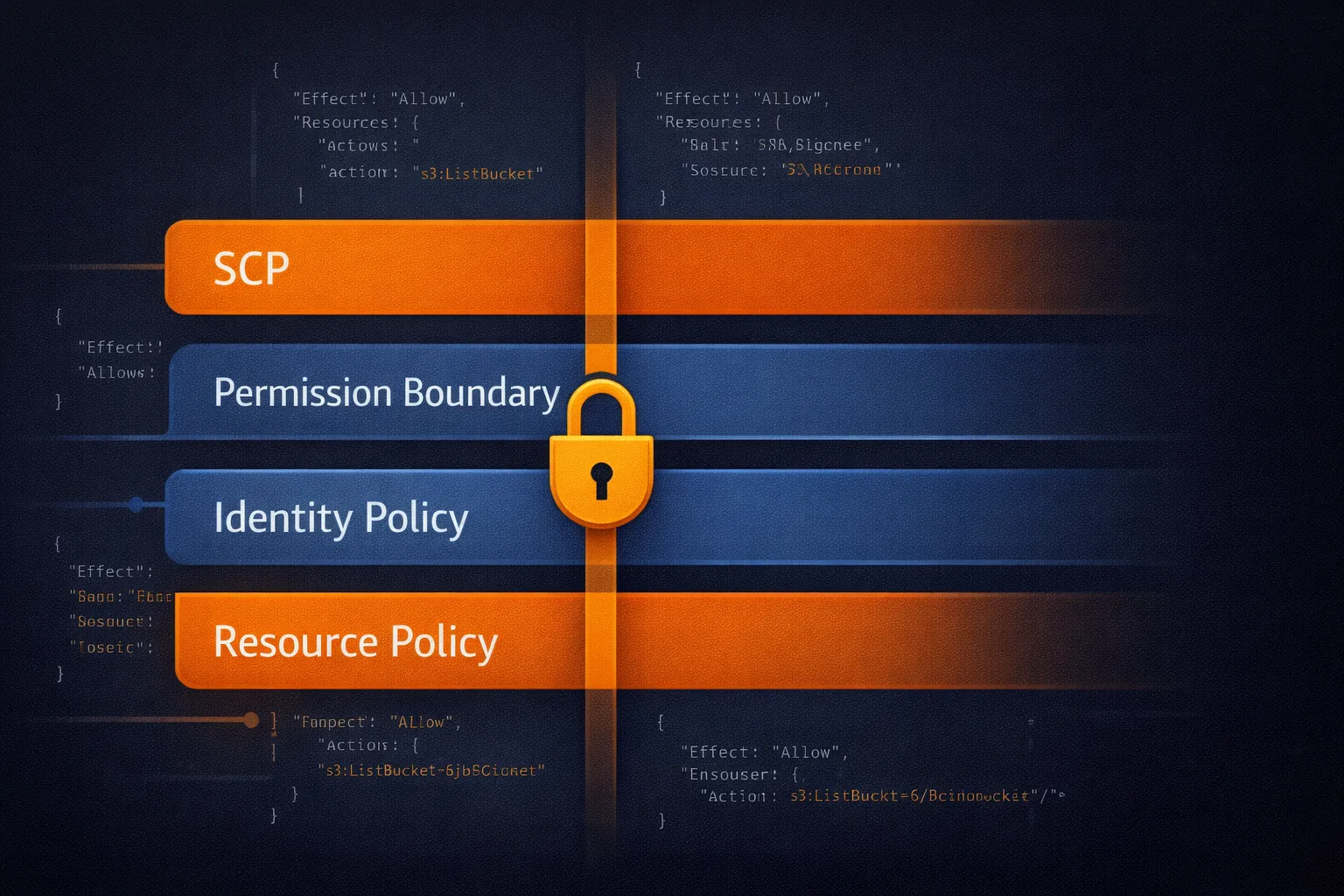
In the previous article, we covered IAM fundamentals: users, groups, roles, and policies. Now we go deeper into policies themselves — the JSON documents that are the engine of AWS security. Understanding policy syntax, evaluation logic, and advanced patterns is what separates a secure AWS environment from a vulnerable one.
IAM Policy Types
AWS uses six distinct types of policies, each serving a specific purpose:
1. Identity-Based Policies
These attach directly to users, groups, or roles. They answer the question: "what can this identity do?"
- AWS Managed Policies: Pre-built policies like
PowerUserAccessorReadOnlyAccess. Maintained by AWS and updated when new services launch. - Customer Managed Policies: Policies you create for specific needs. Reusable across multiple identities and version-controlled.
- Inline Policies: Embedded directly in a single user, group, or role. Use sparingly — they are harder to manage and audit.
2. Resource-Based Policies
These attach to resources like S3 buckets, SQS queues, or KMS keys. They define "who can access this resource?" and can enable cross-account access without requiring role assumption.
3. Permission Boundaries
These set the maximum permissions an identity can have. Even if a user has an identity-based policy granting full access, a permission boundary can restrict them to specific services or regions. Useful for delegating IAM administration safely.
4. Service Control Policies (SCPs)
Organization-level guardrails that apply to entire AWS accounts via AWS Organizations. SCPs can prevent even the root user from performing certain actions within member accounts.
5. Access Control Lists (ACLs)
A legacy access control mechanism, primarily used with S3 and VPCs. AWS recommends using bucket policies and IAM policies instead of S3 ACLs for most use cases.
6. Session Policies
Temporary constraints applied when assuming a role through STS. These further restrict permissions for that specific session only.
Policy Evaluation Logic
AWS evaluates permissions in this order:
- Explicit Deny: If any policy explicitly denies an action, it is blocked — no exceptions.
- Explicit Allow: If a policy explicitly allows the action (and no deny exists), it is permitted.
- Implicit Deny: If no policy addresses the action at all, it is denied by default.
This "deny-by-default" model means that forgetting to add a permission is safe (access denied), but accidentally adding too broad a permission is dangerous.
When multiple policy types apply (SCP + permission boundary + identity policy + resource policy), the effective permissions are the intersection of all of them. An action must be allowed by every applicable policy type to succeed.
Advanced Policy Patterns
Pattern 1: Environment-Based Access Control
Use resource tags to create automatic environment boundaries. Developers can access dev and staging resources but are explicitly denied access to production:
{
  "Version": "2012-10-17",
  "Statement": [
    {
      "Sid": "AllowDevStaging",
      "Effect": "Allow",
      "Action": [
        "ec2:*",
        "rds:*",
        "s3:*"
      ],
      "Resource": "*",
      "Condition": {
        "StringEquals": {
          "aws:ResourceTag/Environment": ["dev", "staging"]
        }
      }
    },
    {
      "Sid": "DenyProduction",
      "Effect": "Deny",
      "Action": "*",
      "Resource": "*",
      "Condition": {
        "StringEquals": {
          "aws:ResourceTag/Environment": "production"
        }
      }
    }
  ]
}
This pattern requires consistent tagging across your infrastructure. Use AWS Config rules or tag policies to enforce tagging compliance.
Pattern 2: MFA-Required Access
Require MFA for sensitive operations while allowing basic read access without it:
{
  "Version": "2012-10-17",
  "Statement": [
    {
      "Sid": "AllowReadAlways",
      "Effect": "Allow",
      "Action": [
        "s3:GetObject",
        "s3:ListBucket",
        "ec2:Describe*"
      ],
      "Resource": "*"
    },
    {
      "Sid": "AllowWriteWithMFA",
      "Effect": "Allow",
      "Action": [
        "s3:PutObject",
        "s3:DeleteObject",
        "ec2:RunInstances",
        "ec2:TerminateInstances"
      ],
      "Resource": "*",
      "Condition": {
        "Bool": {
          "aws:MultiFactorAuthPresent": "true"
        }
      }
    }
  ]
}
Pattern 3: Per-User Resource Namespaces
Allow users to manage their own S3 prefix while preventing access to other users' data:
{
  "Version": "2012-10-17",
  "Statement": [
    {
      "Effect": "Allow",
      "Action": [
        "s3:GetObject",
        "s3:PutObject",
        "s3:DeleteObject"
      ],
      "Resource": "arn:aws:s3:::company-bucket/users/${aws:username}/*"
    },
    {
      "Effect": "Allow",
      "Action": "s3:ListBucket",
      "Resource": "arn:aws:s3:::company-bucket",
      "Condition": {
        "StringLike": {
          "s3:prefix": "users/${aws:username}/*"
        }
      }
    }
  ]
}
The ${aws:username} variable is resolved at request time, creating automatic per-user isolation.
Pattern 4: Region Restriction
Restrict all operations to specific AWS regions (common for data residency compliance):
{
  "Version": "2012-10-17",
  "Statement": [
    {
      "Effect": "Deny",
      "Action": "*",
      "Resource": "*",
      "Condition": {
        "StringNotEquals": {
          "aws:RequestedRegion": ["eu-west-1", "eu-west-3", "eu-central-1"]
        }
      }
    }
  ]
}
This is typically applied as an SCP at the organization level to enforce data sovereignty requirements (e.g., GDPR).
Condition Keys: The Power Tool
Conditions are where policies become truly flexible. Here are the most useful condition keys by category:
Security Conditions
aws:MultiFactorAuthPresent— Require MFA for sensitive operationsaws:SecureTransport— Force HTTPS/TLS connectionsaws:SourceIp— Restrict access by IP address or CIDR rangeaws:SourceVpc— Restrict access to requests from a specific VPC
Resource Control Conditions
aws:ResourceTag/*— Control access based on resource tagsaws:RequestedRegion— Limit operations to specific AWS regionsaws:PrincipalTag/*— Use caller tags in access decisions (attribute-based access control)
Request Context Conditions
aws:CurrentTime— Time-based access controlaws:PrincipalOrgID— Restrict to principals from your AWS Organizationaws:CalledVia— Ensure requests go through a specific AWS service
Common Pitfalls and How to Avoid Them
Pitfall 1: Overprivileged Wildcards
Wrong: "Action": "s3:*" — grants delete, lifecycle, replication, and more.
Right: "Action": ["s3:GetObject", "s3:PutObject"] — only what is needed.
Pitfall 2: Missing Explicit Denies
For sensitive resources, always include explicit deny statements. Relying only on the absence of allows is fragile — someone might add a broad managed policy later.
Pitfall 3: Forgetting Cross-Service Dependencies
Many AWS operations require permissions on other services. A Lambda function needs logs:CreateLogGroup, logs:CreateLogStream, and logs:PutLogEvents. An EC2 instance using SSM needs ssm:* permissions. Always test the full workflow, not just the primary action.
Pitfall 4: Not Using Permission Boundaries
If you delegate IAM user/role creation to developers, always attach permission boundaries. Without them, a developer could create a role with AdministratorAccess and assume it — effectively escalating their own privileges.
Policy Testing and Validation
IAM Policy Simulator
AWS provides a policy simulator in the IAM console that lets you test whether a specific action would be allowed or denied for a given user or role. Use it before deploying policy changes to production.
IAM Access Analyzer
Access Analyzer does two things: it identifies resources shared with external entities (findings), and it can generate least-privilege policies based on actual CloudTrail activity. The policy generation feature is particularly valuable — let your users work for a few weeks, then generate a policy matching exactly what they actually used.
CloudTrail for Debugging
When users report "access denied" errors, CloudTrail logs show exactly which API call was denied and which policy caused the denial. Filter by errorCode: AccessDenied to find these events.
Policy Limits to Know
- Managed policy size: 6,144 characters
- Inline policy size: 2,048 characters for users, 10,240 characters for groups, 10,240 characters for roles
- Managed policies per user/role: 20
- Managed policies per group: 10
- Managed policies support up to 5 versions for safe rollback
- Policy changes can take up to a few minutes to propagate globally
Defense in Depth with Layered Policies
For production environments, layer multiple policy types:
- SCPs at the organization level — set hard guardrails (no access outside allowed regions, no disabling CloudTrail)
- Permission boundaries on IAM entities — cap the maximum permissions
- Identity-based policies on groups/roles — grant specific permissions needed for the job
- Resource-based policies on sensitive resources — add an extra layer of access control on critical S3 buckets, KMS keys, etc.
The effective permission is the intersection of all layers. An action must be allowed at every level to succeed.
Key Takeaways
- Always start with least privilege and add permissions as needed
- Use conditions to implement business logic in policies (MFA, tags, regions, IPs)
- Test policies with the IAM Policy Simulator before production deployment
- Use Access Analyzer to generate least-privilege policies from actual usage
- Layer multiple policy types for defense in depth
- Explicit denies always win — use them on sensitive resources
In the next article, we will explore IAM Roles and Cross-Account Access — how to extend these policy concepts across multiple AWS accounts and services.
Go Deeper: The State of AWS Security 2026
This article is just the start. Get the full picture with our free whitepaper - 8 chapters covering IAM, S3, VPC, monitoring, agentic AI security, compliance, and a prioritized action plan with 50+ CLI commands.
More Articles
Run AI Locally for AWS Security Work: The Complete Ollama Guide
Stop sending your IAM policies, CloudTrail logs, and infrastructure code to third-party APIs. Run LLMs locally with Ollama on Apple Silicon: private, offline, fast. Complete setup guide with AWS security use cases.
We Detonated the Real LiteLLM Malware on EC2: Here's What Happened
We obtained the actual compromised litellm packages, set up a disposable EC2 instance with honeypot credentials and mitmproxy, and detonated the malware. Full evidence: fork bomb, credential theft in under 2 seconds, IMDS queries, AWS API calls, and C2 exfiltration.
Anatomy of a Supply Chain Attack: How LiteLLM Was Weaponized in 6 Hours
A deep technical breakdown of how threat actor TeamPCP compromised Trivy, pivoted to LiteLLM, and turned a popular AI proxy into a credential-stealing weapon targeting AWS IMDS, Secrets Manager, and Kubernetes.