
IAM Roles Demystified: Cross-Account Access and Federation
Tarek Cheikh
Founder & AWS Cloud Architect
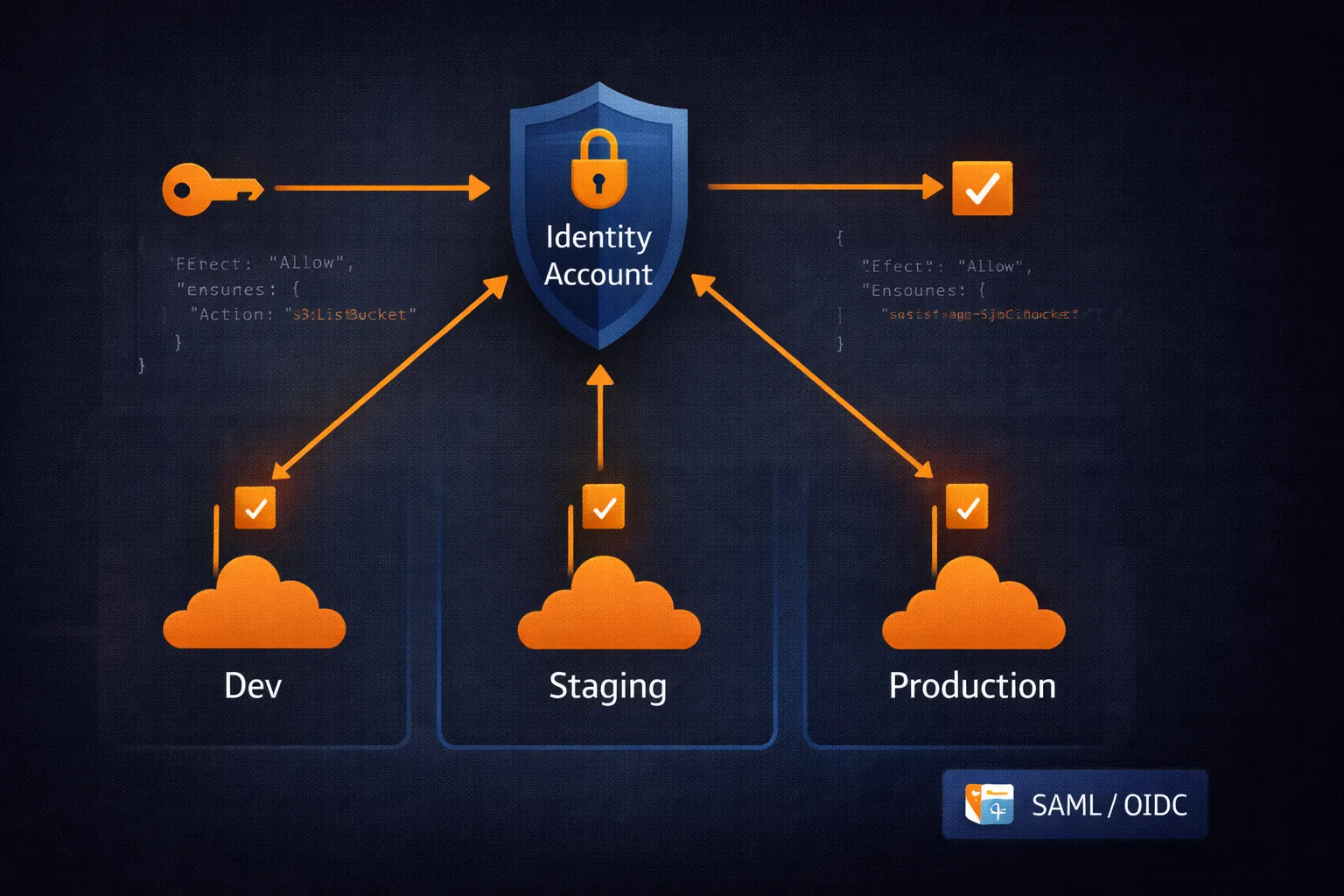
In the previous articles, we covered IAM users, groups, and policies. Now we tackle the most powerful IAM concept: roles. If policies are the rules, roles are the mechanism that makes secure, temporary, cross-boundary access possible.
What Are IAM Roles?
An IAM role is an identity with specific permissions that can be assumed by users, services, or applications. The critical difference from IAM users:
- IAM Users have permanent credentials (access keys) that work until manually revoked. If stolen, they provide indefinite access.
- IAM Roles provide temporary credentials (15 minutes to 12 hours). They automatically expire. If stolen, they stop working soon.
This is why AWS best practice is to use roles wherever possible and minimize long-lived credentials.
The Two-Part Architecture: Trust and Permissions
Every IAM role has two components:
1. The Trust Policy
Defines who is allowed to assume this role. It is a resource-based policy attached to the role itself.
2. The Permissions Policy
Defines what the role can do once assumed. These are standard identity-based policies (managed or inline).
Both must be configured correctly. A role with a trust policy that trusts everyone is dangerous. A role with no permissions is useless.
Cross-Account Architecture
Most organizations run multiple AWS accounts: development, staging, production, shared services. Roles are how you provide access across these accounts without duplicating users.
The Hub-and-Spoke Model
This is the standard pattern for multi-account environments:
Central Identity Account (Hub):
- Contains all human IAM users (or federated identities)
- No workload resources
- Single point of authentication
Workload Accounts (Spokes):
- Contain actual resources (EC2, S3, databases)
- No human users
- Roles that trust the central account
Benefits: centralized user management, simplified auditing, single sign-on experience, and no credential duplication across accounts.
Setting Up Cross-Account Roles
Step 1: Create the role in the target account
The trust policy specifies which account (and under what conditions) can assume the role:
{
  "Version": "2012-10-17",
  "Statement": [
    {
      "Effect": "Allow",
      "Principal": {
        "AWS": "arn:aws:iam::IDENTITY-ACCOUNT-ID:root"
      },
      "Action": "sts:AssumeRole",
      "Condition": {
        "Bool": {
          "aws:MultiFactorAuthPresent": "true"
        }
      }
    }
  ]
}
This role trusts the identity account but requires MFA. You can further restrict by adding tag conditions like "aws:PrincipalTag/Department": "Engineering".
# Create the role in the target account
aws iam create-role   --role-name CrossAccountDeveloperRole   --assume-role-policy-document file://trust-policy.json

# Attach permissions
aws iam attach-role-policy   --role-name CrossAccountDeveloperRole   --policy-arn arn:aws:iam::aws:policy/PowerUserAccess
Step 2: Grant assume permission in the identity account
{
  "Version": "2012-10-17",
  "Statement": [
    {
      "Effect": "Allow",
      "Action": "sts:AssumeRole",
      "Resource": "arn:aws:iam::TARGET-ACCOUNT-ID:role/CrossAccountDeveloperRole"
    }
  ]
}
# Create and attach the policy to the user or group
aws iam create-policy --policy-name AssumeDevRole --policy-document file://assume-role-policy.json
aws iam attach-group-policy --group-name Developers --policy-arn arn:aws:iam::IDENTITY-ACCOUNT-ID:policy/AssumeDevRoleStep 3: Test the setup
# Assume the role
aws sts assume-role   --role-arn arn:aws:iam::TARGET-ACCOUNT-ID:role/CrossAccountDeveloperRole   --role-session-name dev-session

# The command returns temporary credentials (AccessKeyId, SecretAccessKey, SessionToken)
# Export them to use the role:
export AWS_ACCESS_KEY_ID=<AccessKeyId>
export AWS_SECRET_ACCESS_KEY=<SecretAccessKey>
export AWS_SESSION_TOKEN=<SessionToken>

# Verify
aws sts get-caller-identity
For day-to-day use, configure named profiles in ~/.aws/config instead of manually exporting credentials:
[profile dev-account]
role_arn = arn:aws:iam::TARGET-ACCOUNT-ID:role/CrossAccountDeveloperRole
source_profile = default
mfa_serial = arn:aws:iam::IDENTITY-ACCOUNT-ID:mfa/your-username
Then simply use aws s3 ls --profile dev-account.
Service Roles
AWS services need permissions too. An EC2 instance reading from S3 or a Lambda function writing to DynamoDB — both need credentials. Service roles solve this without hardcoding access keys.
{
  "Version": "2012-10-17",
  "Statement": [
    {
      "Effect": "Allow",
      "Principal": {
        "Service": "ec2.amazonaws.com"
      },
      "Action": "sts:AssumeRole"
    }
  ]
}
When you attach this role to an EC2 instance (via an instance profile), the instance automatically receives temporary credentials through the instance metadata service. Your application code uses these credentials transparently — no access keys anywhere in your code or configuration.
Common service role patterns:
ec2.amazonaws.com— EC2 instances accessing other AWS serviceslambda.amazonaws.com— Lambda functionsecs-tasks.amazonaws.com— ECS/Fargate tasksstates.amazonaws.com— Step Functions
External Integration and the Confused Deputy Problem
When integrating third-party services (Datadog, Splunk, a partner company), you create a role they can assume. But this introduces a subtle security risk: the confused deputy attack.
The scenario:
- You create a role trusting Datadog's AWS account
- A malicious actor who also uses Datadog discovers your AWS account ID (which is not secret)
- They configure Datadog to monitor your account instead of theirs
- Datadog, not knowing any better, assumes the role in your account on behalf of the attacker
- The attacker gains access to your monitoring data
The fix: External IDs.
{
  "Version": "2012-10-17",
  "Statement": [
    {
      "Effect": "Allow",
      "Principal": {
        "AWS": "arn:aws:iam::THIRD-PARTY-ACCOUNT:root"
      },
      "Action": "sts:AssumeRole",
      "Condition": {
        "StringEquals": {
          "sts:ExternalId": "your-unique-external-id"
        }
      }
    }
  ]
}
The external ID acts as a shared secret between you and the third party. The attacker does not know your external ID, so the role assumption fails. Always use external IDs for third-party integrations.
Federation: SAML and OIDC
Most organizations already have identity systems (Active Directory, Okta, Google Workspace). Federation connects these to AWS without creating IAM users.
SAML Federation
The enterprise standard for connecting corporate identity providers to AWS:
{
  "Version": "2012-10-17",
  "Statement": [
    {
      "Effect": "Allow",
      "Principal": {
        "Federated": "arn:aws:iam::ACCOUNT-ID:saml-provider/CorporateAD"
      },
      "Action": "sts:AssumeRoleWithSAML",
      "Condition": {
        "StringEquals": {
          "SAML:aud": "https://signin.aws.amazon.com/saml"
        }
      }
    }
  ]
}
Users log in through the corporate identity provider, receive a SAML assertion, and present it to AWS to assume the role. No AWS-specific passwords needed.
OIDC Federation (GitHub Actions, Kubernetes)
The modern standard for CI/CD and application workloads. This is how you give GitHub Actions access to AWS without storing credentials in GitHub secrets:
{
  "Version": "2012-10-17",
  "Statement": [
    {
      "Effect": "Allow",
      "Principal": {
        "Federated": "arn:aws:iam::ACCOUNT-ID:oidc-provider/token.actions.githubusercontent.com"
      },
      "Action": "sts:AssumeRoleWithWebIdentity",
      "Condition": {
        "StringEquals": {
          "token.actions.githubusercontent.com:aud": "sts.amazonaws.com",
          "token.actions.githubusercontent.com:sub": "repo:your-org/your-repo:ref:refs/heads/main"
        }
      }
    }
  ]
}
This trust policy only allows GitHub Actions from your specific repository and branch to assume the role. The same pattern works with EKS (using IRSA — IAM Roles for Service Accounts) and other OIDC providers.
Session Duration
Choose the shortest duration that does not interfere with the workflow:
- 15 min – 1 hour: Human interactive sessions, emergency access
- 1 – 4 hours: Deployment scripts, development work
- 4 – 12 hours: Long-running batch jobs, overnight processes
Configure the maximum session duration on the role itself:
aws iam update-role --role-name BatchProcessingRole --max-session-duration 43200 # 12 hours in secondsMonitoring Role Usage
Track role assumptions through CloudTrail. Key events to monitor:
AssumeRole— successful role assumptionsAssumeRoleWithSAML— SAML federation eventsAssumeRoleWithWebIdentity— OIDC federation events- Failed
AssumeRolewitherrorCode: AccessDenied— potential attack attempts
Set up CloudWatch alarms for unusual patterns: role assumptions outside business hours, from unexpected source accounts, or at unusually high frequency.
Troubleshooting
"Access Denied" when assuming a role:
- Check the trust policy — does it trust your account/user?
- Check MFA requirements — is MFA enabled if required?
- Check conditions — IP, tags, time constraints?
- Check that the caller has
sts:AssumeRolepermission
Role assumed but cannot access resources:
- Check the role's permission policies
- Check permission boundaries
- Check resource-based policies on the target resources
- Check SCPs if using AWS Organizations
Key Takeaways
- Roles provide temporary credentials — always prefer them over long-lived access keys
- Trust policies control who can assume a role; permission policies control what they can do
- Use the hub-and-spoke model for multi-account environments
- Always use external IDs for third-party integrations to prevent confused deputy attacks
- Use OIDC federation for CI/CD (GitHub Actions, GitLab CI) — no more stored credentials
- Monitor all role assumptions through CloudTrail
In the next article, we will cover IAM Access Keys and Credential Management — lifecycle management for the remaining cases where long-lived credentials are still necessary.
Go Deeper: The State of AWS Security 2026
This article is just the start. Get the full picture with our free whitepaper - 8 chapters covering IAM, S3, VPC, monitoring, agentic AI security, compliance, and a prioritized action plan with 50+ CLI commands.
More Articles
Run AI Locally for AWS Security Work: The Complete Ollama Guide
Stop sending your IAM policies, CloudTrail logs, and infrastructure code to third-party APIs. Run LLMs locally with Ollama on Apple Silicon: private, offline, fast. Complete setup guide with AWS security use cases.
We Detonated the Real LiteLLM Malware on EC2: Here's What Happened
We obtained the actual compromised litellm packages, set up a disposable EC2 instance with honeypot credentials and mitmproxy, and detonated the malware. Full evidence: fork bomb, credential theft in under 2 seconds, IMDS queries, AWS API calls, and C2 exfiltration.
Anatomy of a Supply Chain Attack: How LiteLLM Was Weaponized in 6 Hours
A deep technical breakdown of how threat actor TeamPCP compromised Trivy, pivoted to LiteLLM, and turned a popular AI proxy into a credential-stealing weapon targeting AWS IMDS, Secrets Manager, and Kubernetes.