
Fixing S3 Security Issues: A Practical Remediation Guide
Tarek Cheikh
Founder & AWS Cloud Architect
Part 4 of 4 in the S3 Security Series
You've scanned your buckets. You've seen the findings. Now what?
This final article in the series provides step-by-step remediation instructions for the most critical S3 security issues. I'll show you three approaches for each fix: AWS Console (for those who prefer clicking), AWS CLI (for scripting), and Python boto3 (for automation).
Let's fix some security issues.
1. Enable Public Access Block
Why it matters: This is your safety net. Even if other configurations are wrong, Public Access Block prevents accidental public exposure.
AWS Console
- Go to S3 → Buckets
- Select your bucket → Permissions tab
- Find Block public access (bucket settings) → Click Edit
- Check all four boxes:
- Block public access to buckets and objects granted through new ACLs
- Block public access to buckets and objects granted through any ACLs
- Block public access to buckets and objects granted through new public bucket policies
- Block public access to buckets and objects granted through any public bucket policies
- Click Save changes
AWS CLI
aws s3api put-public-access-block \
  --bucket YOUR_BUCKET_NAME \
  --public-access-block-configuration \
  "BlockPublicAcls=true,IgnorePublicAcls=true,BlockPublicPolicy=true,RestrictPublicBuckets=true"
Python boto3
import boto3

def enable_public_access_block(bucket_name):
    s3 = boto3.client('s3')
    s3.put_public_access_block(
        Bucket=bucket_name,
        PublicAccessBlockConfiguration={
            'BlockPublicAcls': True,
            'IgnorePublicAcls': True,
            'BlockPublicPolicy': True,
            'RestrictPublicBuckets': True
        }
    )
    print(f"Public access block enabled for {bucket_name}")

# Usage
enable_public_access_block('my-bucket')
2. Enforce SSL/HTTPS
Why it matters: Without SSL enforcement, data can be intercepted in transit. This is required by PCI-DSS, HIPAA, and GDPR.
AWS Console
- Go to S3 → Buckets → Select bucket → Permissions
- Scroll to Bucket policy → Click Edit
- Add this policy (replace
YOUR_BUCKET_NAME):
{
  "Version": "2012-10-17",
  "Statement": [
    {
      "Sid": "DenyInsecureConnections",
      "Effect": "Deny",
      "Principal": "*",
      "Action": "s3:*",
      "Resource": [
        "arn:aws:s3:::YOUR_BUCKET_NAME",
        "arn:aws:s3:::YOUR_BUCKET_NAME/*"
      ],
      "Condition": {
        "Bool": {
          "aws:SecureTransport": "false"
        }
      }
    }
  ]
}- Click Save changes
AWS CLI
# Create policy file
cat > ssl-policy.json << 'EOF'
{
  "Version": "2012-10-17",
  "Statement": [
    {
      "Sid": "DenyInsecureConnections",
      "Effect": "Deny",
      "Principal": "*",
      "Action": "s3:*",
      "Resource": [
        "arn:aws:s3:::YOUR_BUCKET_NAME",
        "arn:aws:s3:::YOUR_BUCKET_NAME/*"
      ],
      "Condition": {
        "Bool": {
          "aws:SecureTransport": "false"
        }
      }
    }
  ]
}
EOF

# Replace placeholder and apply
sed -i 's/YOUR_BUCKET_NAME/my-actual-bucket/g' ssl-policy.json
aws s3api put-bucket-policy --bucket my-actual-bucket --policy file://ssl-policy.json
Python boto3
import boto3
import json

def enforce_ssl(bucket_name):
    s3 = boto3.client('s3')

    policy = {
        "Version": "2012-10-17",
        "Statement": [{
            "Sid": "DenyInsecureConnections",
            "Effect": "Deny",
            "Principal": "*",
            "Action": "s3:*",
            "Resource": [
                f"arn:aws:s3:::{bucket_name}",
                f"arn:aws:s3:::{bucket_name}/*"
            ],
            "Condition": {
                "Bool": {"aws:SecureTransport": "false"}
            }
        }]
    }

    s3.put_bucket_policy(Bucket=bucket_name, Policy=json.dumps(policy))
    print(f"SSL enforcement enabled for {bucket_name}")

# Usage
enforce_ssl('my-bucket')
3. Enable Server-Side Encryption
Why it matters: Data at rest should always be encrypted. Every compliance framework requires this.
AWS Console
- Go to S3 → Buckets → Select bucket → Properties
- Find Default encryption → Click Edit
- Choose encryption type:
- SSE-S3: Amazon manages keys (simplest)
- SSE-KMS: You control keys (recommended for sensitive data)
- Click Save changes
AWS CLI
# SSE-S3 (Amazon managed keys)
aws s3api put-bucket-encryption \
  --bucket YOUR_BUCKET_NAME \
  --server-side-encryption-configuration '{
    "Rules": [{
      "ApplyServerSideEncryptionByDefault": {
        "SSEAlgorithm": "AES256"
      }
    }]
  }'

# SSE-KMS (AWS KMS managed keys)
aws s3api put-bucket-encryption \
  --bucket YOUR_BUCKET_NAME \
  --server-side-encryption-configuration '{
    "Rules": [{
      "ApplyServerSideEncryptionByDefault": {
        "SSEAlgorithm": "aws:kms",
        "KMSMasterKeyID": "aws/s3"
      },
      "BucketKeyEnabled": true
    }]
  }'
Python boto3
import boto3

def enable_encryption(bucket_name, use_kms=False):
    s3 = boto3.client('s3')

    if use_kms:
        config = {
            'Rules': [{
                'ApplyServerSideEncryptionByDefault': {
                    'SSEAlgorithm': 'aws:kms',
                    'KMSMasterKeyID': 'aws/s3'
                },
                'BucketKeyEnabled': True
            }]
        }
    else:
        config = {
            'Rules': [{
                'ApplyServerSideEncryptionByDefault': {
                    'SSEAlgorithm': 'AES256'
                }
            }]
        }

    s3.put_bucket_encryption(
        Bucket=bucket_name,
        ServerSideEncryptionConfiguration=config
    )
    print(f"Encryption enabled for {bucket_name}")

# Usage
enable_encryption('my-bucket')  # SSE-S3
enable_encryption('sensitive-bucket', use_kms=True)  # SSE-KMS
4. Enable Versioning
Why it matters: Versioning protects against accidental deletion and ransomware. Without it, deleted data is gone forever.
AWS Console
- Go to S3 → Buckets → Select bucket → Properties
- Find Bucket Versioning → Click Edit
- Select Enable
- Click Save changes
AWS CLI
aws s3api put-bucket-versioning \
  --bucket YOUR_BUCKET_NAME \
  --versioning-configuration Status=Enabled
Python boto3
import boto3

def enable_versioning(bucket_name):
    s3 = boto3.client('s3')
    s3.put_bucket_versioning(
        Bucket=bucket_name,
        VersioningConfiguration={'Status': 'Enabled'}
    )
    print(f"Versioning enabled for {bucket_name}")

# Usage
enable_versioning('my-bucket')
5. Enable Server Access Logging
Why it matters: Without logs, you can't detect breaches or demonstrate compliance. This is required by HIPAA, SOX, and PCI-DSS.
AWS Console
- Go to S3 → Buckets → Select bucket → Properties
- Find Server access logging → Click Edit
- Select Enable
- Choose a Target bucket for logs
- Set a Target prefix (e.g.,
logs/) - Click Save changes
AWS CLI
# Create a logging bucket first (if needed)
aws s3 mb s3://my-bucket-logs

# Enable logging
aws s3api put-bucket-logging \
  --bucket YOUR_BUCKET_NAME \
  --bucket-logging-status '{
    "LoggingEnabled": {
      "TargetBucket": "my-bucket-logs",
      "TargetPrefix": "access-logs/"
    }
  }'
Python boto3
import boto3

def enable_logging(bucket_name, log_bucket, prefix='access-logs/'):
    s3 = boto3.client('s3')

    s3.put_bucket_logging(
        Bucket=bucket_name,
        BucketLoggingStatus={
            'LoggingEnabled': {
                'TargetBucket': log_bucket,
                'TargetPrefix': prefix
            }
        }
    )
    print(f"Logging enabled for {bucket_name} -> {log_bucket}/{prefix}")

# Usage
enable_logging('my-bucket', 'my-bucket-logs')
6. Configure Lifecycle Rules
Why it matters: Lifecycle rules help with data minimization (GDPR requirement) and cost management. Data you don't need shouldn't stick around.
AWS Console
- Go to S3 → Buckets → Select bucket → Management
- Click Create lifecycle rule
- Enter a Rule name
- Configure transitions:
- Move to Standard-IA after 30 days
- Move to Glacier after 90 days
- Move to Deep Archive after 365 days
- Configure expiration if needed
- Click Create rule
AWS CLI
aws s3api put-bucket-lifecycle-configuration \
  --bucket YOUR_BUCKET_NAME \
  --lifecycle-configuration '{
    "Rules": [{
      "ID": "DataLifecycle",
      "Status": "Enabled",
      "Filter": {},
      "Transitions": [
        {"Days": 30, "StorageClass": "STANDARD_IA"},
        {"Days": 90, "StorageClass": "GLACIER"},
        {"Days": 365, "StorageClass": "DEEP_ARCHIVE"}
      ],
      "NoncurrentVersionTransitions": [
        {"NoncurrentDays": 30, "StorageClass": "STANDARD_IA"},
        {"NoncurrentDays": 90, "StorageClass": "GLACIER"}
      ],
      "NoncurrentVersionExpiration": {"NoncurrentDays": 365}
    }]
  }'
Python boto3
import boto3

def create_lifecycle_rule(bucket_name):
    s3 = boto3.client('s3')

    config = {
        'Rules': [{
            'ID': 'DataLifecycle',
            'Status': 'Enabled',
            'Filter': {},
            'Transitions': [
                {'Days': 30, 'StorageClass': 'STANDARD_IA'},
                {'Days': 90, 'StorageClass': 'GLACIER'},
                {'Days': 365, 'StorageClass': 'DEEP_ARCHIVE'}
            ],
            'NoncurrentVersionTransitions': [
                {'NoncurrentDays': 30, 'StorageClass': 'STANDARD_IA'},
                {'NoncurrentDays': 90, 'StorageClass': 'GLACIER'}
            ],
            'NoncurrentVersionExpiration': {'NoncurrentDays': 365}
        }]
    }

    s3.put_bucket_lifecycle_configuration(
        Bucket=bucket_name,
        LifecycleConfiguration=config
    )
    print(f"Lifecycle rule created for {bucket_name}")

# Usage
create_lifecycle_rule('my-bucket')
7. Fix Overly Permissive CORS
Why it matters: A wildcard CORS origin (*) allows any website to access your bucket through users' browsers.
AWS Console
- Go to S3 → Buckets → Select bucket → Permissions
- Find Cross-origin resource sharing (CORS) → Click Edit
- Replace with restrictive configuration:
[
  {
    "AllowedHeaders": ["*"],
    "AllowedMethods": ["GET", "POST"],
    "AllowedOrigins": ["https://yourdomain.com"],
    "MaxAgeSeconds": 3000
  }
]- Click Save changes
AWS CLI
# Create CORS configuration
cat > cors.json << 'EOF'
{
  "CORSRules": [{
    "AllowedHeaders": ["*"],
    "AllowedMethods": ["GET", "POST"],
    "AllowedOrigins": ["https://yourdomain.com"],
    "MaxAgeSeconds": 3000
  }]
}
EOF

aws s3api put-bucket-cors --bucket YOUR_BUCKET_NAME --cors-configuration file://cors.json

# Or remove CORS entirely if not needed
aws s3api delete-bucket-cors --bucket YOUR_BUCKET_NAME
Python boto3
import boto3

def configure_cors(bucket_name, allowed_origins):
    s3 = boto3.client('s3')

    config = {
        'CORSRules': [{
            'AllowedHeaders': ['*'],
            'AllowedMethods': ['GET', 'POST'],
            'AllowedOrigins': allowed_origins,
            'MaxAgeSeconds': 3000
        }]
    }

    s3.put_bucket_cors(Bucket=bucket_name, CORSConfiguration=config)
    print(f"CORS configured for {bucket_name}: {allowed_origins}")

def remove_cors(bucket_name):
    s3 = boto3.client('s3')
    s3.delete_bucket_cors(Bucket=bucket_name)
    print(f"CORS removed from {bucket_name}")

# Usage
configure_cors('my-bucket', ['https://myapp.com', 'https://api.myapp.com'])
# Or: remove_cors('my-bucket')
8. Fix DNS Takeover Vulnerabilities
Why it matters: Orphaned DNS records pointing to non-existent S3 buckets can be claimed by attackers to serve malicious content on your domain.
Option A: Delete the orphaned DNS record
AWS Console (Route53)
- Go to Route53 → Hosted zones
- Select your domain
- Find the orphaned record (e.g.,
blog.example.com→old-blog.s3-website...) - Select it → Click Delete
AWS CLI
aws route53 change-resource-record-sets \
  --hosted-zone-id YOUR_ZONE_ID \
  --change-batch '{
    "Changes": [{
      "Action": "DELETE",
      "ResourceRecordSet": {
        "Name": "blog.example.com",
        "Type": "CNAME",
        "TTL": 300,
        "ResourceRecords": [{"Value": "old-blog.s3-website-us-east-1.amazonaws.com"}]
      }
    }]
  }'
Option B: Claim the bucket
If you need to keep the DNS record, create the bucket before an attacker does:
# Create the bucket
aws s3 mb s3://old-blog --region us-east-1

# Lock it down immediately
aws s3api put-public-access-block \
  --bucket old-blog \
  --public-access-block-configuration \
  "BlockPublicAcls=true,IgnorePublicAcls=true,BlockPublicPolicy=true,RestrictPublicBuckets=true"

# Add a placeholder
echo "<html><body>This domain is secured.</body></html>" > index.html
aws s3 cp index.html s3://old-blog/
9. Make Public Objects Private
Why it matters: Even one public object in an otherwise secure bucket is a data leak.
Find public objects first
# List objects and check their ACLs (basic approach)
for key in $(aws s3 ls s3://YOUR_BUCKET --recursive | awk '{print $4}'); do
  acl=$(aws s3api get-object-acl --bucket YOUR_BUCKET --key "$key" \
    --query 'Grants[?Grantee.URI==`http://acs.amazonaws.com/groups/global/AllUsers`]' \
    --output text 2>/dev/null)
  if [ -n "$acl" ]; then
    echo "PUBLIC: $key"
  fi
done
Fix public objects
AWS CLI
# Make a specific object private
aws s3api put-object-acl --bucket YOUR_BUCKET --key path/to/object --acl private

# Make all objects private (bulk)
aws s3 cp s3://YOUR_BUCKET/ s3://YOUR_BUCKET/ --recursive --acl private
Python boto3
import boto3

def make_all_objects_private(bucket_name):
    s3 = boto3.client('s3')
    paginator = s3.get_paginator('list_objects_v2')

    count = 0
    for page in paginator.paginate(Bucket=bucket_name):
        for obj in page.get('Contents', []):
            s3.put_object_acl(
                Bucket=bucket_name,
                Key=obj['Key'],
                ACL='private'
            )
            count += 1

    print(f"Made {count} objects private in {bucket_name}")

# Usage
make_all_objects_private('my-bucket')
Bulk Hardening Script
Here's a complete script that applies all critical security controls to a bucket:
#!/bin/bash
# bulk-s3-hardening.sh

BUCKET=$1
if [ -z "$BUCKET" ]; then
    echo "Usage: $0 BUCKET_NAME"
    exit 1
fi

echo "=== Hardening $BUCKET ==="

echo "1. Enabling public access block..."
aws s3api put-public-access-block \
  --bucket "$BUCKET" \
  --public-access-block-configuration \
  "BlockPublicAcls=true,IgnorePublicAcls=true,BlockPublicPolicy=true,RestrictPublicBuckets=true"

echo "2. Setting ACL to private..."
aws s3api put-bucket-acl --bucket "$BUCKET" --acl private

echo "3. Enabling encryption..."
aws s3api put-bucket-encryption \
  --bucket "$BUCKET" \
  --server-side-encryption-configuration '{
    "Rules": [{"ApplyServerSideEncryptionByDefault": {"SSEAlgorithm": "AES256"}}]
  }'

echo "4. Enabling versioning..."
aws s3api put-bucket-versioning \
  --bucket "$BUCKET" \
  --versioning-configuration Status=Enabled

echo "5. Enabling logging..."
LOG_BUCKET="${BUCKET}-logs"
aws s3 mb "s3://$LOG_BUCKET" 2>/dev/null || true
aws s3api put-bucket-logging \
  --bucket "$BUCKET" \
  --bucket-logging-status "{
    \"LoggingEnabled\": {
      \"TargetBucket\": \"$LOG_BUCKET\",
      \"TargetPrefix\": \"access-logs/\"
    }
  }"

echo "6. Applying SSL enforcement policy..."
aws s3api put-bucket-policy \
  --bucket "$BUCKET" \
  --policy "{
    \"Version\": \"2012-10-17\",
    \"Statement\": [{
      \"Sid\": \"DenyInsecureConnections\",
      \"Effect\": \"Deny\",
      \"Principal\": \"*\",
      \"Action\": \"s3:*\",
      \"Resource\": [
        \"arn:aws:s3:::$BUCKET\",
        \"arn:aws:s3:::$BUCKET/*\"
      ],
      \"Condition\": {
        \"Bool\": {\"aws:SecureTransport\": \"false\"}
      }
    }]
  }"

echo "=== Hardening complete ==="
echo "Run s3-security-scanner to verify: s3-security-scanner security --bucket $BUCKET"
chmod +x bulk-s3-hardening.sh
./bulk-s3-hardening.sh my-bucket-nameVerification
After applying remediations, verify with the scanner:
# Verify a specific bucket
s3-security-scanner security --bucket my-bucket

# Verify all buckets
s3-security-scanner security

# Check specific configurations
aws s3api get-public-access-block --bucket my-bucket
aws s3api get-bucket-encryption --bucket my-bucket
aws s3api get-bucket-versioning --bucket my-bucket
aws s3api get-bucket-logging --bucket my-bucket
aws s3api get-bucket-policy --bucket my-bucket
Emergency Response
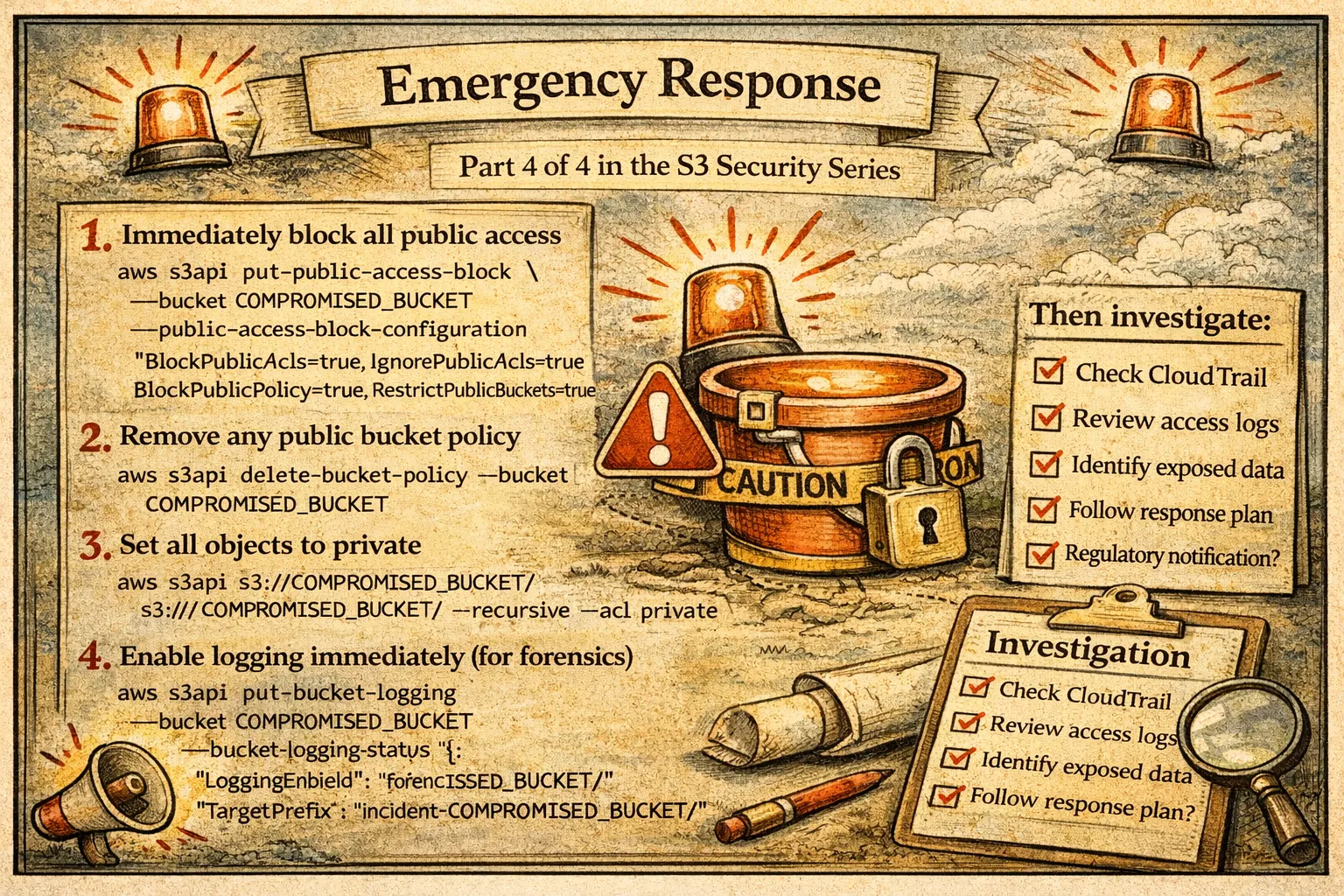
If you discover a bucket is publicly exposed and potentially breached:
# 1. Immediately block all public access
aws s3api put-public-access-block \
  --bucket COMPROMISED_BUCKET \
  --public-access-block-configuration \
  "BlockPublicAcls=true,IgnorePublicAcls=true,BlockPublicPolicy=true,RestrictPublicBuckets=true"

# 2. Remove any public bucket policy
aws s3api delete-bucket-policy --bucket COMPROMISED_BUCKET

# 3. Set all objects to private
aws s3 cp s3://COMPROMISED_BUCKET/ s3://COMPROMISED_BUCKET/ --recursive --acl private

# 4. Enable logging immediately (for forensics)
aws s3api put-bucket-logging \
  --bucket COMPROMISED_BUCKET \
  --bucket-logging-status '{
    "LoggingEnabled": {
      "TargetBucket": "forensics-logs",
      "TargetPrefix": "incident-COMPROMISED_BUCKET/"
    }
  }'
Then investigate:
- Check CloudTrail for API calls to the bucket
- Review existing access logs if available
- Identify what data was exposed
- Follow your incident response plan
- Consider regulatory notification requirements
Wrapping Up the Series
Over these four articles, we've covered:
- Part 1: Why S3 security matters — the breaches that happened when it went wrong
- Part 2: The 22 security checks and 9 compliance frameworks that define proper S3 security
- Part 3: A tool to automate these checks and find vulnerabilities
- Part 4: How to fix every issue you might find
S3 security isn't complicated, but it does require attention. The default configurations aren't secure enough for most use cases. The good news is that every issue is fixable, and now you have the knowledge and tools to fix them.
If you take one thing from this series: enable Public Access Block on every bucket, immediately. It's the single most impactful security control you can apply.
Questions or feedback? Find me on LinkedIn or open an issue on the GitHub repository.
Resources
- S3 Security Scanner: https://github.com/TocConsulting/s3-security-scanner
- PyPI Package: https://pypi.org/project/s3-security-scanner/
- AWS S3 Security Best Practices: https://docs.aws.amazon.com/AmazonS3/latest/userguide/security-best-practices.html
- AWS S3 Block Public Access: https://docs.aws.amazon.com/AmazonS3/latest/userguide/access-control-block-public-access.html
- AWS S3 Server-Side Encryption: https://docs.aws.amazon.com/AmazonS3/latest/userguide/serv-side-encryption.html
- AWS S3 Versioning: https://docs.aws.amazon.com/AmazonS3/latest/userguide/Versioning.html
- AWS S3 Server Access Logging: https://docs.aws.amazon.com/AmazonS3/latest/userguide/ServerLogs.html
- AWS CLI S3 API Reference: https://docs.aws.amazon.com/cli/latest/reference/s3api/
- Boto3 S3 Documentation: https://boto3.amazonaws.com/v1/documentation/api/latest/reference/services/s3.html
Go Deeper: The State of AWS Security 2026
This article is just the start. Get the full picture with our free whitepaper - 8 chapters covering IAM, S3, VPC, monitoring, agentic AI security, compliance, and a prioritized action plan with 50+ CLI commands.
More Articles
Run AI Locally for AWS Security Work: The Complete Ollama Guide
Stop sending your IAM policies, CloudTrail logs, and infrastructure code to third-party APIs. Run LLMs locally with Ollama on Apple Silicon: private, offline, fast. Complete setup guide with AWS security use cases.
We Detonated the Real LiteLLM Malware on EC2: Here's What Happened
We obtained the actual compromised litellm packages, set up a disposable EC2 instance with honeypot credentials and mitmproxy, and detonated the malware. Full evidence: fork bomb, credential theft in under 2 seconds, IMDS queries, AWS API calls, and C2 exfiltration.
Anatomy of a Supply Chain Attack: How LiteLLM Was Weaponized in 6 Hours
A deep technical breakdown of how threat actor TeamPCP compromised Trivy, pivoted to LiteLLM, and turned a popular AI proxy into a credential-stealing weapon targeting AWS IMDS, Secrets Manager, and Kubernetes.