
Building an S3 Security Scanner: From Frustration to Open Source
Tarek Cheikh
Founder & AWS Cloud Architect
Part 3 of 4 in the S3 Security Series
In Parts 1 and 2 of this series, I covered the major S3 data breaches and the 22 security checks that could have prevented them. Now let me tell you about the tool I built to automate these checks.
Why I Built This
After spending years reviewing S3 security configurations manually — checking bucket policies, verifying encryption settings, auditing access controls — I got tired of the repetitive work. Every engagement was the same: open the AWS console, click through dozens of buckets, check the same settings, document the findings, move to the next bucket.
Worse, I kept finding the same issues. Encryption disabled. Logging not configured. Public access blocks missing. It wasn't that organizations didn't care about security — they simply didn't have visibility into their S3 configurations.
AWS Security Hub helps, but it requires setup, has costs, and doesn't cover everything I wanted to check. Third-party tools exist but are often expensive or overly complex for focused S3 assessments.
So I built my own.
What the S3 Security Scanner Does
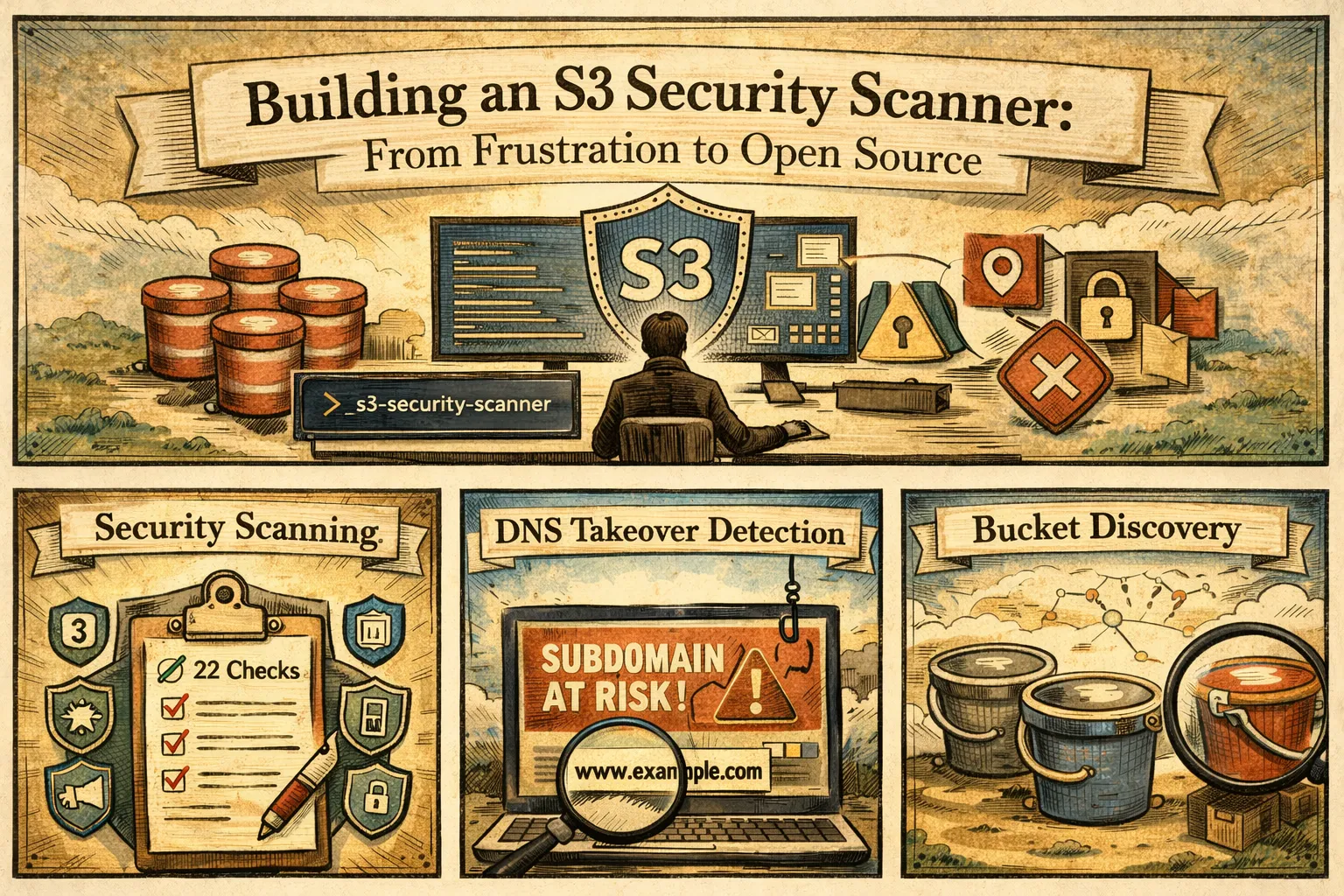
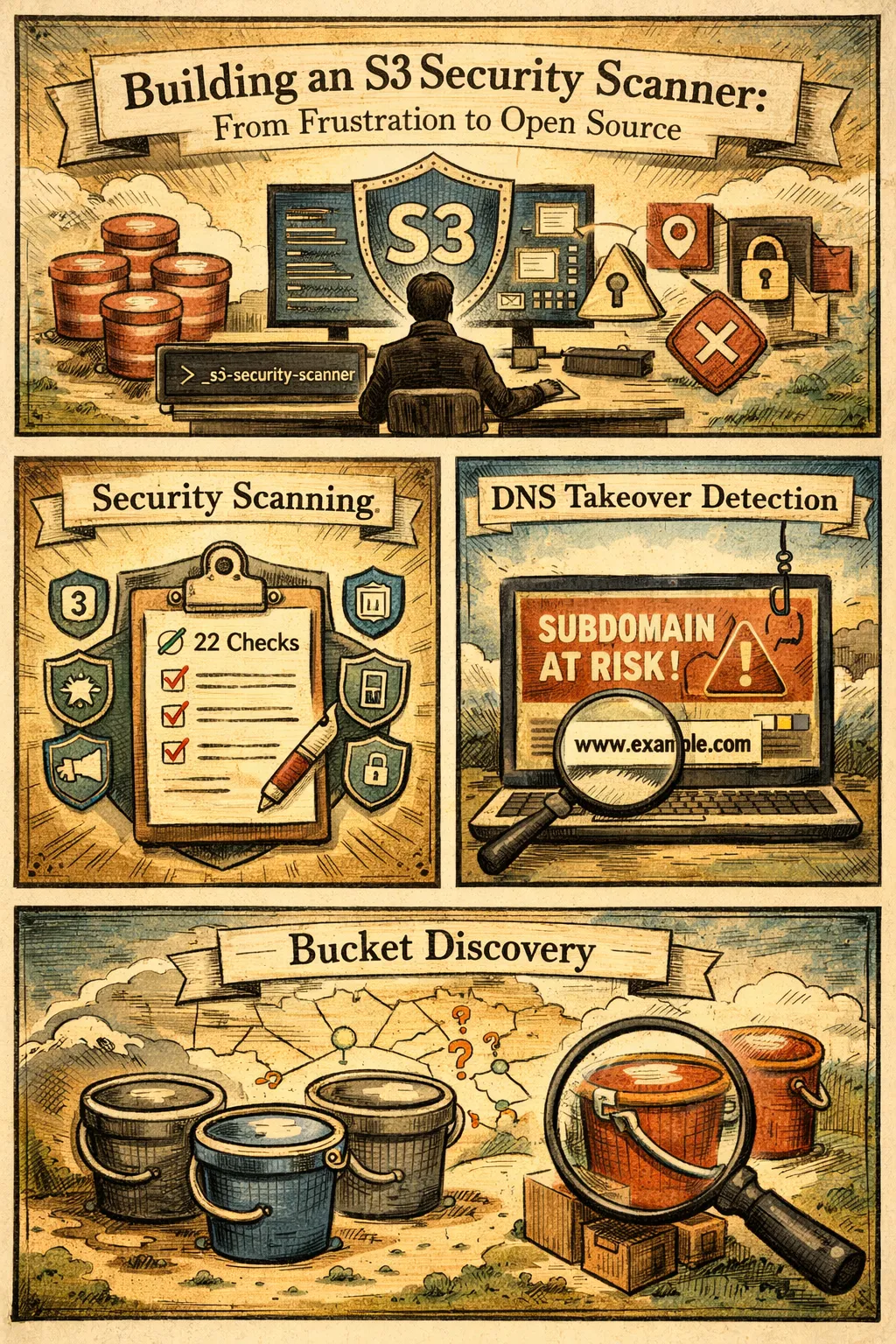
The S3 Security Scanner is a command-line tool that performs comprehensive security assessments of AWS S3 buckets. It covers three main areas:
- Security scanning — All 22 security checks mapped to 9 compliance frameworks
- DNS takeover detection — Identifies subdomain takeover vulnerabilities
- Bucket discovery — Finds potentially exposed buckets through permutation testing
Let me show you how each works.
Security Scanning
The core functionality is the security scan. Point it at an AWS account or specific bucket, and it evaluates all 22 security checks.
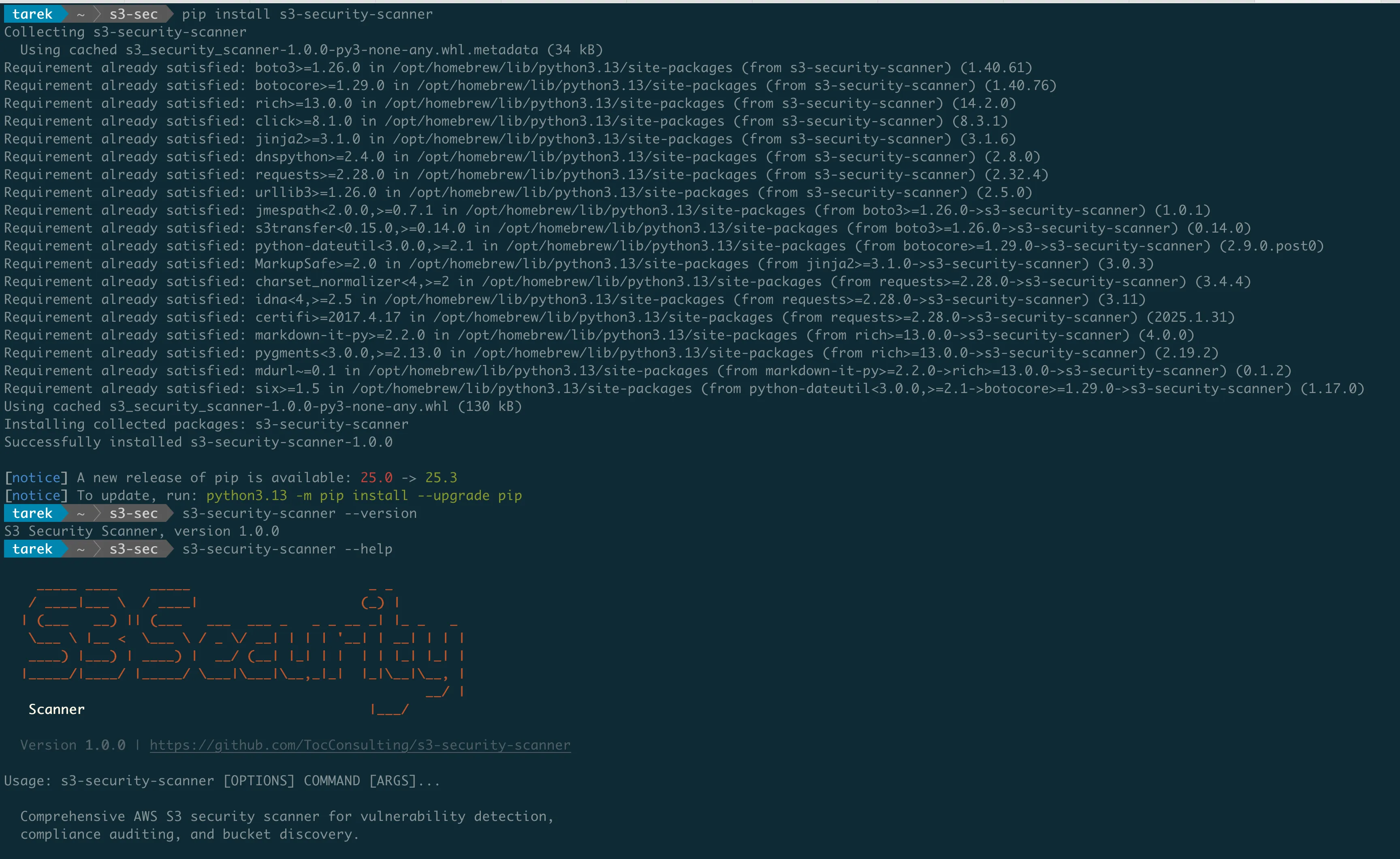
Installation
pip install s3-security-scannerThat's it. The tool is available on PyPI and works with Python 3.8+.
Basic Usage
# Scan all buckets in the default AWS profile
s3-security-scanner security

# Scan a specific bucket
s3-security-scanner security --bucket my-bucket-name

# Scan using a specific AWS profile
s3-security-scanner security --profile production

# Scan a specific region only
s3-security-scanner security --region eu-west-1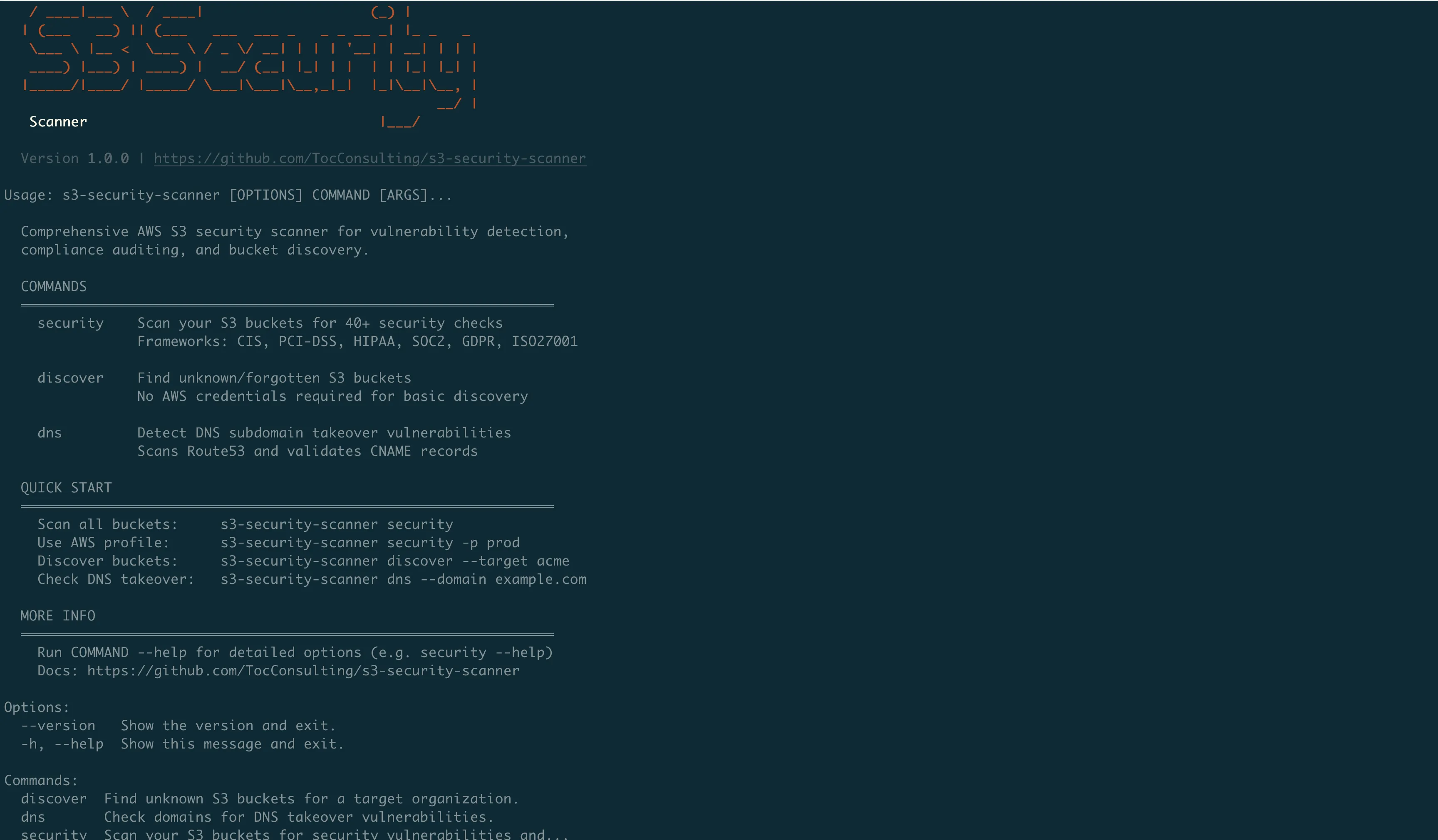
What You Get
The scanner produces a detailed report for each bucket:
================================================================================
SCAN RESULTS: my-application-bucket
================================================================================

Security Score: 72/100 (MEDIUM RISK)

Checks Passed: 16/22
Checks Failed: 6

CRITICAL FINDINGS:
  [FAIL] Encryption: No default encryption configured
  [FAIL] SSL Enforcement: Bucket policy does not require HTTPS
  [FAIL] Logging: Server access logging not enabled

WARNINGS:
  [WARN] Versioning: Suspended (was previously enabled)
  [WARN] Lifecycle: No lifecycle rules configured
  [WARN] MFA Delete: Not enabled

PASSED:
  [PASS] Public Access Block: All 4 settings enabled
  [PASS] Bucket ACL: Private
  [PASS] Bucket Policy: No public access
  ...

COMPLIANCE STATUS:
  CIS AWS Foundations v3.0.0: 67% (4/6 controls)
  AWS FSBP: 73% (8/11 controls)
  PCI-DSS v4.0: 70% (7/10 controls)
  HIPAA: 71% (5/7 controls)
  SOC 2 (Security): 67% (4/6 controls)
  ISO 27001: 71% (5/7 controls)
  GDPR: 76% (16/21 controls)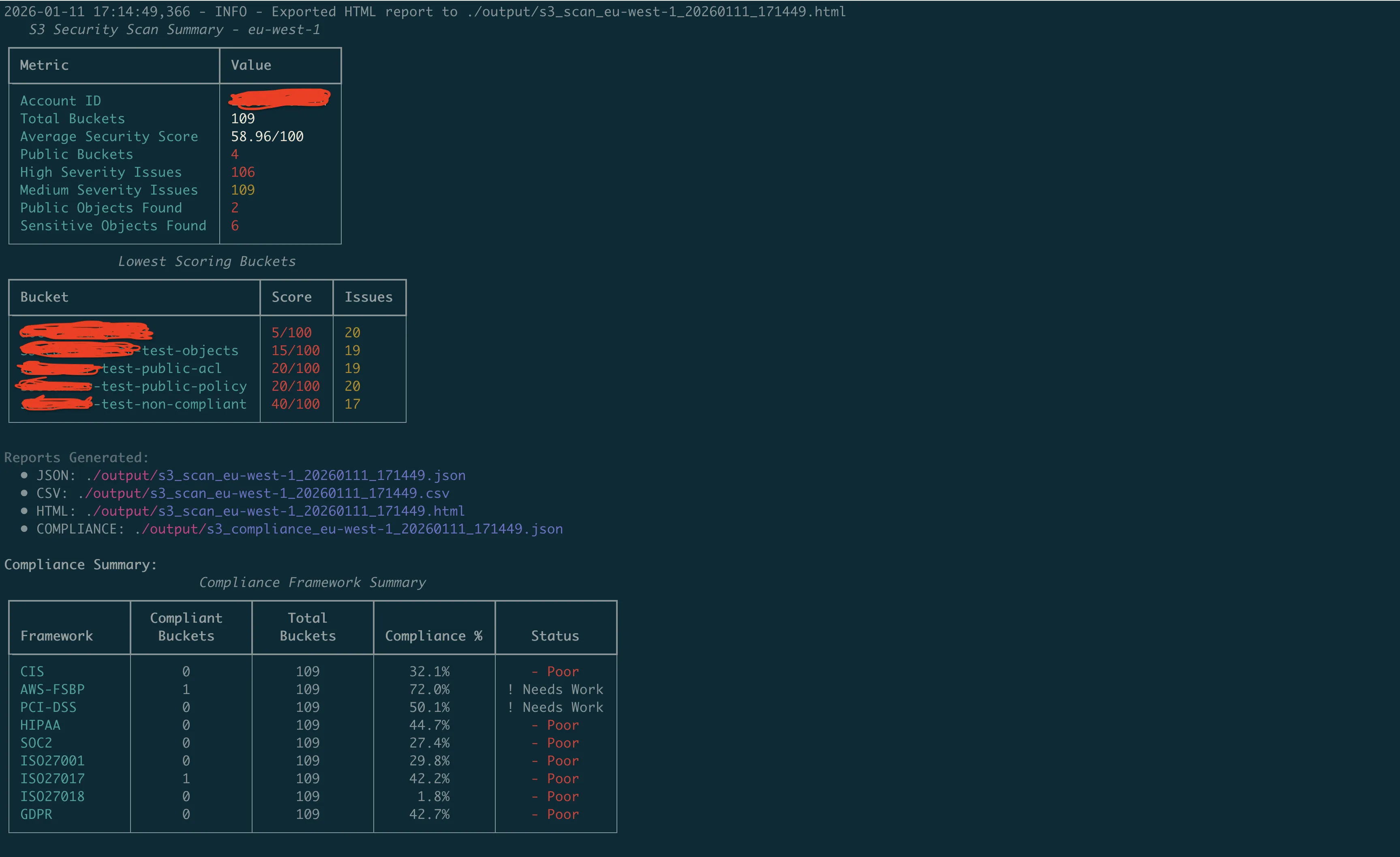
Output Formats
By default, the scanner displays results in the terminal with color-coded severity. But for automation and reporting, you can export to different formats:
# JSON for integration with other tools
s3-security-scanner security --output json > scan-results.json

# CSV for spreadsheets
s3-security-scanner security --output csv > scan-results.csv

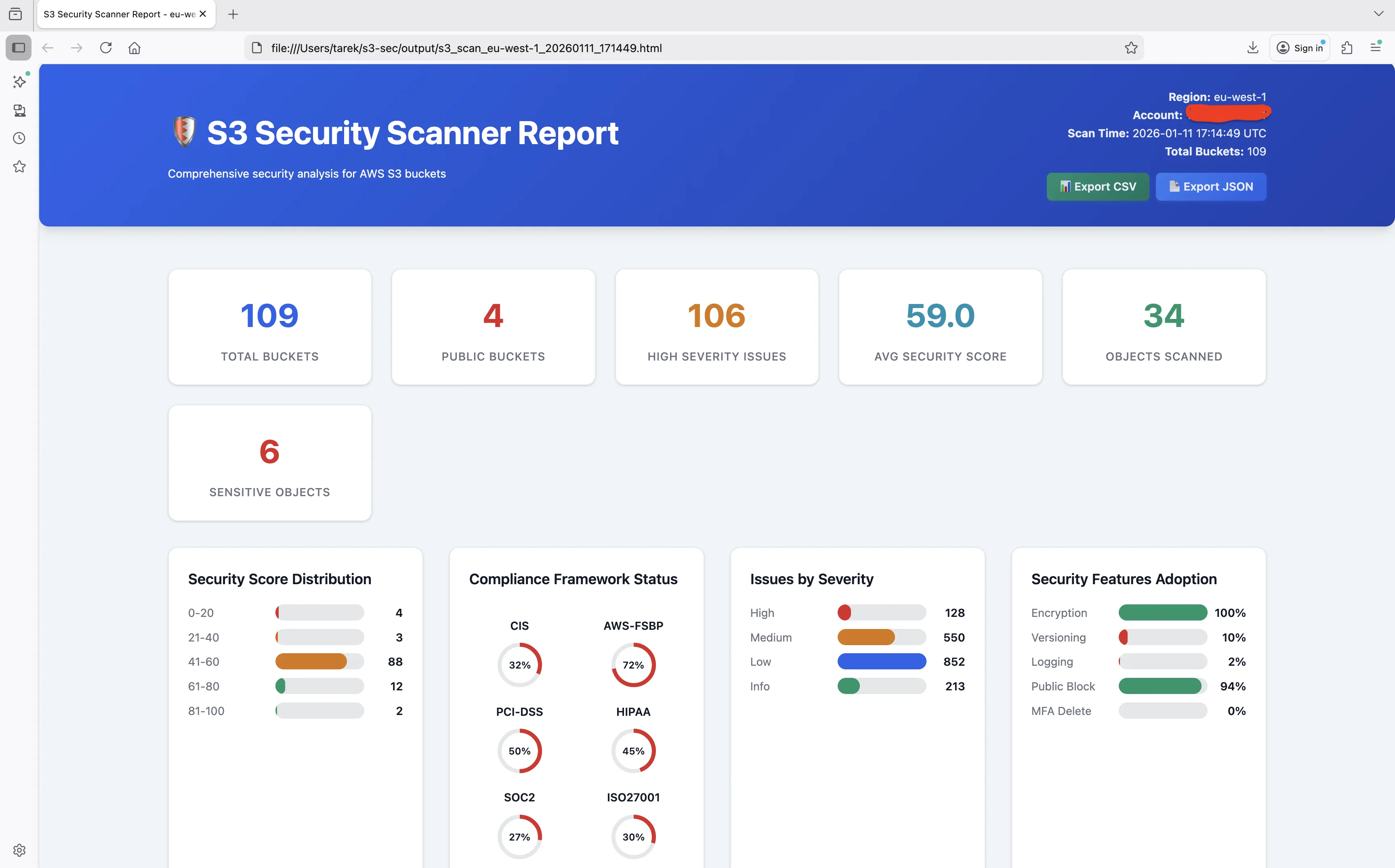
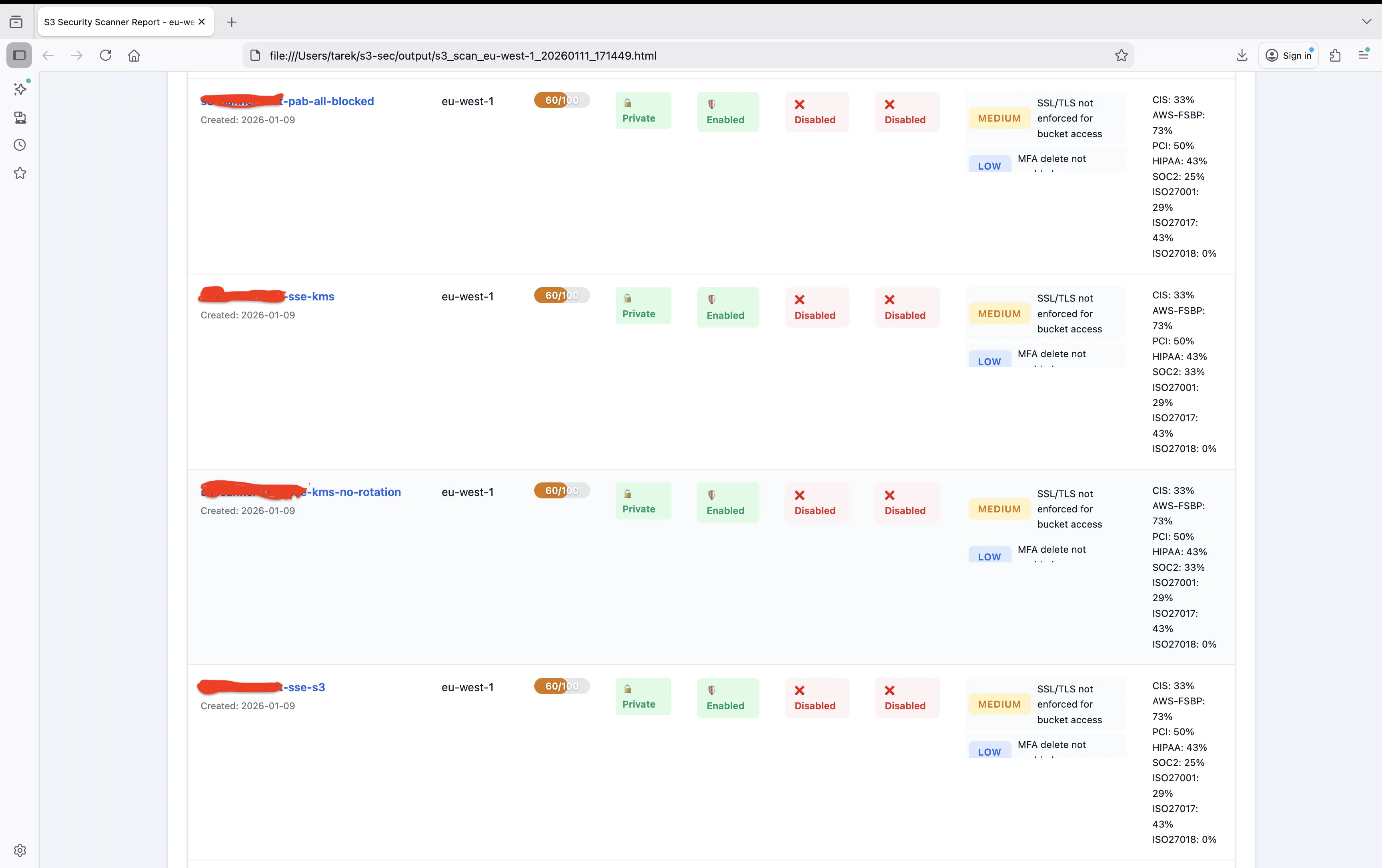
# HTML for reports
s3-security-scanner security --output html > scan-report.html
The HTML report is particularly useful for sharing with stakeholders who don't want to read terminal output.
Compliance-Focused Scanning
If you're preparing for an audit, you might only care about specific frameworks:
# Show only compliance mapping, skip general security output
s3-security-scanner security --compliance-only

# Filter by specific framework
s3-security-scanner security --compliance-only | grep "PCI-DSS"
DNS Takeover Detection
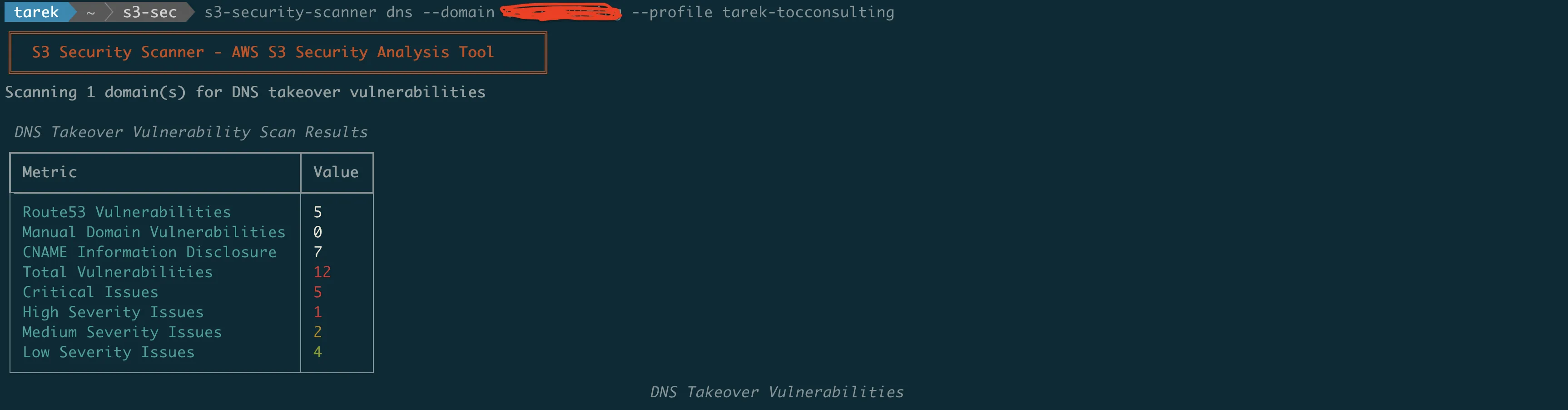
Remember from Part 1 how attackers can claim abandoned S3 buckets that DNS records still point to? The DNS scan identifies these vulnerabilities.
How It Works
The scanner:
- Queries Route53 hosted zones for DNS records pointing to S3
- Checks if the target buckets exist
- Verifies ownership of existing buckets
- Flags orphaned records as takeover risks
Usage
# Scan Route53 hosted zones for S3-related DNS records
s3-security-scanner dns

# Check a specific domain
s3-security-scanner dns --domain example.com

# Use a specific AWS profile for Route53 access
s3-security-scanner dns --profile dns-admin
What It Finds
================================================================================
DNS TAKEOVER VULNERABILITY SCAN
================================================================================

Scanning Route53 hosted zones...

VULNERABLE RECORDS:
  [CRITICAL] blog.example.com
             CNAME -> old-blog.s3-website-us-east-1.amazonaws.com
             Status: Bucket does not exist - TAKEOVER POSSIBLE
             Risk: Attacker can create bucket and serve malicious content

  [HIGH] staging.example.com
         CNAME -> staging-app.s3.amazonaws.com
         Status: Bucket exists but owned by different account
         Risk: Cross-account access or potential impersonation

SAFE RECORDS:
  [OK] assets.example.com
       CNAME -> company-assets.s3.amazonaws.com
       Status: Bucket exists and owned by this account

INFORMATION DISCLOSURE:
  [WARN] api.example.com
         CNAME -> company-prod-api-v2.s3.amazonaws.com
         Risk: Bucket naming pattern exposes environment and versioning info

Summary: 1 critical, 1 high, 1 warning, 1 safe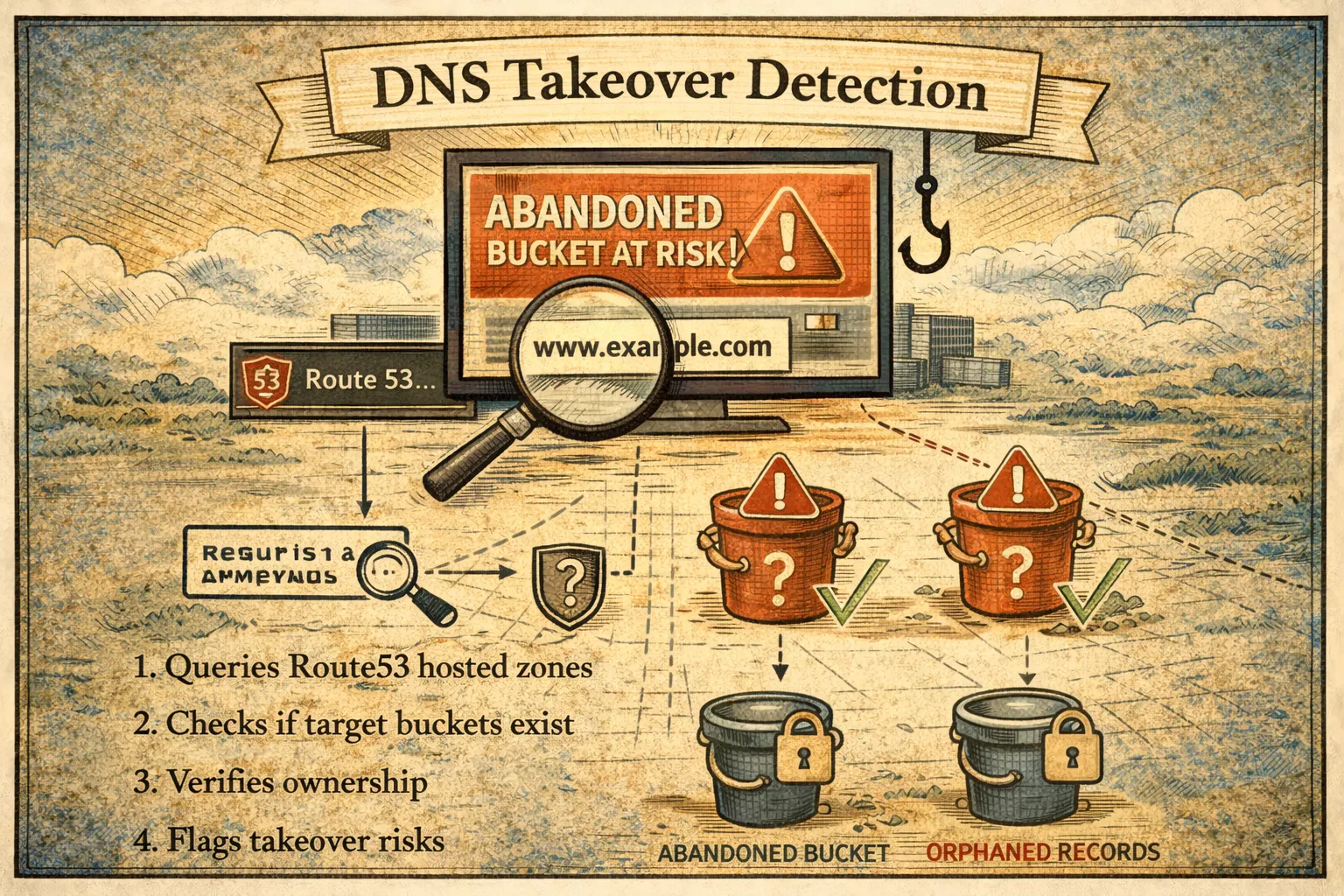
Bucket Discovery
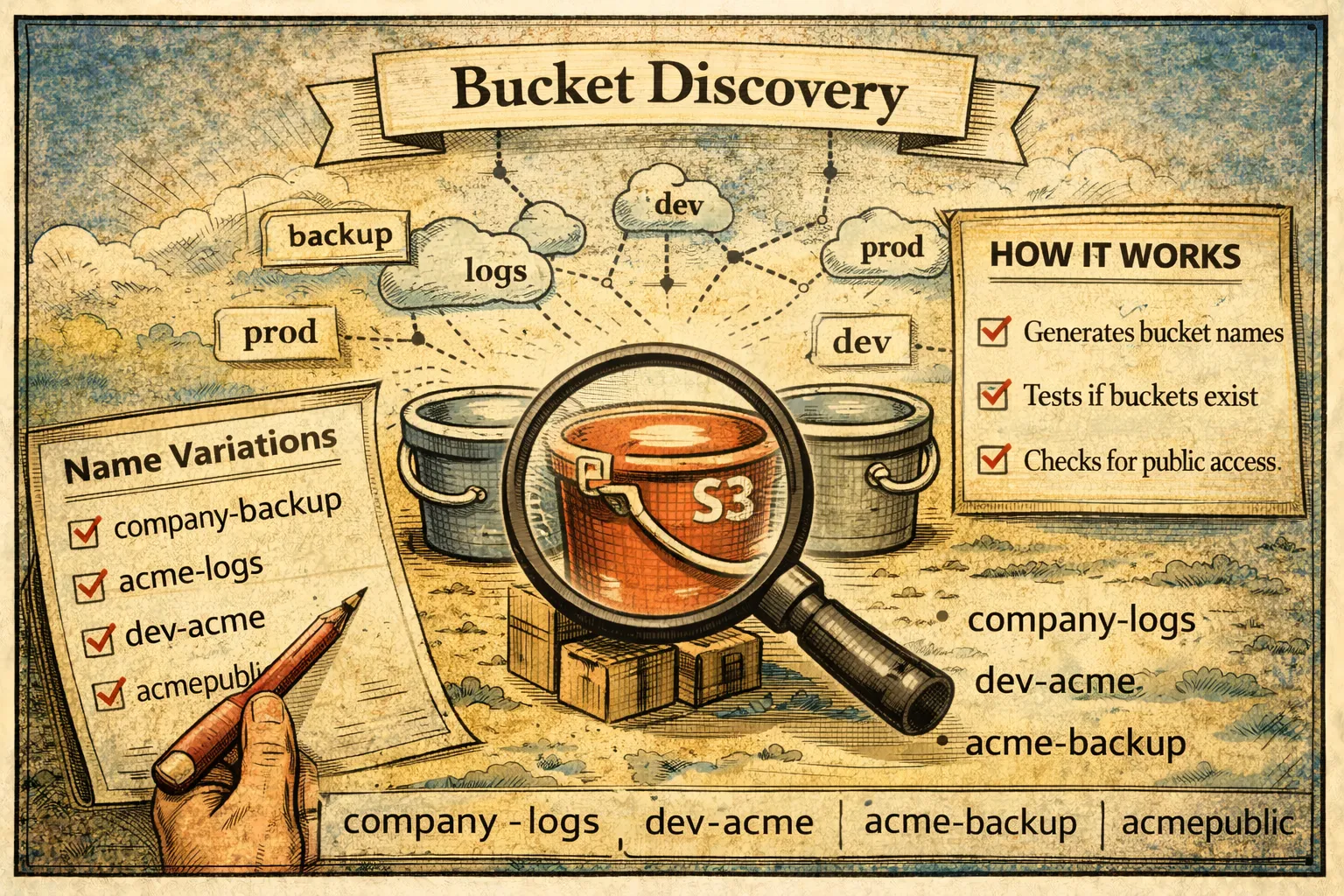
The discover command finds potentially exposed S3 buckets through permutation testing. This is useful for:
- Finding shadow IT buckets you didn't know existed
- Identifying exposed buckets related to your organization
- Security research and penetration testing (with authorization)
How It Works
The scanner generates bucket name variations based on:
- Company name and common patterns
- Industry-specific terminology
- Environment indicators (dev, staging, prod)
- Common bucket purposes (backup, logs, data)
It then tests whether these buckets exist and are publicly accessible.
Usage
# Basic discovery with company name
s3-security-scanner discover --target mycompany

# Multiple targets
s3-security-scanner discover --target mycompany --target myproduct

# Different thoroughness levels
s3-security-scanner discover --target mycompany --level basic     # ~200 permutations
s3-security-scanner discover --target mycompany --level medium    # ~1,000 permutations
s3-security-scanner discover --target mycompany --level advanced  # ~9,000 permutations
The Wordlist
The permutation generator uses a wordlist of 696 industry-specific terms across categories:
- General: backup, data, files, storage, archive, media
- Development: dev, staging, prod, test, build, deploy
- Banking & Finance: banking, payments, transactions, trading
- Healthcare: patient, medical, clinical, health, hipaa
- Government: gov, federal, agency, public, civic
- Education: edu, student, campus, academic, learning
- Retail & E-commerce: shop, store, orders, inventory, catalog
- Media & Entertainment: content, video, streaming, media
- Telecommunications: telecom, network, mobile, wireless
- Manufacturing: factory, supply, production, inventory
- Real Estate: property, listings, realty, mortgage
- Legal: legal, contracts, compliance, litigation
- Travel & Hospitality: travel, booking, reservations, hotel
- Automotive: vehicle, auto, fleet, parts
- Energy & Utilities: energy, power, utility, solar
- Agriculture: farm, crop, agriculture, harvest
- Nonprofit: nonprofit, charity, foundation, donation
Stealth Mode
For legitimate security testing, you might want to be less noisy:
# Only check if buckets exist, don't probe permissions
s3-security-scanner discover --target mycompany --stealth
What It Finds
================================================================================
BUCKET DISCOVERY RESULTS
================================================================================

Target: mycompany
Level: medium
Permutations tested: 1,047

PUBLICLY ACCESSIBLE:
  [CRITICAL] mycompany-backup
             Region: us-east-1
             Access: Public Read
             Objects visible: Yes

  [HIGH] mycompany-dev-data
         Region: eu-west-1
         Access: Public List
         Objects visible: Bucket listing enabled

EXISTING (NOT PUBLIC):
  [INFO] mycompany-logs
         Region: us-east-1
         Access: Access Denied (good!)

  [INFO] mycompany-production
         Region: us-west-2
         Access: Access Denied (good!)

Summary: 2 public, 2 private, 1,043 not found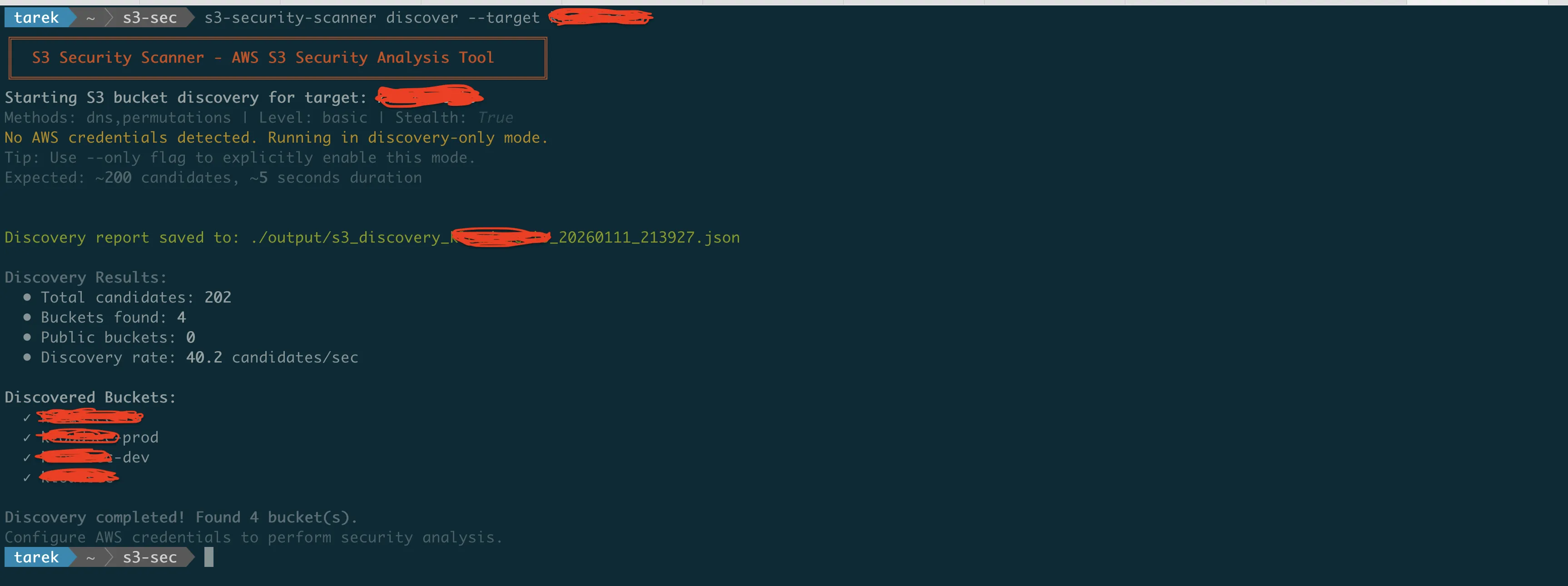
Architecture and Design
The scanner is built with a modular architecture:
s3_security_scanner/
|-- __init__.py                  # Package initialization
|-- cli.py                       # Click-based CLI interface
|-- scanner.py                   # Main scanning orchestration
|-- compliance.py                # Compliance framework mappings
|-- html_reporter.py             # HTML report generation
|-- utils.py                     # Shared utilities
|-- bucket_utils.py              # Bucket utility functions
|-- checks/
|   |-- __init__.py              # Check registry
|   |-- base.py                  # Base check class
|   |-- access_control.py        # Access control checks (13 checks)
|   |-- encryption.py            # Encryption checks
|   |-- versioning_lifecycle.py  # Versioning and lifecycle
|   |-- logging_monitoring.py    # Logging and monitoring
|   |-- object_security.py       # Object-level security
|   |-- dns_security.py          # DNS takeover detection
|   |-- threat_detection.py      # GuardDuty/Macie checks
|   |-- soc2_monitoring.py       # SOC 2 specific checks
|   |-- iso_compliance.py        # ISO 27001/27017/27018
|   |-- gdpr_compliance.py       # GDPR specific checks
|   |-- account_security.py      # Account-level security
|   |-- cloudtrail_logging.py    # CloudTrail logging checks
|-- analyzers/
|   |-- __init__.py              # Analyzer initialization
|   |-- dns_analyzer.py          # DNS analysis logic
|   |-- pattern_analyzer.py      # Pattern detection
|-- discovery/
|   |-- __init__.py              # Discovery initialization
|   |-- bucket_discovery.py      # Bucket discovery logic
|   |-- permutation_generator.py # Name permutation engine
|   |-- dns_validator.py         # DNS validation
|   |-- http_validator.py        # HTTP validation
|   |-- wordlist_manager.py      # Wordlist management
|   |-- s3_bucket_wordlist.txt   # 696 industry terms
|-- templates/
    |-- report.html              # HTML report template
Dependencies
The tool uses:
- boto3 — AWS SDK for Python
- rich — Terminal formatting and progress bars
- click — CLI framework
- jinja2 — HTML report templating
- dnspython — DNS resolution for takeover checks
AWS Permissions Required
The scanner needs read-only access to S3 and Route53:
{
  "Version": "2012-10-17",
  "Statement": [
    {
      "Effect": "Allow",
      "Action": [
        "s3:GetBucketAcl",
        "s3:GetBucketPolicy",
        "s3:GetBucketPolicyStatus",
        "s3:GetBucketVersioning",
        "s3:GetBucketEncryption",
        "s3:GetBucketLogging",
        "s3:GetBucketPublicAccessBlock",
        "s3:GetBucketCORS",
        "s3:GetBucketLifecycleConfiguration",
        "s3:GetBucketNotification",
        "s3:GetBucketReplication",
        "s3:GetBucketObjectLockConfiguration",
        "s3:GetBucketLocation",
        "s3:ListAllMyBuckets",
        "s3:ListBucket"
      ],
      "Resource": "*"
    },
    {
      "Effect": "Allow",
      "Action": [
        "route53:ListHostedZones",
        "route53:ListResourceRecordSets"
      ],
      "Resource": "*"
    }
  ]
}
No write permissions. The scanner only reads configurations.
Real-World Usage
Here's how I typically use the scanner in engagements:
Initial Assessment
# Full scan of all buckets with HTML report
s3-security-scanner security --output html > initial-assessment.html
This gives me a comprehensive view of the security posture across all buckets.
Compliance Audit Prep
# Focus on specific framework
s3-security-scanner security --compliance-only 2>&1 | grep -E "(PCI-DSS|FAIL)"
This shows me exactly which PCI-DSS controls are failing.
DNS Audit
# Check all Route53 hosted zones
s3-security-scanner dns --profile production-account
I run this quarterly to catch abandoned DNS records before attackers do.
Shadow IT Discovery
# Find buckets that might belong to the organization
s3-security-scanner discover --target companyname --level advanced
You'd be surprised what turns up.
Contributing
The tool is open source under the MIT license. If you find bugs or want to add features:
Contributions welcome. The codebase uses pytest for testing, and there are over 120 unit tests covering the security checks.
What's Next
The scanner tells you what's wrong. But knowing you have a problem is only half the solution.
In Part 4, the final article in this series, I'll provide step-by-step remediation instructions for every security issue the scanner can detect. You'll get:
- AWS Console instructions (click-by-click)
- AWS CLI commands (copy-paste ready)
- Python boto3 code (for automation)
- Bulk hardening scripts
Whether you prefer the console, command line, or infrastructure as code, you'll have the exact steps to fix every finding.
Resources
- GitHub Repository: https://github.com/TocConsulting/s3-security-scanner
- PyPI Package: https://pypi.org/project/s3-security-scanner/
- AWS S3 Security Best Practices: https://docs.aws.amazon.com/AmazonS3/latest/userguide/security-best-practices.html
- AWS CLI S3 Reference: https://docs.aws.amazon.com/cli/latest/reference/s3api/
- Boto3 S3 Documentation: https://boto3.amazonaws.com/v1/documentation/api/latest/reference/services/s3.html
Go Deeper: The State of AWS Security 2026
This article is just the start. Get the full picture with our free whitepaper - 8 chapters covering IAM, S3, VPC, monitoring, agentic AI security, compliance, and a prioritized action plan with 50+ CLI commands.
More Articles
Run AI Locally for AWS Security Work: The Complete Ollama Guide
Stop sending your IAM policies, CloudTrail logs, and infrastructure code to third-party APIs. Run LLMs locally with Ollama on Apple Silicon: private, offline, fast. Complete setup guide with AWS security use cases.
We Detonated the Real LiteLLM Malware on EC2: Here's What Happened
We obtained the actual compromised litellm packages, set up a disposable EC2 instance with honeypot credentials and mitmproxy, and detonated the malware. Full evidence: fork bomb, credential theft in under 2 seconds, IMDS queries, AWS API calls, and C2 exfiltration.
Anatomy of a Supply Chain Attack: How LiteLLM Was Weaponized in 6 Hours
A deep technical breakdown of how threat actor TeamPCP compromised Trivy, pivoted to LiteLLM, and turned a popular AI proxy into a credential-stealing weapon targeting AWS IMDS, Secrets Manager, and Kubernetes.