
AWS AI and ML Services: Add Intelligence to Your Applications
Tarek Cheikh
Founder & AWS Cloud Architect
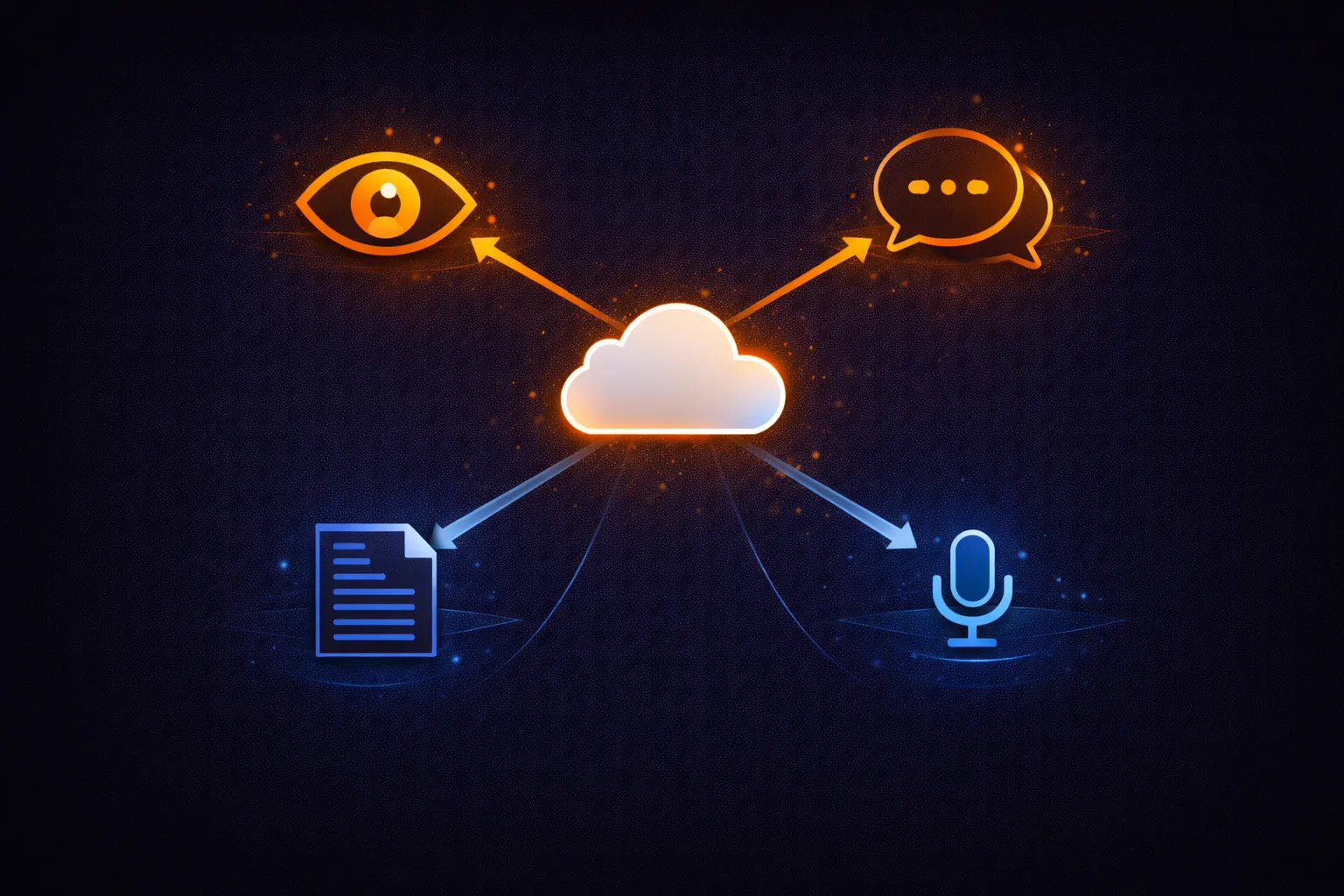
AWS provides pre-built AI services that expose machine learning models through standard API calls. No training data, no model selection, no infrastructure management. You send input (an image, text, audio, or document), and the service returns structured results (detected faces, sentiment scores, extracted text, translated content).
This article covers the core AWS AI services: Rekognition for image and video analysis, Comprehend for natural language processing, Textract for document extraction, Polly for text-to-speech, Translate for language translation, Transcribe for speech-to-text, and Bedrock for foundation models. Each section includes CLI commands, response structure, pricing, and when to use it.
AWS AI Services Overview
# AWS AI services fall into two categories:
#
# Pre-built AI services (no ML knowledge required):
#   Rekognition    -- Image and video analysis (faces, objects, text, moderation)
#   Comprehend     -- Natural language processing (sentiment, entities, language)
#   Textract       -- Document text and structure extraction (forms, tables)
#   Polly          -- Text-to-speech (30+ languages, neural voices)
#   Translate      -- Language translation (75+ languages)
#   Transcribe     -- Speech-to-text (100+ languages)
#   Lex            -- Conversational chatbots (intents, slots, fulfillment)
#
# Foundation model access:
#   Bedrock        -- Access to Claude, Llama, Titan, Mistral, and other models
#
# Custom ML (requires training data and ML knowledge):
#   SageMaker      -- Build, train, and deploy custom ML models
#   Personalize    -- Recommendation engine (requires interaction data)
#   Forecast       -- Time-series forecasting (requires historical data)
#
# This article focuses on the pre-built services and Bedrock.
Amazon Rekognition
Rekognition analyzes images and videos for faces, objects, text, scenes, and inappropriate content. It works with images stored in S3 or passed as bytes.
# Detect faces and attributes (age, gender, emotions, glasses, beard)
aws rekognition detect-faces \
    --image '{"S3Object":{"Bucket":"my-bucket","Name":"photo.jpg"}}' \
    --attributes ALL

# Response includes for each face:
#   AgeRange: {Low: 25, High: 33}
#   Gender: {Value: "Male", Confidence: 99.8}
#   Emotions: [{Type: "HAPPY", Confidence: 95.2}, {Type: "CALM", Confidence: 4.1}]
#   Smile, Eyeglasses, Sunglasses, Beard, Mustache, EyesOpen, MouthOpen
#   BoundingBox: {Width, Height, Left, Top} (normalized coordinates)
#   Confidence: 99.9

# Detect objects and scenes in an image
aws rekognition detect-labels \
    --image '{"S3Object":{"Bucket":"my-bucket","Name":"photo.jpg"}}' \
    --max-labels 20 \
    --min-confidence 80

# Response: Labels like "Car", "Road", "Person", "Tree" with confidence scores
# and bounding boxes for object instances.

# Detect text in an image (signs, license plates, documents)
aws rekognition detect-text \
    --image '{"S3Object":{"Bucket":"my-bucket","Name":"sign.jpg"}}'

# Response: TextDetections with DetectedText, Confidence, Type (LINE or WORD),
# and Geometry (bounding polygon).

# Content moderation (detect inappropriate or unsafe content)
aws rekognition detect-moderation-labels \
    --image '{"S3Object":{"Bucket":"my-bucket","Name":"upload.jpg"}}' \
    --min-confidence 70

# Response: ModerationLabels with Name, Confidence, ParentName
# Categories: Explicit Nudity, Violence, Drugs, Gambling, Hate Symbols, etc.
# Use this to automatically filter user-uploaded content.
# Video analysis (asynchronous -- start job, poll for results)
aws rekognition start-label-detection \
--video '{"S3Object":{"Bucket":"my-bucket","Name":"video.mp4"}}' \
--min-confidence 70 \
--notification-channel '{
"SNSTopicArn": "arn:aws:sns:us-east-1:123456789012:rekognition-results",
"RoleArn": "arn:aws:iam::123456789012:role/RekognitionSNSRole"
}'
# Returns JobId. When complete, SNS sends a notification.
# Get results:
aws rekognition get-label-detection \
--job-id "abc123-job-id" \
--sort-by TIMESTAMP
# Response: Labels with Timestamp (milliseconds) and Label details.
# Also available: start-face-detection, start-content-moderation,
# start-text-detection, start-person-tracking for video.
# Pricing (us-east-1):
# Image analysis: $0.001 per image (first 1M images/month)
# Video analysis: $0.10 per minute
# Free tier (first 12 months): 5,000 images/month, 60 minutes video/monthAmazon Comprehend
Comprehend is a natural language processing (NLP) service. It analyzes text for sentiment, entities (people, places, organizations), key phrases, and language. All operations accept plain text and return structured JSON.
# Detect sentiment (POSITIVE, NEGATIVE, NEUTRAL, MIXED)
aws comprehend detect-sentiment \
    --text "The product quality is excellent but shipping was slow." \
    --language-code en

# Response:
#   Sentiment: "MIXED"
#   SentimentScore: {Positive: 0.45, Negative: 0.30, Neutral: 0.15, Mixed: 0.10}

# Detect named entities (people, organizations, dates, quantities)
aws comprehend detect-entities \
    --text "Amazon was founded by Jeff Bezos in Seattle on July 5, 1994." \
    --language-code en

# Response: Entities with Type (PERSON, ORGANIZATION, LOCATION, DATE,
# QUANTITY, EVENT, TITLE, COMMERCIAL_ITEM), Text, Score, BeginOffset, EndOffset

# Detect key phrases
aws comprehend detect-key-phrases \
    --text "The new machine learning model improved accuracy by 15 percent." \
    --language-code en

# Response: KeyPhrases with Text, Score, BeginOffset, EndOffset

# Detect dominant language (no --language-code needed)
aws comprehend detect-dominant-language \
    --text "Bonjour, comment allez-vous?"

# Response: Languages with LanguageCode ("fr") and Score (0.99)
# Batch processing (up to 25 documents per call)
aws comprehend batch-detect-sentiment \
--text-list "Great product!" "Terrible experience." "It was okay." \
--language-code en
# Async processing for large datasets (millions of documents)
aws comprehend start-sentiment-detection-job \
--input-data-config '{
"S3Uri": "s3://my-bucket/input/reviews.csv",
"InputFormat": "ONE_DOC_PER_LINE"
}' \
--output-data-config '{"S3Uri": "s3://my-bucket/output/"}' \
--data-access-role-arn arn:aws:iam::123456789012:role/ComprehendRole \
--language-code en
# Check job status
aws comprehend describe-sentiment-detection-job \
--job-id "abc123-job-id"
# Pricing (us-east-1):
# NLP APIs (sentiment, entities, key phrases, language):
# $0.0001 per unit (1 unit = 100 characters, minimum 3 units per request)
# Async jobs: same per-unit pricing
# Free tier (first 12 months): 50,000 units/month per APIAmazon Textract
Textract extracts text, forms, and tables from scanned documents, PDFs, and images. Unlike basic OCR, Textract understands document structure -- it identifies key-value pairs in forms (like "Invoice Number: 12345") and cell relationships in tables.
# Detect plain text in a document (OCR)
aws textract detect-document-text \
    --document '{"S3Object":{"Bucket":"my-bucket","Name":"document.png"}}'

# Response: Blocks with BlockType (PAGE, LINE, WORD), Text, Confidence,
# and Geometry (bounding box coordinates).

# Analyze document structure (forms and tables)
aws textract analyze-document \
    --document '{"S3Object":{"Bucket":"my-bucket","Name":"invoice.png"}}' \
    --feature-types '["TABLES","FORMS"]'

# Response includes:
#   KEY_VALUE_SET blocks: form fields like "Invoice #" -> "12345"
#   TABLE blocks: rows and cells with relationships
#   Confidence scores for each extraction
#
# FeatureTypes options:
#   TABLES: extract table structure (rows, columns, cells)
#   FORMS: extract key-value pairs from forms
#   SIGNATURES: detect signatures on documents
#   QUERIES: answer specific questions about the document

# Query-based extraction (ask specific questions)
aws textract analyze-document \
    --document '{"S3Object":{"Bucket":"my-bucket","Name":"invoice.png"}}' \
    --feature-types '["QUERIES"]' \
    --queries-config '{"Queries":[
        {"Text":"What is the invoice number?"},
        {"Text":"What is the total amount?"},
        {"Text":"What is the due date?"}
    ]}'

# Async processing for multi-page PDFs (up to 3,000 pages)
aws textract start-document-text-detection \
    --document-location '{"S3Object":{"Bucket":"my-bucket","Name":"report.pdf"}}'

aws textract start-document-analysis \
    --document-location '{"S3Object":{"Bucket":"my-bucket","Name":"report.pdf"}}' \
    --feature-types '["TABLES","FORMS"]'

# Pricing (us-east-1):
#   Detect text: $0.0015 per page
#   Analyze (tables): $0.015 per page
#   Analyze (forms): $0.050 per page
#   Queries: $0.015 per page
#   Free tier (first 3 months): 1,000 pages/month (detect), 100 pages/month (analyze)
Amazon Polly
Polly converts text to natural-sounding speech. It supports 30+ languages, dozens of voices, and three engine types: standard (concatenative), neural (deep learning), and generative (highest quality).
# Convert text to speech (MP3 output)
aws polly synthesize-speech \
    --text "Welcome to our platform. Your order has been confirmed." \
    --output-format mp3 \
    --voice-id Joanna \
    --engine neural \
    output.mp3

# VoiceId options (English):
#   Joanna (en-US, Female, standard/neural)
#   Matthew (en-US, Male, standard/neural)
#   Amy (en-GB, Female, standard/neural)
#   Brian (en-GB, Male, standard/neural)
#
# OutputFormat options: mp3, ogg_vorbis, pcm
# Engine options: standard, neural, generative (not all voices support all engines)

# Use SSML for fine-grained control over pronunciation
aws polly synthesize-speech \
    --text-type ssml \
    --text '
        Your order 12345 is ready.

        Please pick it up by 12/25.
    ' \
    --output-format mp3 \
    --voice-id Joanna \
    --engine neural \
    order-notification.mp3

# List available voices for a language
aws polly describe-voices --language-code en-US \
    --query 'Voices[].{Id:Id,Gender:Gender,Engine:SupportedEngines}'

# Pricing (us-east-1):
#   Standard: $4.00 per 1 million characters
#   Neural: $16.00 per 1 million characters
#   Generative: $30.00 per 1 million characters
#   Free tier (first 12 months): 5M chars/month (standard), 1M chars/month (neural)
Amazon Translate
Translate provides neural machine translation between 75+ languages. It auto-detects the source language and supports both real-time and batch translation.
# Translate text (auto-detect source language)
aws translate translate-text \
    --text "Bonjour, comment allez-vous?" \
    --source-language-code auto \
    --target-language-code en

# Response:
#   TranslatedText: "Hello, how are you?"
#   SourceLanguageCode: "fr"

# Translate with custom terminology (preserve brand names, technical terms)
aws translate import-terminology \
    --name my-terms \
    --merge-strategy OVERWRITE \
    --data-file fileb://terminology.csv \
    --terminology-data-format CSV

# terminology.csv format (2 columns: source, target):
#   en,es
#   CloudFront,CloudFront
#   SageMaker,SageMaker

aws translate translate-text \
    --text "Deploy your model with SageMaker." \
    --source-language-code en \
    --target-language-code es \
    --terminology-names my-terms

# Batch translation (translate entire files in S3)
aws translate start-text-translation-job \
    --job-name batch-translate-docs \
    --source-language-code en \
    --target-language-codes es fr de \
    --input-data-config '{
        "S3Uri": "s3://my-bucket/input/",
        "ContentType": "text/plain"
    }' \
    --output-data-config '{"S3Uri": "s3://my-bucket/output/"}' \
    --data-access-role-arn arn:aws:iam::123456789012:role/TranslateRole

# Pricing (us-east-1):
#   Real-time: $15.00 per 1 million characters
#   Batch: $15.00 per 1 million characters
#   Free tier (first 12 months): 2 million characters/month
Amazon Transcribe
Transcribe converts speech to text. It supports 100+ languages, speaker identification, custom vocabularies, and automatic punctuation. Audio files must be in S3 for batch jobs; real-time transcription uses a WebSocket stream.
# Start a batch transcription job
aws transcribe start-transcription-job \
    --transcription-job-name meeting-transcript-001 \
    --language-code en-US \
    --media '{"MediaFileUri": "s3://my-bucket/audio/meeting.mp3"}' \
    --output-bucket-name my-transcripts \
    --settings '{
        "ShowSpeakerLabels": true,
        "MaxSpeakerLabels": 5
    }'

# Supported audio formats: MP3, MP4, WAV, FLAC, OGG, AMR, WebM
# ShowSpeakerLabels: identify different speakers (speaker diarization)
# MaxSpeakerLabels: maximum number of speakers to identify (2-10)

# Check job status
aws transcribe get-transcription-job \
    --transcription-job-name meeting-transcript-001 \
    --query 'TranscriptionJob.{Status:TranscriptionJobStatus,OutputUri:Transcript.TranscriptFileUri}'

# Auto-detect language (up to 5 language options)
aws transcribe start-transcription-job \
    --transcription-job-name auto-detect-001 \
    --identify-language \
    --language-options en-US es-ES fr-FR \
    --media '{"MediaFileUri": "s3://my-bucket/audio/call.mp3"}' \
    --output-bucket-name my-transcripts

# Medical transcription (HIPAA-eligible, medical terminology)
aws transcribe start-medical-transcription-job \
    --medical-transcription-job-name medical-001 \
    --language-code en-US \
    --specialty PRIMARYCARE \
    --type DICTATION \
    --media '{"MediaFileUri": "s3://my-bucket/audio/dictation.mp3"}' \
    --output-bucket-name my-medical-transcripts

# Pricing (us-east-1):
#   Standard batch: $0.024 per minute (first 250K minutes/month)
#   Real-time streaming: $0.024 per minute
#   Medical: $0.075 per minute
#   Free tier (first 12 months): 60 minutes/month
Amazon Bedrock
Bedrock provides access to foundation models from Anthropic (Claude), Meta (Llama), Amazon (Titan), Mistral, and others through a unified API. You send prompts and receive completions without managing infrastructure or model weights.
# List available foundation models
aws bedrock list-foundation-models \
    --query 'modelSummaries[].{Id:modelId,Name:modelName,Provider:providerName}' \
    --output table

# Invoke a model (Claude on Bedrock uses the Messages API)
aws bedrock-runtime invoke-model \
    --model-id anthropic.claude-3-5-sonnet-20241022-v2:0 \
    --body '{
        "anthropic_version": "bedrock-2023-05-31",
        "max_tokens": 1024,
        "messages": [
            {"role": "user", "content": "Explain VPC peering in 3 sentences."}
        ]
    }' \
    --content-type application/json \
    --accept application/json \
    response.json

# Read the response
# The output file contains: {id, type, role, content: [{type: "text", text: "..."}]}

# Invoke Amazon Titan for text embeddings (useful for search/RAG)
aws bedrock-runtime invoke-model \
    --model-id amazon.titan-embed-text-v2:0 \
    --body '{"inputText": "How do I configure a VPC?"}' \
    --content-type application/json \
    --accept application/json \
    embedding.json

# The response contains a 1024-dimension embedding vector.
# Store embeddings in OpenSearch or PostgreSQL with pgvector for
# similarity search in retrieval-augmented generation (RAG) pipelines.
# Bedrock model access must be enabled per-model in each region:
aws bedrock get-foundation-model-availability \
--model-id anthropic.claude-3-5-sonnet-20241022-v2:0
# If not enabled, request access through the AWS Console:
# Bedrock > Model access > Request access
# Bedrock pricing (on-demand, per-model, per-region):
# Claude 3.5 Sonnet: $3.00 per 1M input tokens, $15.00 per 1M output tokens
# Claude 3 Haiku: $0.25 per 1M input tokens, $1.25 per 1M output tokens
# Llama 3.1 8B Instruct: $0.22 per 1M input tokens, $0.22 per 1M output tokens
# Titan Text Lite: $0.15 per 1M input tokens, $0.20 per 1M output tokens
# Titan Embeddings v2: $0.02 per 1M input tokens
#
# Provisioned throughput available for consistent high-volume workloads.
# No free tier for Bedrock.Pricing Summary
# AWS AI Services -- Pricing Overview (us-east-1, 2025)
#
# Service        Unit                Price               Free Tier (12 months)
# ---------------------------------------------------------------------------------
# Rekognition    per image           $0.001              5,000 images/month
#                per video minute    $0.10               60 minutes/month
# Comprehend     per 100 chars       $0.0001             50,000 units/month
# Textract       per page (OCR)      $0.0015             1,000 pages/month (3 mo)
#                per page (tables)   $0.015              100 pages/month (3 mo)
#                per page (forms)    $0.050              100 pages/month (3 mo)
# Polly          per 1M chars        $4-$30              5M chars/month (standard)
# Translate      per 1M chars        $15.00              2M chars/month
# Transcribe     per minute          $0.024              60 minutes/month
# Bedrock        per 1M tokens       varies by model     none
#
# Cost example: Moderate document processing pipeline
#   1,000 invoices/month through Textract (tables+forms): 1,000 * $0.065 = $65.00
#   Comprehend entity extraction on results: ~500K units * $0.0001 = $0.05
#   Total: ~$65.05/month
#
# Cost example: Content moderation for user uploads
#   100,000 images/month through Rekognition moderation:
#   First 5,000 free + 95,000 * $0.001 = $95.00/month
Best Practices
Architecture
- Use pre-built AI services (Rekognition, Comprehend, Textract) before building custom models with SageMaker. Pre-built services require no training data, no model tuning, and no ML infrastructure.
- Process images and documents asynchronously. Use the async APIs (start-label-detection, start-document-analysis) with SNS notifications for video and multi-page documents. This avoids API timeouts on large files.
- Use batch APIs when processing multiple items. Comprehend
batch-detect-sentimentprocesses up to 25 texts in one call, reducing API overhead and latency. - For large-scale text analysis (millions of documents), use Comprehend async jobs (
start-sentiment-detection-job) which read directly from S3 and write results back to S3.
Cost Optimization
- Cache AI results when the same input is processed repeatedly. Store Rekognition labels, Comprehend sentiment, and Textract extractions in DynamoDB or S3.
- Set minimum confidence thresholds to filter low-quality results at the API level (
--min-confidence 80) rather than filtering in your application code. - Use Textract Detect (OCR at $0.0015/page) instead of Analyze (tables $0.015 + forms $0.050 per page) when you only need raw text without form or table structure.
- For Polly, use the standard engine ($4/1M characters) instead of neural ($16/1M) or generative ($30/1M) when audio quality is not critical (e.g., internal tools, testing).
- For Bedrock, choose the model that matches your complexity. Use Claude 3 Haiku ($0.25/1M input) for simple tasks and Claude 3.5 Sonnet ($3.00/1M input) for complex reasoning.
Reliability
- Handle throttling with exponential backoff. AI services have per-account transaction limits (e.g., Rekognition: 50 TPS for DetectFaces, Comprehend: 20 TPS for DetectSentiment).
- Check confidence scores before acting on results. A face detection with 60% confidence is not reliable enough for access control. Set application-specific thresholds.
- For content moderation, combine Rekognition moderation labels with human review for edge cases. Automated moderation catches the majority of violations, but borderline cases benefit from human judgment.
- Monitor API usage and errors in CloudWatch. Each AI service publishes metrics for successful calls, throttled requests, and errors.
Go Deeper: The State of AWS Security 2026
This article is just the start. Get the full picture with our free whitepaper - 8 chapters covering IAM, S3, VPC, monitoring, agentic AI security, compliance, and a prioritized action plan with 50+ CLI commands.
More Articles
AWS Architecture Patterns: Proven Blueprints for Scalable Cloud Applications
Six production-proven AWS architecture patterns: three-tier web apps, serverless APIs, event-driven processing, static websites, data lakes, and multi-region disaster recovery with diagrams and implementation guides.
AWS Cost Optimization: Reduce Your Cloud Bill Without Sacrificing Performance
Complete guide to AWS cost optimization covering Cost Explorer, Compute Optimizer, Savings Plans, Spot Instances, S3 lifecycle policies, gp2 to gp3 migration, scheduling, budgets, and production best practices.
Amazon CloudFront Deep Dive: CDN, Caching, and Edge Computing on AWS
Complete guide to Amazon CloudFront covering S3 origins with OAC, cache policies, path-based routing, origin failover, CloudFront Functions, Lambda@Edge, WAF, signed URLs, invalidation, pricing, and monitoring.