
AWS Architecture Patterns: Proven Blueprints for Scalable Cloud Applications
Tarek Cheikh
Founder & AWS Cloud Architect
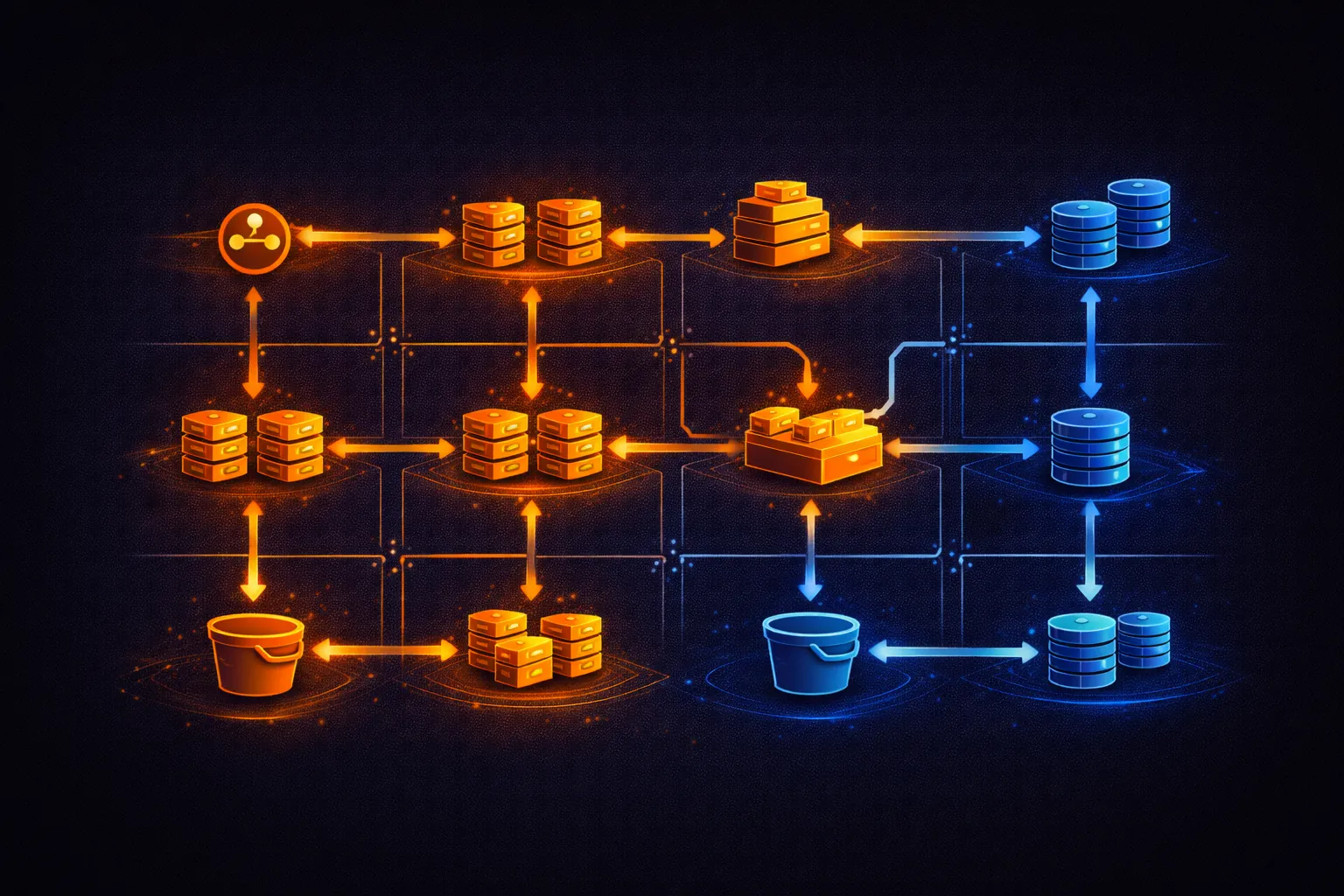
Architecture patterns are repeatable solutions to common infrastructure problems. AWS provides the building blocks -- the pattern determines how they fit together. Choosing the wrong pattern leads to over-engineering, unnecessary cost, or systems that cannot scale when needed.
This article covers six production-proven architecture patterns on AWS: three-tier web applications, serverless APIs, event-driven processing, static websites with CDN, data lakes, and multi-region disaster recovery. Each pattern includes an architecture diagram, the AWS services involved, when to use it, and when to avoid it.
Pattern 1: Three-Tier Web Application
# The standard pattern for traditional web applications with
# separate presentation, application, and data tiers.
#
#   [Users]
#      |
#   [CloudFront] -- static assets cached at edge
#      |
#   [Application Load Balancer] -- public subnet, HTTPS termination
#      |
#   [ECS Fargate / EC2 Auto Scaling Group] -- private subnet, application tier
#      |
#   [RDS Multi-AZ] -- private subnet, data tier
#      |
#   [ElastiCache Redis] -- private subnet, session/cache tier
#
# Network layout:
#   VPC (10.0.0.0/16)
#   ├── Public subnets (10.0.1.0/24, 10.0.2.0/24)  -- ALB, NAT Gateway
#   ├── Private subnets (10.0.3.0/24, 10.0.4.0/24)  -- Application
#   └── Data subnets (10.0.5.0/24, 10.0.6.0/24)     -- RDS, ElastiCache
#
# Each tier spans 2 AZs for high availability.

# Key characteristics:
#   Scaling:    Horizontal (add more app instances behind the ALB)
#   State:      Session state in ElastiCache, persistent data in RDS
#   Deploy:     Rolling or blue-green via ECS or ASG
#   Cost:       $200-$2,000/month depending on instance sizes
#   Complexity: Moderate -- well-understood pattern with mature tooling

# When to use:
#   - Traditional request/response web applications
#   - Applications that need persistent connections (WebSockets)
#   - Workloads with predictable, steady traffic patterns
#   - Teams familiar with container or VM-based deployments
#
# When to avoid:
#   - Highly variable traffic (consider serverless instead)
#   - Simple static sites (use Pattern 4)
#   - Applications with no shared state (Fargate tasks may be simpler)
Pattern 2: Serverless API
# Zero infrastructure management. Pay only for requests processed.
#
#   [Users / Mobile Apps]
#      |
#   [API Gateway] -- REST or HTTP API, throttling, auth
#      |
#   [Lambda] -- business logic, scales to thousands of concurrent executions
#      |
#   [DynamoDB] -- single-digit millisecond reads/writes, auto-scaling
#
# Optional additions:
#   [Cognito] -- user authentication and JWT tokens
#   [S3] -- file uploads via pre-signed URLs
#   [SQS] -- async processing queue between Lambda functions
#   [Step Functions] -- orchestrate multi-step workflows

# SAM template for a serverless API
# template.yamlAWSTemplateFormatVersion: '2010-09-09'
Transform: AWS::Serverless-2016-10-31
Globals:
Function:
Runtime: python3.12
Timeout: 30
MemorySize: 256
Environment:
Variables:
TABLE_NAME: !Ref DataTable
Resources:
GetItem:
Type: AWS::Serverless::Function
Properties:
CodeUri: src/
Handler: get_item.handler
Policies:
- DynamoDBReadPolicy:
TableName: !Ref DataTable
Events:
Api:
Type: HttpApi
Properties:
Path: /items/{id}
Method: GET
CreateItem:
Type: AWS::Serverless::Function
Properties:
CodeUri: src/
Handler: create_item.handler
Policies:
- DynamoDBCrudPolicy:
TableName: !Ref DataTable
Events:
Api:
Type: HttpApi
Properties:
Path: /items
Method: POST
DataTable:
Type: AWS::DynamoDB::Table
Properties:
BillingMode: PAY_PER_REQUEST
AttributeDefinitions:
- AttributeName: pk
AttributeType: S
KeySchema:
- AttributeName: pk
KeyType: HASH# Deploy with SAM
sam build && sam deploy --guided
# Key characteristics:
# Scaling: Automatic (0 to thousands of concurrent requests)
# State: Stateless Lambda functions, state in DynamoDB
# Deploy: sam deploy (CloudFormation under the hood)
# Cost: $0 at zero traffic, scales linearly with requests
# 1M requests/month with 200ms avg duration:
# API Gateway: $1.00, Lambda: ~$0.42, DynamoDB: varies
# Complexity: Low for CRUD APIs, high for complex workflows
# When to use:
# - APIs with variable or unpredictable traffic
# - Startups and MVPs (zero cost at zero traffic)
# - CRUD operations, webhooks, scheduled tasks
# - Event-driven backends for mobile and single-page apps
#
# When to avoid:
# - Long-running processes (>15 minutes)
# - Applications requiring persistent connections (WebSockets at scale)
# - Workloads with consistent high throughput (containers are cheaper)
# - Teams that need full control over the runtime environmentPattern 3: Event-Driven Architecture
# Services communicate through events instead of direct API calls.
# Producers emit events. Consumers process them independently.
#
#   [Order Service] --event--> [EventBridge]
#                                  |
#                    +-------------+-------------+
#                    |             |             |
#                    v             v             v
#              [SQS: fulfill] [SQS: notify] [SQS: analytics]
#                    |             |             |
#                    v             v             v
#              [Lambda]      [Lambda]       [Lambda]
#              Fulfillment   Email/SMS      Dashboard
#
# Each consumer has its own queue with independent retry logic.
# If one consumer fails, others are not affected.

# Create a custom EventBridge bus
aws events create-event-bus --name ecommerce

# Create a rule that routes order events to an SQS queue
aws events put-rule \
    --name order-placed-to-fulfillment \
    --event-bus-name ecommerce \
    --event-pattern '{
        "source": ["ecommerce.orders"],
        "detail-type": ["OrderPlaced"]
    }'

aws events put-targets \
    --rule order-placed-to-fulfillment \
    --event-bus-name ecommerce \
    --targets '[{
        "Id": "fulfillment-queue",
        "Arn": "arn:aws:sqs:us-east-1:123456789012:fulfillment-queue"
    }]'

# Publish an event
aws events put-events --entries '[{
    "Source": "ecommerce.orders",
    "DetailType": "OrderPlaced",
    "Detail": "{"order_id":"ORD-001","amount":99.50}",
    "EventBusName": "ecommerce"
}]'

# Key characteristics:
#   Coupling:   Loose -- producers do not know about consumers
#   Scaling:    Each consumer scales independently
#   Ordering:   Best-effort (EventBridge), strict (SQS FIFO + SNS FIFO)
#   Debugging:  Harder than synchronous -- requires structured logging and tracing
#   Cost:       EventBridge: $1.00/million events, SQS: $0.40/million requests

# When to use:
#   - Multiple services need to react to the same business event
#   - Services have different processing speeds or SLAs
#   - You need to add new consumers without changing the producer
#   - Audit trails and event sourcing requirements
#
# When to avoid:
#   - Simple request-response flows (direct API calls are simpler)
#   - Operations that need immediate synchronous confirmation
#   - Small applications with 1-2 services (adds unnecessary complexity)
Pattern 4: Static Website with CDN
# The simplest and cheapest pattern for static sites, SPAs, and documentation.
#
#   [Users]
#      |
#   [CloudFront] -- HTTPS, caching, edge locations worldwide
#      |
#   [S3 Bucket] -- private, accessed only through CloudFront OAC
#      |
#   [Route 53] -- custom domain with alias record to CloudFront
#
# No servers. No containers. No Lambda. Content served directly from S3
# through CloudFront's global edge network.

# Create the S3 bucket (no public access)
aws s3api create-bucket --bucket my-site-bucket --region us-east-1
aws s3api put-public-access-block --bucket my-site-bucket \
    --public-access-block-configuration '{
        "BlockPublicAcls": true,
        "IgnorePublicAcls": true,
        "BlockPublicPolicy": true,
        "RestrictPublicBuckets": true
    }'

# Upload the site
aws s3 sync ./build/ s3://my-site-bucket/

# Create CloudFront distribution with OAC (see CloudFront article for full config)
# Then create a Route 53 alias record pointing to the CloudFront distribution.

# Key characteristics:
#   Scaling:    Unlimited (CloudFront handles millions of requests)
#   Latency:    10-50ms globally (cached at edge locations)
#   Deploy:     aws s3 sync + CloudFront invalidation
#   Cost:       $1-$5/month for low-traffic sites (1 TB free tier)
#   Complexity: Very low

# When to use:
#   - Single-page applications (React, Vue, Angular)
#   - Marketing sites, documentation, blogs
#   - Any content that does not require server-side rendering
#
# When to avoid:
#   - Server-side rendered applications (use Pattern 1 or 2)
#   - Sites that need dynamic content on every request
Pattern 5: Data Lake
# Centralized repository for structured and unstructured data at any scale.
# Store raw data in S3, catalog it with Glue, query it with Athena.
#
#   [Data Sources]
#      |
#   [Kinesis / Glue / Direct Upload] -- ingestion layer
#      |
#   [S3 Raw Zone] -- raw data, original format, partitioned by date
#      |
#   [Glue ETL Jobs] -- transform, clean, convert to Parquet/ORC
#      |
#   [S3 Processed Zone] -- optimized format, partitioned, compressed
#      |
#   [Glue Data Catalog] -- metadata, schemas, partition info
#      |
#   [Athena / Redshift Spectrum / QuickSight] -- query and visualization

# Create the data lake structure
aws s3api create-bucket --bucket my-data-lake --region us-east-1
aws s3api put-object --bucket my-data-lake --key raw/
aws s3api put-object --bucket my-data-lake --key processed/
aws s3api put-object --bucket my-data-lake --key curated/

# Create a Glue database (catalog)
aws glue create-database --database-input '{"Name": "analytics"}'

# Create a Glue crawler to discover schema from S3 data
aws glue create-crawler \
    --name raw-data-crawler \
    --role arn:aws:iam::123456789012:role/GlueCrawlerRole \
    --database-name analytics \
    --targets '{"S3Targets": [{"Path": "s3://my-data-lake/processed/"}]}'

aws glue start-crawler --name raw-data-crawler

# Query with Athena (SQL on S3, no infrastructure)
aws athena start-query-execution \
    --query-string "SELECT date, COUNT(*) as events FROM analytics.user_events WHERE date > '2025-06-01' GROUP BY date ORDER BY date" \
    --result-configuration '{"OutputLocation": "s3://my-data-lake/athena-results/"}'

# Athena pricing: $5.00 per TB scanned.
# Use Parquet/ORC format and partitioning to reduce data scanned by 90%+.

# Key characteristics:
#   Scaling:    S3 scales to exabytes, Athena scales to petabyte queries
#   Schema:     Schema-on-read (define schema at query time, not at ingestion)
#   Cost:       S3 storage ($0.023/GB) + Athena queries ($5/TB scanned)
#   Complexity: Moderate (ETL pipelines require maintenance)

# When to use:
#   - Centralized analytics across multiple data sources
#   - Ad-hoc querying on large datasets without provisioning infrastructure
#   - Machine learning training data storage
#   - Compliance and audit log retention
#
# When to avoid:
#   - Low-latency transactional queries (use RDS or DynamoDB)
#   - Small datasets that fit in a single database
#   - Real-time dashboards requiring sub-second refresh (use Kinesis + OpenSearch)
Pattern 6: Multi-Region Disaster Recovery
# Four DR strategies ordered by cost and recovery speed:
#
# Strategy          RPO         RTO          Monthly Cost
# -------------------------------------------------------
# Backup/Restore    Hours       Hours        $ (lowest)
# Pilot Light       Minutes     Minutes      $$
# Warm Standby      Seconds     Minutes      $$$
# Active-Active     Zero        Zero         $$$$ (highest)
#
# RPO = Recovery Point Objective (max acceptable data loss)
# RTO = Recovery Time Objective (max acceptable downtime)

# Pilot Light: minimal infrastructure in DR region,
# scale up only when primary fails
#
#   Primary (us-east-1)              DR (eu-west-1)
#   [Route 53 - Active]             [Route 53 - Standby]
#        |                               |
#   [ALB + ECS (running)]           [ALB + ECS (stopped/minimal)]
#        |                               |
#   [RDS Primary]  ---replication--> [RDS Read Replica]
#   [S3 Bucket]    ---replication--> [S3 Replica Bucket]

# Enable RDS cross-region read replica
aws rds create-db-instance-read-replica \
    --db-instance-identifier dr-replica \
    --source-db-instance-identifier arn:aws:rds:us-east-1:123456789012:db:prod-db \
    --db-instance-class db.r6g.large \
    --region eu-west-1

# Enable S3 cross-region replication
aws s3api put-bucket-replication \
    --bucket prod-bucket \
    --replication-configuration '{
        "Role": "arn:aws:iam::123456789012:role/S3ReplicationRole",
        "Rules": [{
            "Status": "Enabled",
            "Destination": {
                "Bucket": "arn:aws:s3:::dr-bucket-eu-west-1",
                "StorageClass": "STANDARD"
            },
            "Filter": {"Prefix": ""}
        }]
    }'

# Route 53 health check + failover routing
aws route53 create-health-check --caller-reference hc-primary-2025 \
    --health-check-config '{
        "IPAddress": "203.0.113.1",
        "Port": 443,
        "Type": "HTTPS",
        "ResourcePath": "/health",
        "FailureThreshold": 3,
        "RequestInterval": 30
    }'

# Failover record: primary
aws route53 change-resource-record-sets --hosted-zone-id Z1234567890 \
    --change-batch '{
        "Changes": [{
            "Action": "CREATE",
            "ResourceRecordSet": {
                "Name": "app.example.com",
                "Type": "A",
                "SetIdentifier": "primary",
                "Failover": "PRIMARY",
                "AliasTarget": {
                    "HostedZoneId": "Z35SXDOTRQ7X7K",
                    "DNSName": "primary-alb.us-east-1.elb.amazonaws.com",
                    "EvaluateTargetHealth": true
                },
                "HealthCheckId": "health-check-id"
            }
        }]
    }'

# When to use each strategy:
#   Backup/Restore: non-critical apps, cost-sensitive, hours of downtime acceptable
#   Pilot Light: production apps where minutes of downtime is acceptable
#   Warm Standby: business-critical apps needing fast recovery
#   Active-Active: zero-downtime requirements (financial, healthcare, e-commerce)
Choosing the Right Pattern
# Decision guide:
#
# "I need a web application with a database"
#   Traffic is predictable     --> Pattern 1 (Three-Tier)
#   Traffic is variable/spiky  --> Pattern 2 (Serverless API)
#
# "I need multiple services to communicate"
#   Synchronous, request/reply --> REST APIs between services
#   Asynchronous, fan-out      --> Pattern 3 (Event-Driven)
#
# "I need to serve static content"
#   SPA, marketing site, docs  --> Pattern 4 (Static + CDN)
#
# "I need to analyze large datasets"
#   SQL on files in S3         --> Pattern 5 (Data Lake + Athena)
#   Real-time streaming        --> Kinesis + Lambda + OpenSearch
#
# "I need high availability across regions"
#   Cost-sensitive             --> Pilot Light
#   Business-critical          --> Warm Standby or Active-Active
#
# Common mistakes:
# - Using microservices for a 3-person team (start with a monolith)
# - Using serverless for constant high-throughput (containers are cheaper)
# - Skipping the CDN (CloudFront free tier covers most small sites)
# - Multi-region before single-region is reliable (fix reliability first)
# - Event-driven for 2 services (direct API calls are simpler)
Best Practices
Design
- Start with the simplest pattern that meets your requirements. A three-tier app or serverless API covers most use cases. Add complexity only when you have a concrete problem that demands it.
- Separate stateless compute from stateful storage. Application servers should be replaceable at any time. State belongs in RDS, DynamoDB, ElastiCache, or S3.
- Design for failure. Every component will fail eventually. Use Multi-AZ deployments, health checks, auto-scaling, and circuit breakers to handle failures automatically.
- Put every tier in private subnets except the load balancer. Application servers, databases, and caches should never have public IP addresses.
Cost
- Serverless (Pattern 2) is cheapest at low traffic and most expensive at high constant traffic. Containers (Pattern 1) are cheaper for steady workloads above ~1 million requests/day.
- Use the static site pattern (Pattern 4) for everything that does not need server-side logic. CloudFront's free tier (1 TB/month) covers most small and medium sites.
- For data lakes, convert raw data to Parquet or ORC format. Columnar formats reduce Athena scan costs by 90% or more compared to CSV or JSON.
- Multi-region DR doubles your infrastructure cost. Use pilot light (minimal DR footprint) unless your RTO requires warm standby or active-active.
Operations
- Use Infrastructure as Code (CloudFormation, SAM, CDK, or Terraform) for every pattern. Manual console setups do not scale, are not reproducible, and cannot be reviewed in pull requests.
- Implement health checks at every layer: Route 53 for DNS failover, ALB target group health checks for instances, and application-level /health endpoints that verify database connectivity.
- Tag every resource with Environment, Team, and Project. Tags enable cost attribution, automated scheduling, and targeted IAM policies.
- Enable CloudTrail, VPC Flow Logs, and CloudWatch alarms from day one. Retrofitting observability is harder and more expensive than building it in.
Go Deeper: The State of AWS Security 2026
This article is just the start. Get the full picture with our free whitepaper - 8 chapters covering IAM, S3, VPC, monitoring, agentic AI security, compliance, and a prioritized action plan with 50+ CLI commands.
More Articles
AWS Cost Optimization: Reduce Your Cloud Bill Without Sacrificing Performance
Complete guide to AWS cost optimization covering Cost Explorer, Compute Optimizer, Savings Plans, Spot Instances, S3 lifecycle policies, gp2 to gp3 migration, scheduling, budgets, and production best practices.
AWS AI and ML Services: Add Intelligence to Your Applications
Complete guide to AWS AI services including Rekognition, Comprehend, Textract, Polly, Translate, Transcribe, and Bedrock with CLI commands, pricing, and production best practices.
Amazon CloudFront Deep Dive: CDN, Caching, and Edge Computing on AWS
Complete guide to Amazon CloudFront covering S3 origins with OAC, cache policies, path-based routing, origin failover, CloudFront Functions, Lambda@Edge, WAF, signed URLs, invalidation, pricing, and monitoring.