
awsmap — Find Everything Running in Your AWS Account
Tarek Cheikh
Founder & AWS Cloud Architect
We've all been there.
New gig. You inherit an AWS account. Manager asks: "What do we have running?"
"Use AWS Config," someone says. Great. Except it costs money per resource recorded, needs setup, and doesn't even cover half the services. Also it's been disabled since 2019.
So you open the console. EC2. Click. us-east-1. 12 instances. Click back. us-east-2. 3 instances. Click back. us-west-1. Empty. Click back. us-west-2...
Repeat for 17 regions. Then do RDS. Then Lambda. Then ECS. Then the 130 other services.
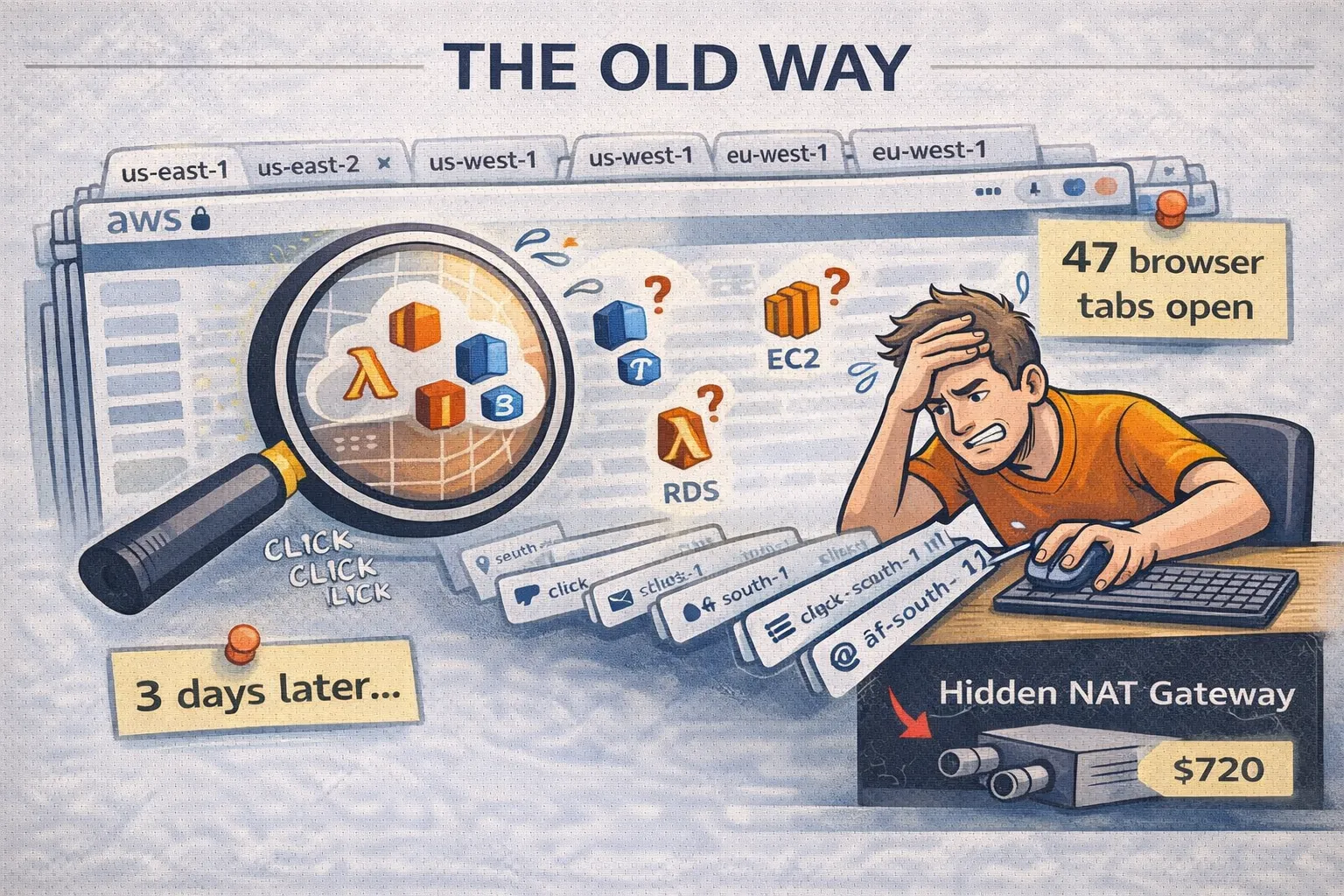
Three days later you have a spreadsheet, zero confidence, and a NAT Gateway in af-south-1 that's been running for 18 months. Nobody knew. $720 down the drain.
There had to be a better way. So I wrote one.
What's awsmap?
A CLI that scans your AWS account. All of it. Fast.
pip install awsmapThen:
awsmap -p my-profile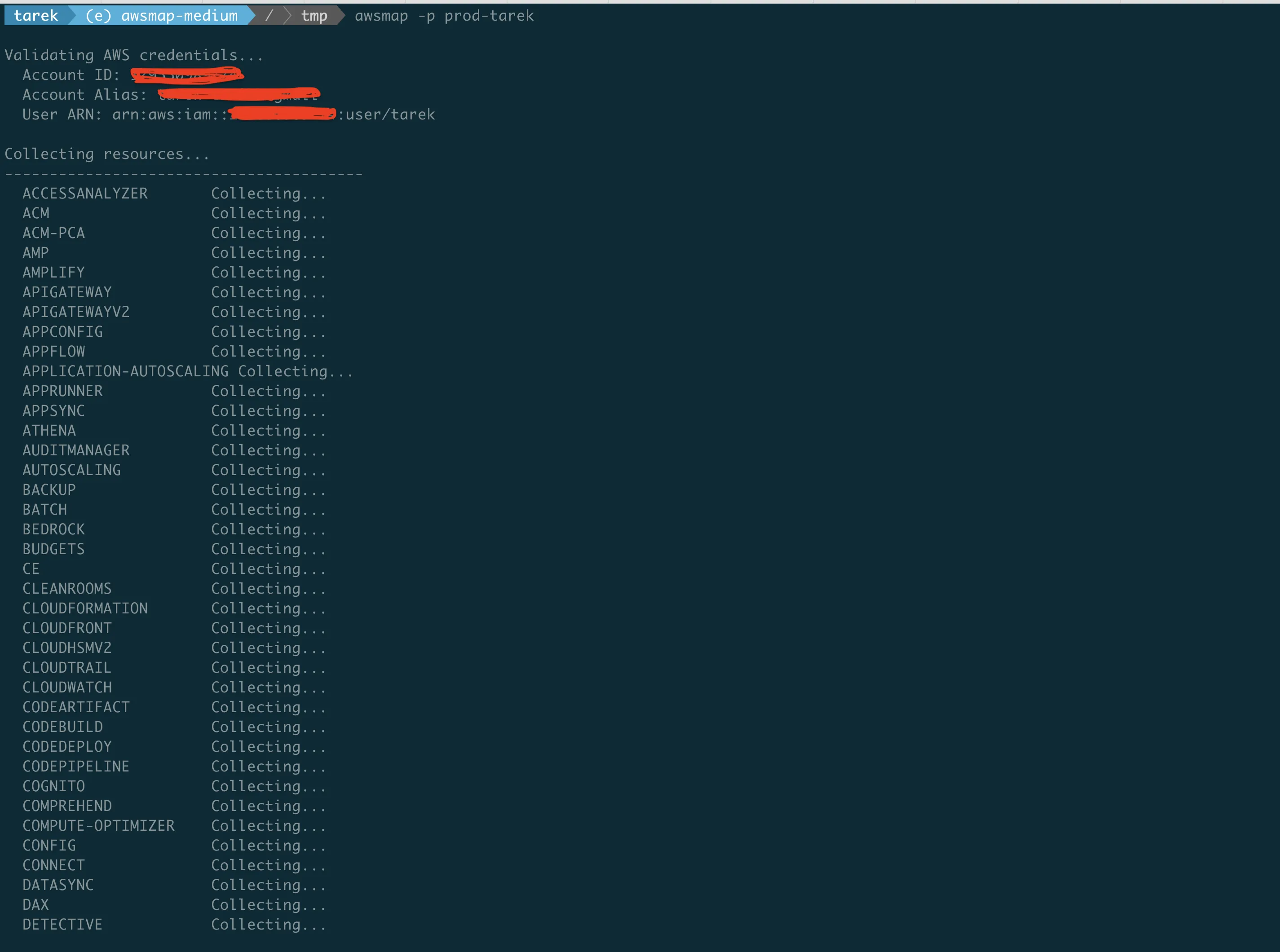
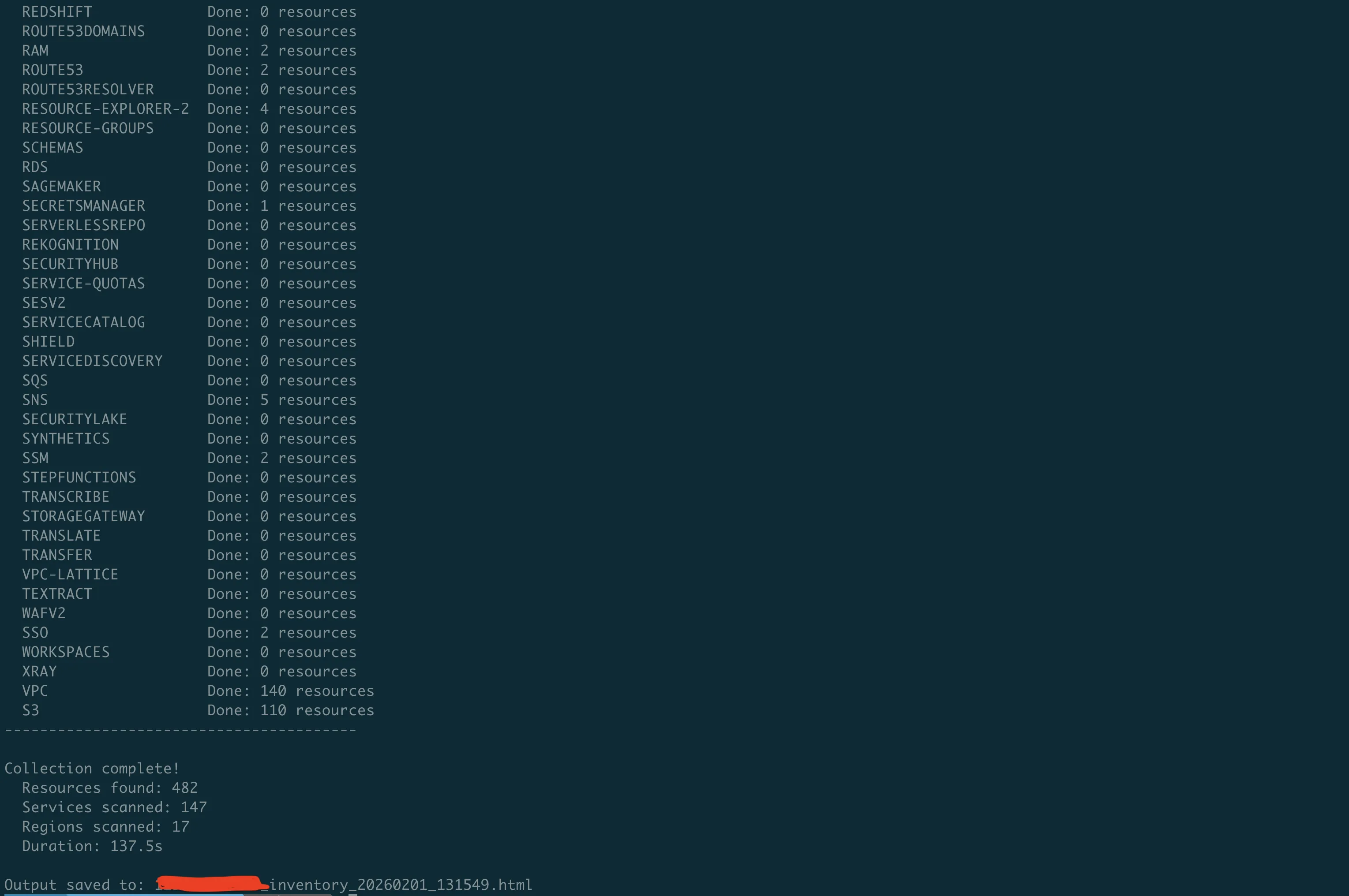
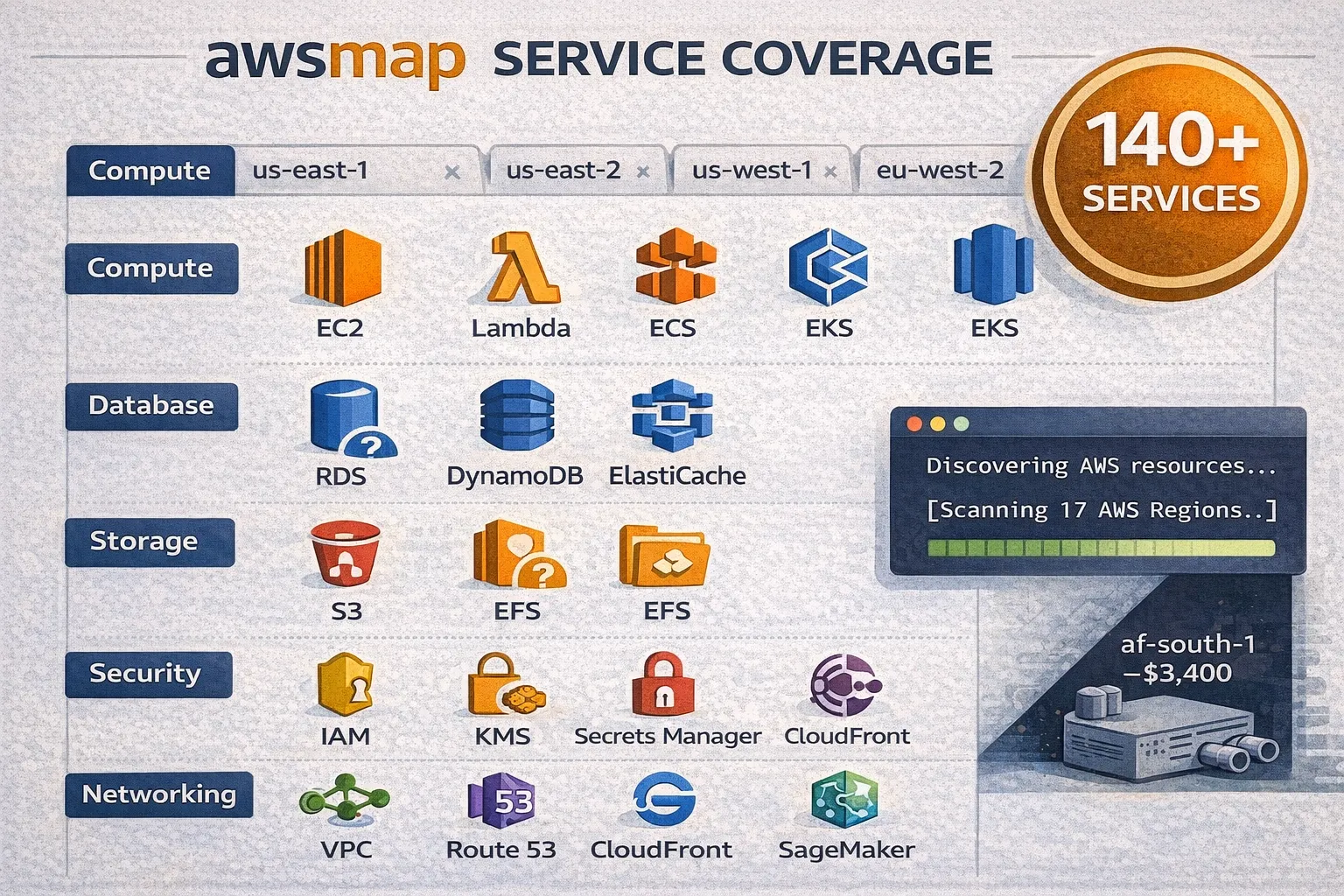
140 services. 17 regions. One command. About 130 seconds.
You get an HTML report. Search, filter, dark mode. Click an ARN, it copies.
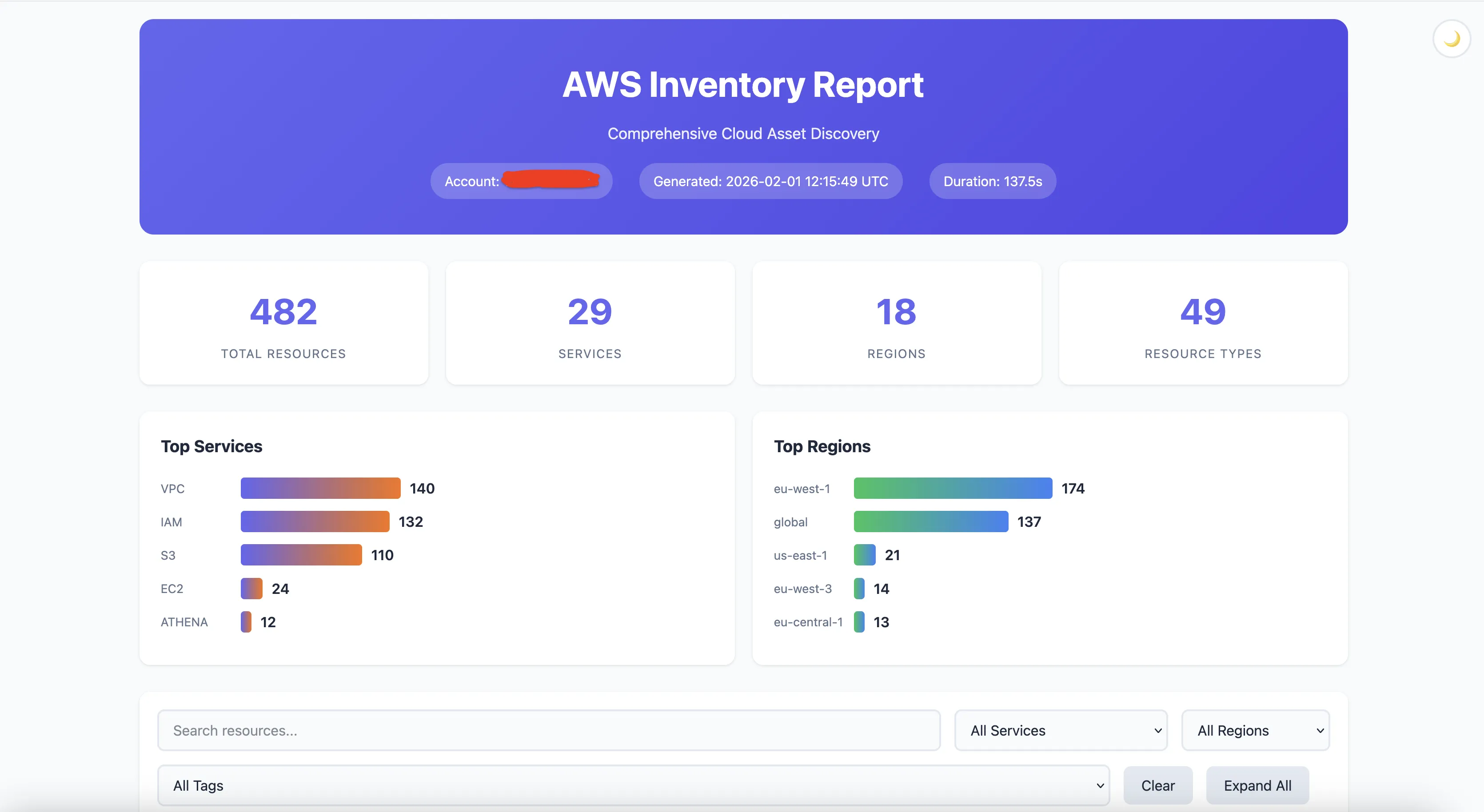
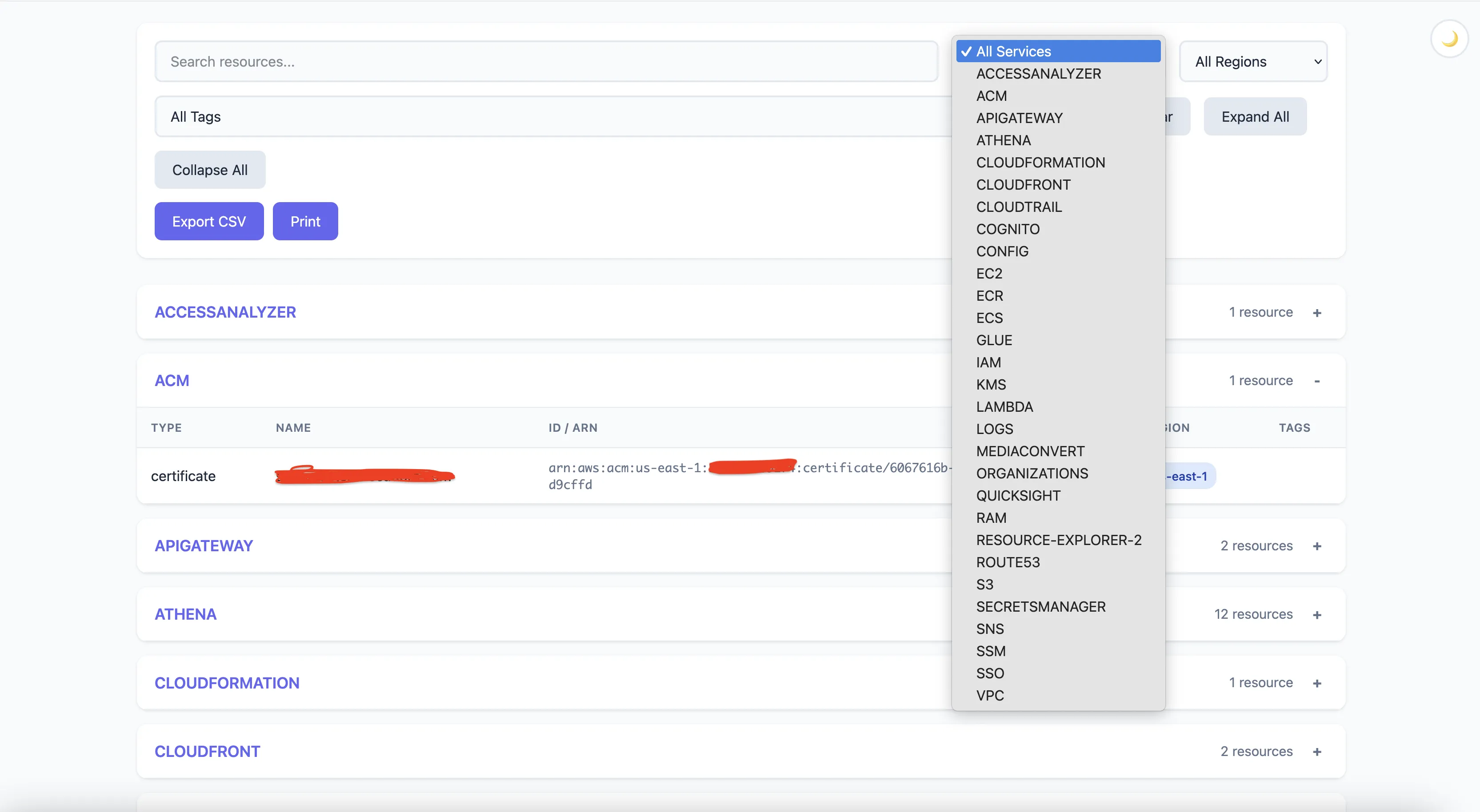
Nothing revolutionary so far. Here's where it gets useful.
The Audit Problem
Security team asks: "List all your EC2 instances, RDS databases, and Lambda functions."
Old way: Three different CLI commands. Parse JSON. Merge results. Format for humans. Probably miss a region.
awsmap -p prod --services ec2,rds,lambda -o audit.html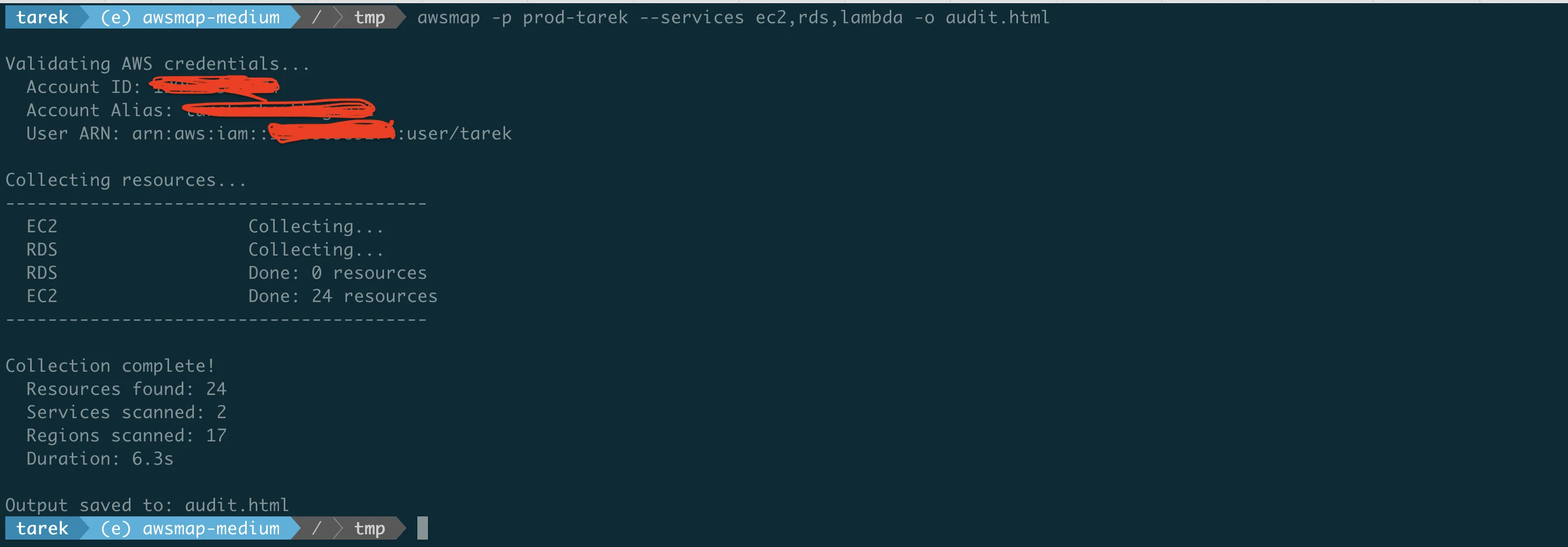
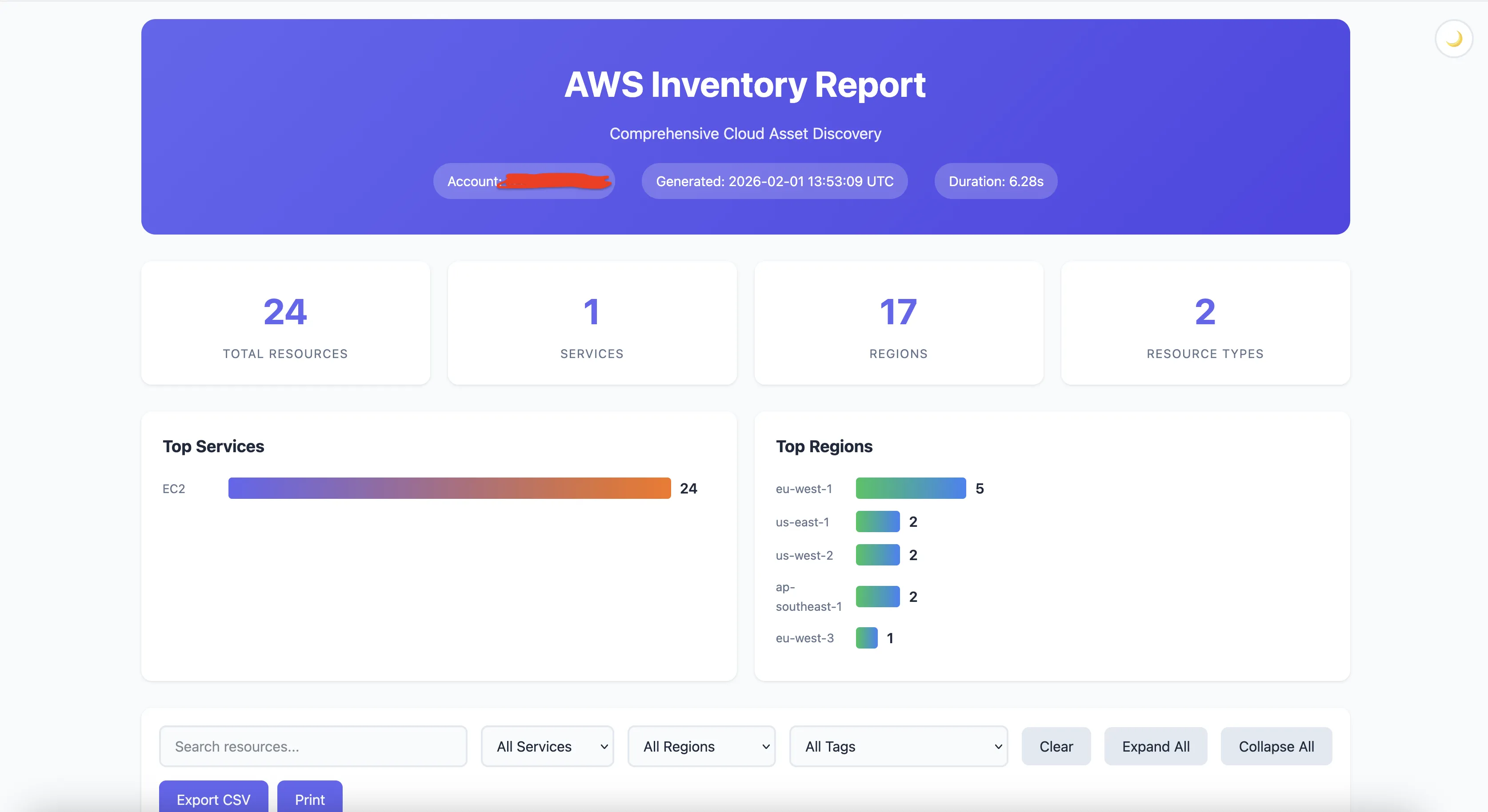
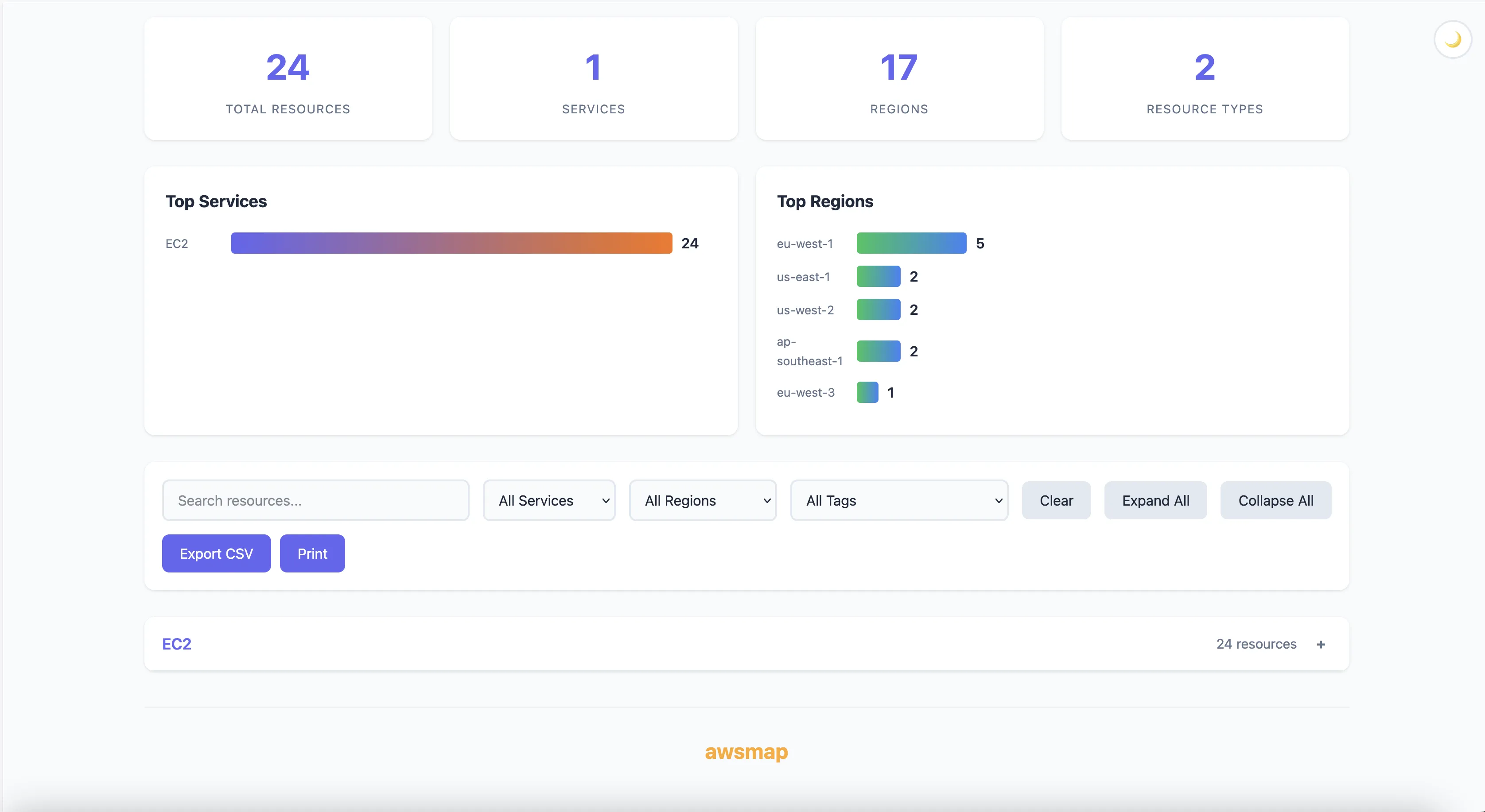
Done. All three services. All regions. One file.
The Cost Problem
$18,000 bill. "What's eating our money?"
awsmap -p prod --services ec2,rds,elasticache,opensearch,eksFound 12 r5.4xlarge in ap-southeast-2. Nobody knew. That's $9,000/month right there.
The Regions Problem
"We only use us-east-1 and eu-west-1."
You sure?
awsmap -p prodFound S3 buckets in ap-northeast-1. CloudWatch log groups in sa-east-1. A VPC in me-south-1 with a NAT Gateway attached.
You don't use those regions. AWS services do. They create stuff everywhere.
Output
HTML too fancy?
awsmap -p my-profile -f json -o inventory.jsonCSV for the spreadsheet people?
awsmap -p my-profile -f csv -o inventory.csvDocker
Don't want pip? Fair.
docker run -v ~/.aws:/root/.aws:ro tarekcheikh/awsmap -p my-profileWorks on Intel and ARM.
What It Scans
140+ services. EC2, Lambda, RDS, S3, ECS, EKS, DynamoDB, ElastiCache, IAM, KMS, Secrets Manager, CloudFront, Route53, API Gateway, SQS, SNS, Kinesis, Glue, Athena, Redshift, OpenSearch, SageMaker, Bedrock...
You get the idea.
What It Doesn't Do
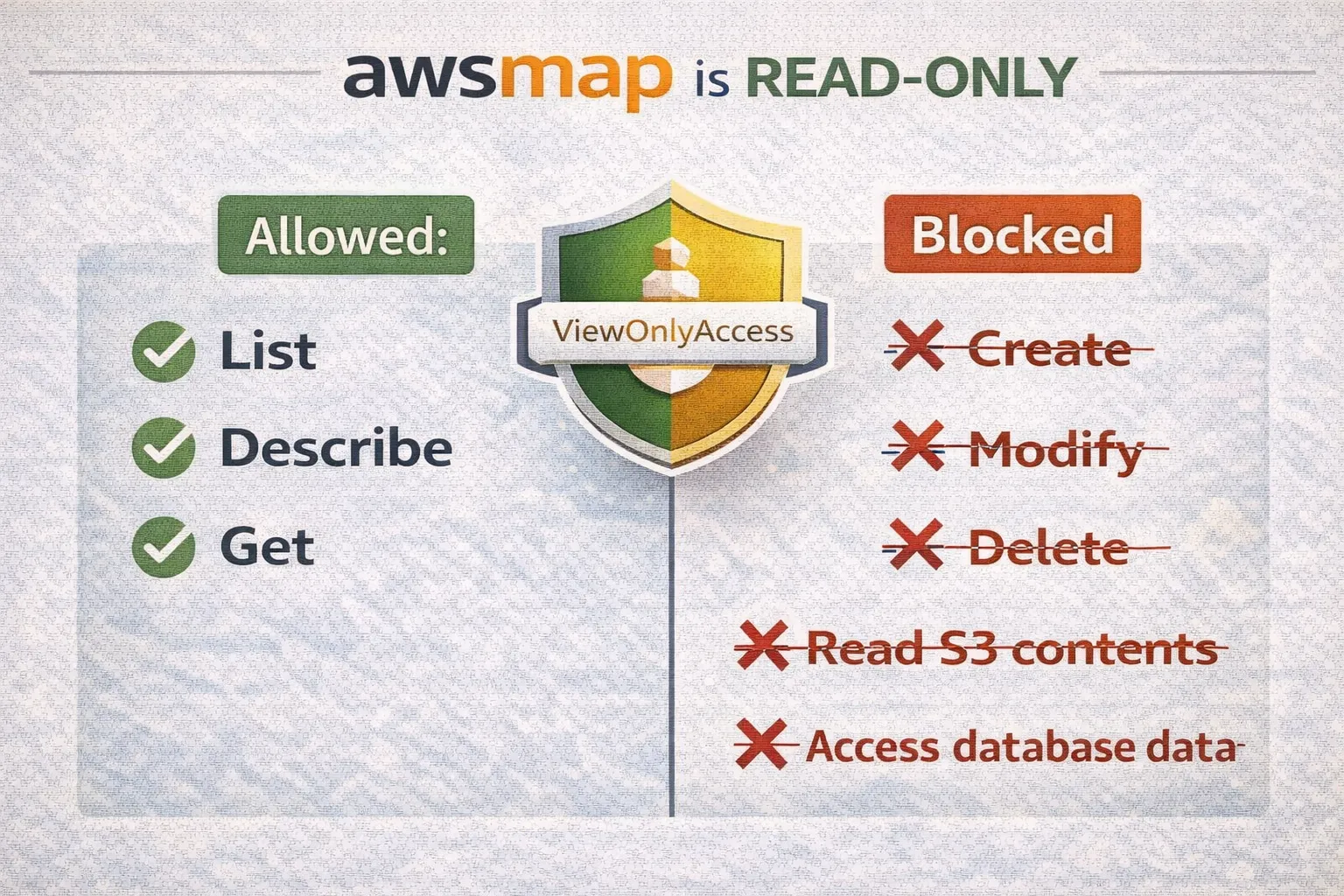
It's read-only. List, Describe, Get. That's it.
Can't create. Can't modify. Can't delete. Can't read your S3 files or database contents.
Minimum IAM: ViewOnlyAccess.
awsmap vs AWS Resource Explorer
Fair question: why not just use AWS Resource Explorer? It's free, it's official, it has Organizations support. Here's why awsmap still exists:
Eventual consistency is a dealbreaker for many use cases. Per AWS documentation, Resource Explorer changes are "visible within minutes" in most cases, but "in some cases, modifications or deletions may take up to two weeks to be visible." awsmap queries APIs directly — you get real-time state. For security audits or incident response, that distinction matters.
Portable reports. awsmap generates self-contained HTML/JSON/CSV files you can share via Slack, archive in Git, open offline, or hand to auditors. Resource Explorer is console-bound — no easy way to export a full inventory snapshot.
CLI-first automation. awsmap -f json -o inventory.json in a cron job, Lambda, or CI/CD pipeline. Resource Explorer requires console access or building around their search API.
IAM tag limitation. AWS docs explicitly state that tags attached to IAM resources (roles, users) can't be used for searching in Resource Explorer. awsmap supports full tag filtering on all resources with OR/AND logic.
Zero setup. pip install awsmap && awsmap gives you results in 2 minutes. Resource Explorer can take up to 36 hours for initial indexing and replication to complete.
Detailed configs. awsmap captures encryption settings, versioning status, security group rules — not just resource ARNs and basic metadata.
Different tools for different workflows: Resource Explorer is great for quick "find resource X" lookups in the console. awsmap is for complete, portable, real-time infrastructure snapshots you can automate and archive.
Quick Reference
- Full scan:
awsmap -p profile - Save HTML:
awsmap -p profile -o report.html - Save JSON:
awsmap -p profile -f json -o report.json - Specific services:
awsmap -p profile --services ec2,rds - Specific regions:
awsmap -p profile --regions us-east-1 - Show timings:
awsmap -p profile --timings
pip install awsmapdocker pull tarekcheikh/awsmapThat's it. No more clicking through the console.
Links
- GitHub: https://github.com/TocConsulting/awsmap
- PyPI: https://pypi.org/project/awsmap/
- Docker: https://hub.docker.com/r/tarekcheikh/awsmap
- AWS Resource Explorer: Official Documentation
Go Deeper: The State of AWS Security 2026
This article is just the start. Get the full picture with our free whitepaper - 8 chapters covering IAM, S3, VPC, monitoring, agentic AI security, compliance, and a prioritized action plan with 50+ CLI commands.
More Articles
awsmap v1.5.0: Your AWS Inventory Now Has a Brain
A few weeks ago I published awsmap. Scan your AWS account. 140 services. One command. This is v1.5.0 with SQLite storage, natural language queries, pre-built security audits, and multi-account support.
Cryptex — Because openssl rand -base64 32 Gets Old Fast
A CLI tool that generates cryptographically secure passwords with compliance templates, .env file generation, secret manager integration, and TOTP support.
Run AI Locally for AWS Security Work: The Complete Ollama Guide
Stop sending your IAM policies, CloudTrail logs, and infrastructure code to third-party APIs. Run LLMs locally with Ollama on Apple Silicon: private, offline, fast. Complete setup guide with AWS security use cases.