
Cryptex — Because openssl rand -base64 32 Gets Old Fast
Tarek Cheikh
Founder & AWS Cloud Architect
We've all done it.
openssl rand -base64 32Copy. Paste into .env. Repeat five times. Forget which one was for what. Curse. Start over.
Or worse — you're in a hurry, so you type admin123 for local dev. Then six months later you find it in production. Don't lie, it happened to at least one of us.
I got tired of this. So I built Cryptex.
What's Cryptex?
A CLI that generates passwords. That's it. But it does it properly.
pip install cryptex-cliThen:
cryptex
You get a 16-character password. Uppercase, lowercase, numbers, special chars. Cryptographically secure (uses Python's secrets, not random).
Need longer?
cryptex -l 32Need 10 of them?
cryptex -c 10Nothing revolutionary so far. Here's where it gets useful.
The .env Problem
New project. You need DATABASE_PASSWORD, REDIS_PASSWORD, JWT_SECRET, API_KEY, SESSION_SECRET.
Old way: Generate five passwords somewhere. Copy each one. Paste. Format. Probably mess up the quotes.

Done. Five passwords. Properly formatted. One command.
Compliance Templates
Security audit coming? Your passwords need to meet NIST 800–63B?
cryptex --template nist-800-63b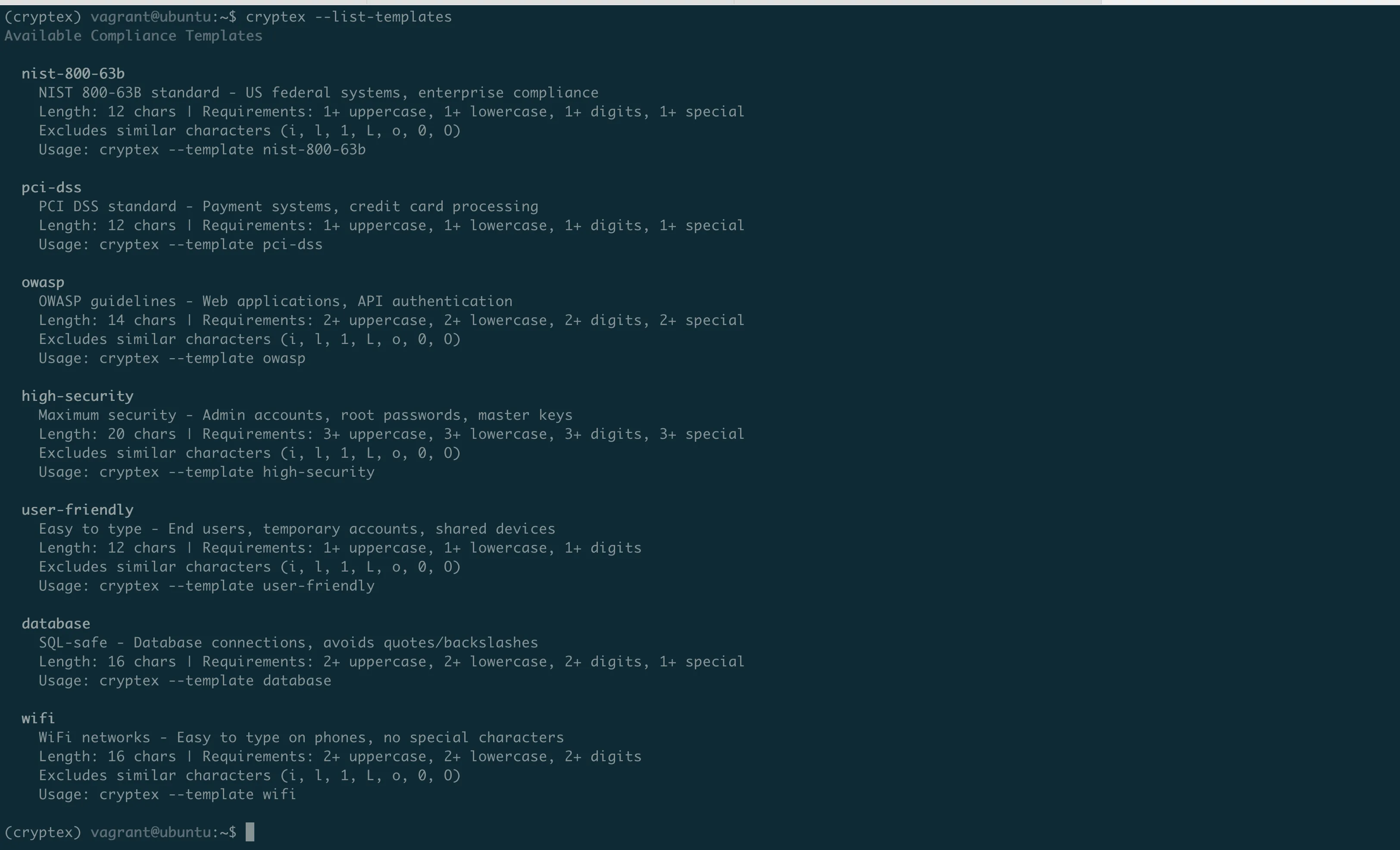
There's also pci-dss, owasp, high-security, database (no quotes or backslashes), and wifi (easy to type on phones).

Saving Secrets
Here's what really annoyed me before: generate a password, then manually go to AWS console, create a secret, paste it, go back to terminal...
Now:
cryptex -l 32 --save-aws --aws-secret-name "cryptex-prod/db-password" --aws-profile production
Cryptex - Enhanced Random Password Generator

h2mmG4%w2S*1od0F=<1X[AAO!k4gXiFO
Secret saved to AWS Secrets Manager: cryptex-prod/db-password
Generated and stored. No clipboard. No browser.
Same for Vault:
export VAULT_TOKEN='your-token'
cryptex -l 24 --save-vault --vault-path "secret/myapp/api-key"
And OS Keychain (macOS Keychain, GNOME Keyring, Windows Credential Manager):
cryptex -l 20 --save-keychain --keychain-service "MyApp" --keychain-account "admin"API Keys
Need UUIDs?
cryptex -t api-key --api-format uuid
Cryptex - Enhanced Random Password Generator

02407a07-ff05-4078-ba0a-c478ff9e5f15
Hex?
cryptex -t api-key --api-format hex -l 40
Cryptex - Enhanced Random Password Generator

7f6bf256fa19c427ce44b5209e90d25f0568e98b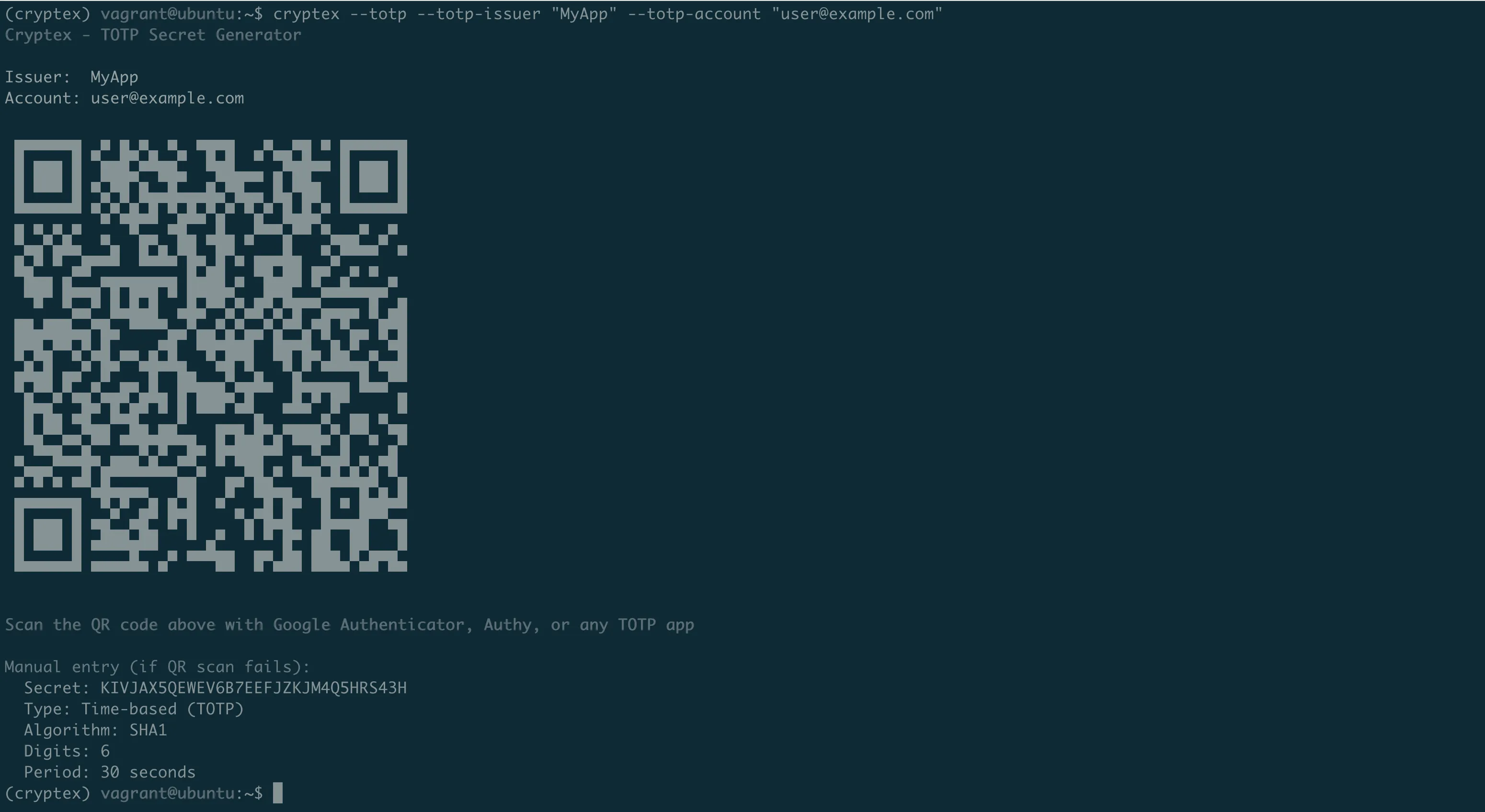
TOTP / 2FA
Adding two-factor auth to your app? You need to generate secrets for users.
cryptex --totp --totp-issuer "MyApp" --totp-account "user@example.com"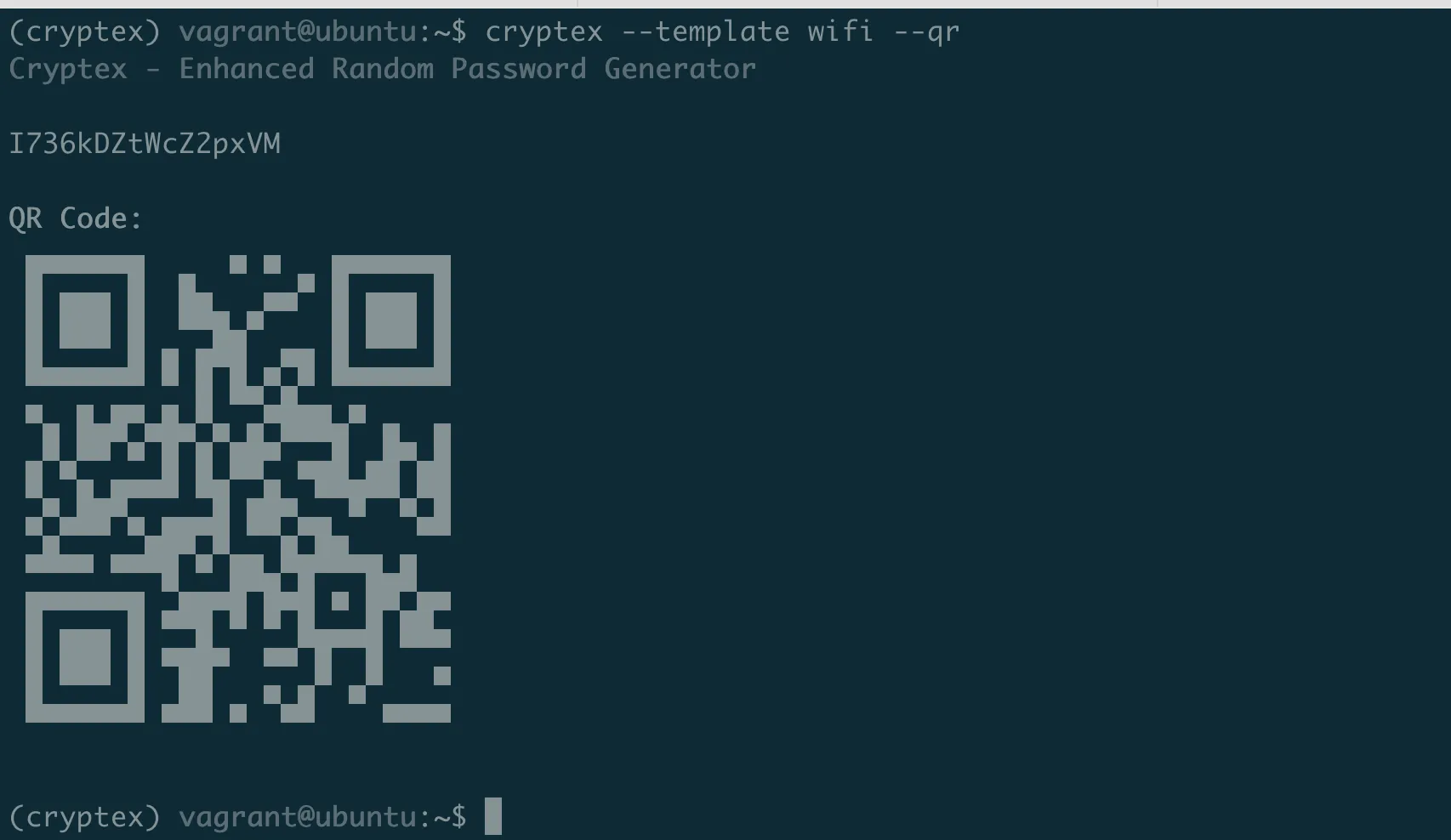
Generates a secret, shows a QR code right in your terminal. Users scan with Google Authenticator. Done.
WiFi Passwords
Guests at the office. You need to share WiFi without spelling xK9#mL2$vN7@ over the phone.
cryptex --template wifi --qr
Easy-to-type password + QR code. They scan, they're connected.
Quiet Mode
For scripts and CI/CD:
PASSWORD=$(cryptex -q -l 32)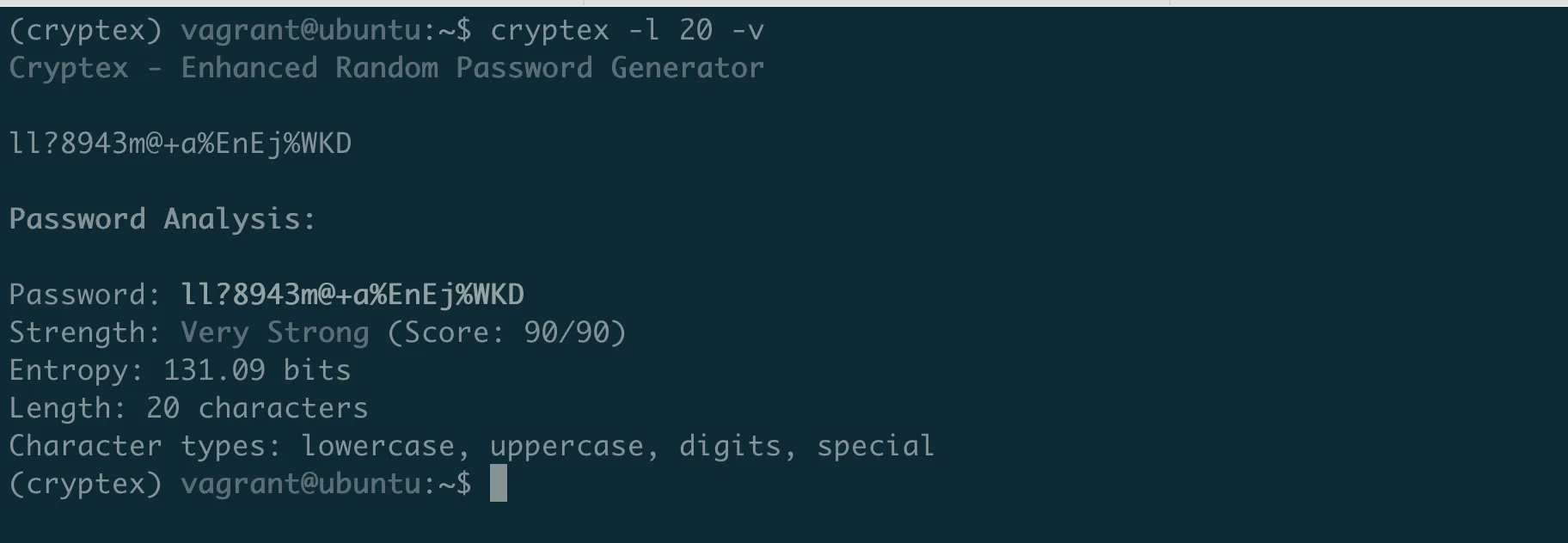
No banner, no output. Just the password.
Password Analysis
Want to check what you're generating?
cryptex -l 20 -v
Shows entropy, strength score, character breakdown. But what does it actually mean?
The Math Behind "Uncrackable"
That 131.09 bits of entropy isn't marketing fluff. Here's the math.
Entropy = how many guesses to crack your password.
Each bit doubles the combinations. Your 20-character password with all character types:
Charset: 26 lowercase + 26 uppercase + 10 digits + 32 special = 94 characters
Entropy = 20 x log2(94) = 131 bits
Combinations = 2^131 = 2,700,000,000,000,000,000,000,000,000,000,000,000,000
At 1 billion guesses per second, that takes 10^22 years to crack. The universe is 13.8 billion years old. Your password would survive heat death.
The score (90/90) measures quality:
- +10 each: Length milestones (8, 12, 16, 20 chars)
- +10 each: Lowercase, uppercase, digits present
- +20: Special characters present
- -10: Penalties for
aaaor123patterns
90/90 = max length bonus + all character types + no dumb patterns.
Quick entropy reference:
- 40 bits — 18 minutes to crack — Good for nothing
- 60 bits — 36 years — Throwaway accounts
- 80 bits — 38 million years — Most accounts
- 100+ bits — Universe dies first — Master passwords, keys
So when your security team asks "is this password strong enough?" — now you know.
Quick Reference
- Basic password:
cryptex - Longer:
cryptex -l 24 - Multiple:
cryptex -c 5 - For .env file:
cryptex --kv "A,B,C" -f env - NIST compliant:
cryptex --template nist-800-63b - API key:
cryptex -t api-key --api-format uuid - 2FA secret:
cryptex --totp --totp-issuer "X" --totp-account "Y" - Save to AWS:
cryptex --save-aws --aws-secret-name "name" - WiFi + QR:
cryptex --template wifi --qr - Silent:
cryptex -q
Links
pip install cryptex-cliThat's it. No more openssl rand.
Go Deeper: The State of AWS Security 2026
This article is just the start. Get the full picture with our free whitepaper - 8 chapters covering IAM, S3, VPC, monitoring, agentic AI security, compliance, and a prioritized action plan with 50+ CLI commands.
More Articles
awsmap v1.5.0: Your AWS Inventory Now Has a Brain
A few weeks ago I published awsmap. Scan your AWS account. 140 services. One command. This is v1.5.0 with SQLite storage, natural language queries, pre-built security audits, and multi-account support.
awsmap — Find Everything Running in Your AWS Account
A CLI tool that scans 140+ AWS services across all regions in about 130 seconds, generating HTML, JSON, or CSV inventory reports for audits, cost analysis, and security reviews.
Run AI Locally for AWS Security Work: The Complete Ollama Guide
Stop sending your IAM policies, CloudTrail logs, and infrastructure code to third-party APIs. Run LLMs locally with Ollama on Apple Silicon: private, offline, fast. Complete setup guide with AWS security use cases.