
Build a Free AWS Security Lab on Your Laptop with LocalEmu
Tarek Cheikh
Founder & AWS Cloud Architect

Spin up a local AWS, plant deliberately insecure resources, and run real security scanners against it. No account, no token, no cost, no risk.
If you build or test AWS security tooling, you know the awkward part: to see your scanner actually find a public S3 bucket or a Lambda leaking secrets, you usually need a real AWS account with real misconfigured resources. That means real credentials, real spend, real blast radius, and the very real chance of leaving a public bucket lying around by accident.
There is a better way. You can run a full AWS-compatible API locally, plant whatever insecure resources you want, point your security tools at it, and throw the whole thing away when you are done. This article shows how, end to end, with commands you can copy and run right now.
We will use LocalEmu as the local cloud and two open-source scanners to audit it. Everything here runs on your laptop and costs nothing.
What is LocalEmu
LocalEmu is a free, open-source AWS cloud emulator. It speaks the AWS APIs, so the same AWS CLI, boto3, Terraform, or CDK you already use work against it unchanged. You just point them at http://localhost:4566.
It is a community fork of the LocalStack community edition, which was archived and put behind a mandatory account in March 2026. LocalEmu continues that codebase under Apache 2.0, free and tokenless. No account, no sign-up, no auth token.
That last part is exactly what makes it a great security lab: there is no real account behind it. The emulator runs under the placeholder AWS account 000000000000, so nothing you do can touch, expose, or bill a real environment.
What we are going to build
A local “vulnerable by design” AWS environment, then audit it:
- Start LocalEmu.
- Point the AWS CLI at it.
- Plant a public S3 bucket, a Lambda function with secrets, and a couple of exposed EC2 instances.
- Scan all three with real security scanners and read the findings and compliance scores.
- Fix an issue and re-scan to watch the score climb.
Total time: about ten minutes.
Step 1: Install and start LocalEmu
pip install localemu[runtime]
localemu start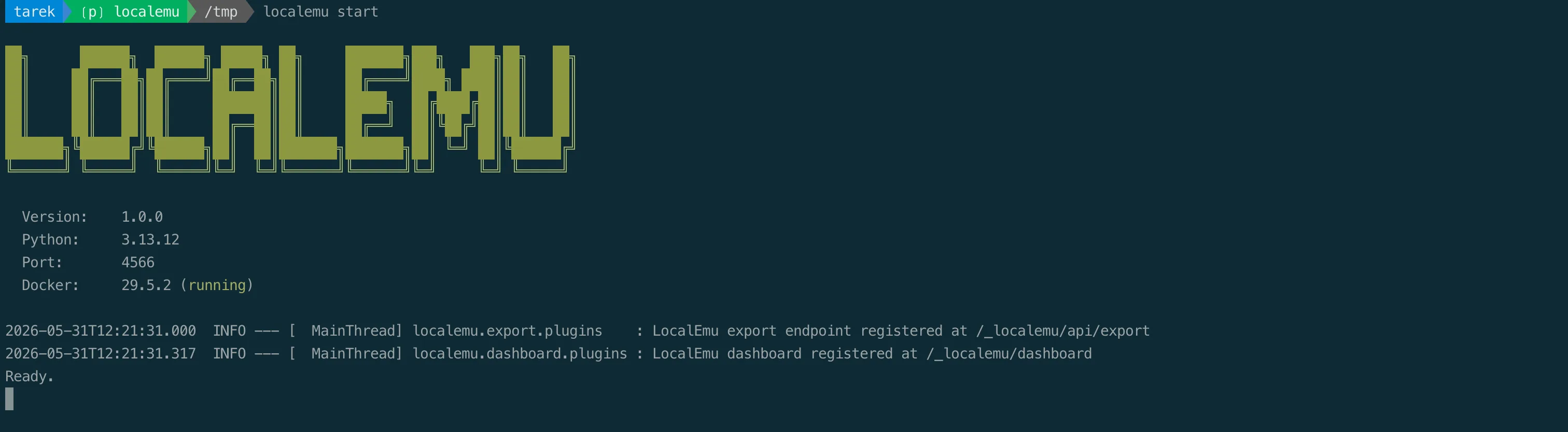
You will see the banner and a Ready. line. By default it listens on localhost:4566. Docker is only needed for services that run a real engine in a sidecar (Lambda, ECS, EKS, RDS, EC2); everything else is pure Python.
Step 2: Point the AWS CLI at LocalEmu
The AWS CLI honors a handful of environment variables. Set the endpoint and some dummy credentials (any value works, since there is no real account):
export AWS_ENDPOINT_URL=http://localhost:4566
export AWS_ACCESS_KEY_ID=AKIAIOSFODNN7EXAMPLE
export AWS_SECRET_ACCESS_KEY=wJalrXUtnFEMI/K7MDENG/bPxRfiCYEXAMPLEKEY
export AWS_DEFAULT_REGION=us-east-1
That is it. From now on, aws ... talks to your local cloud. Confirm it:
aws sts get-caller-identity
# -> "Account": "000000000000"
Step 3: Plant some insecure resources
Let us create exactly the kind of thing a security scanner should scream about.
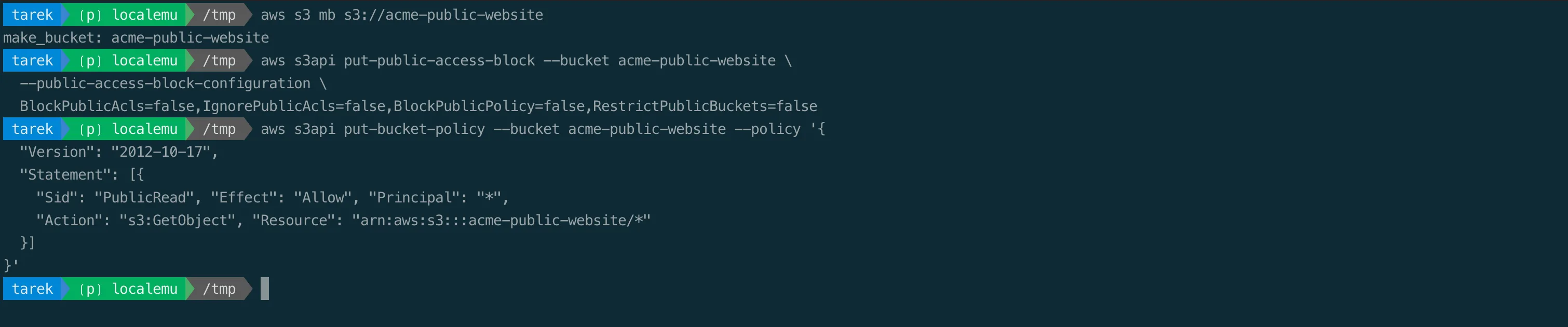
A public, unencrypted S3 bucket:
aws s3 mb s3://acme-public-website
aws s3api put-public-access-block --bucket acme-public-website \
  --public-access-block-configuration \
  BlockPublicAcls=false,IgnorePublicAcls=false,BlockPublicPolicy=false,RestrictPublicBuckets=false
aws s3api put-bucket-policy --bucket acme-public-website --policy '{
  "Version": "2012-10-17",
  "Statement": [{
    "Sid": "PublicRead", "Effect": "Allow", "Principal": "*",
    "Action": "s3:GetObject", "Resource": "arn:aws:s3:::acme-public-website/*"
  }]
}'
A Lambda function with secrets sitting in plaintext environment variables and a public function URL:
echo 'def handler(e, c): return {"ok": True}' > handler.py
zip function.zip handler.py

aws lambda create-function --function-name payment-processor \
  --runtime python3.12 --handler handler.handler \
  --role arn:aws:iam::000000000000:role/lambda-role \
  --zip-file fileb://function.zip \
  --environment 'Variables={DB_PASSWORD=Sup3rS3cret!,STRIPE_SECRET_KEY=sk_live_51Hxxxx}'

aws lambda create-function-url-config \
  --function-name payment-processor --auth-type NONE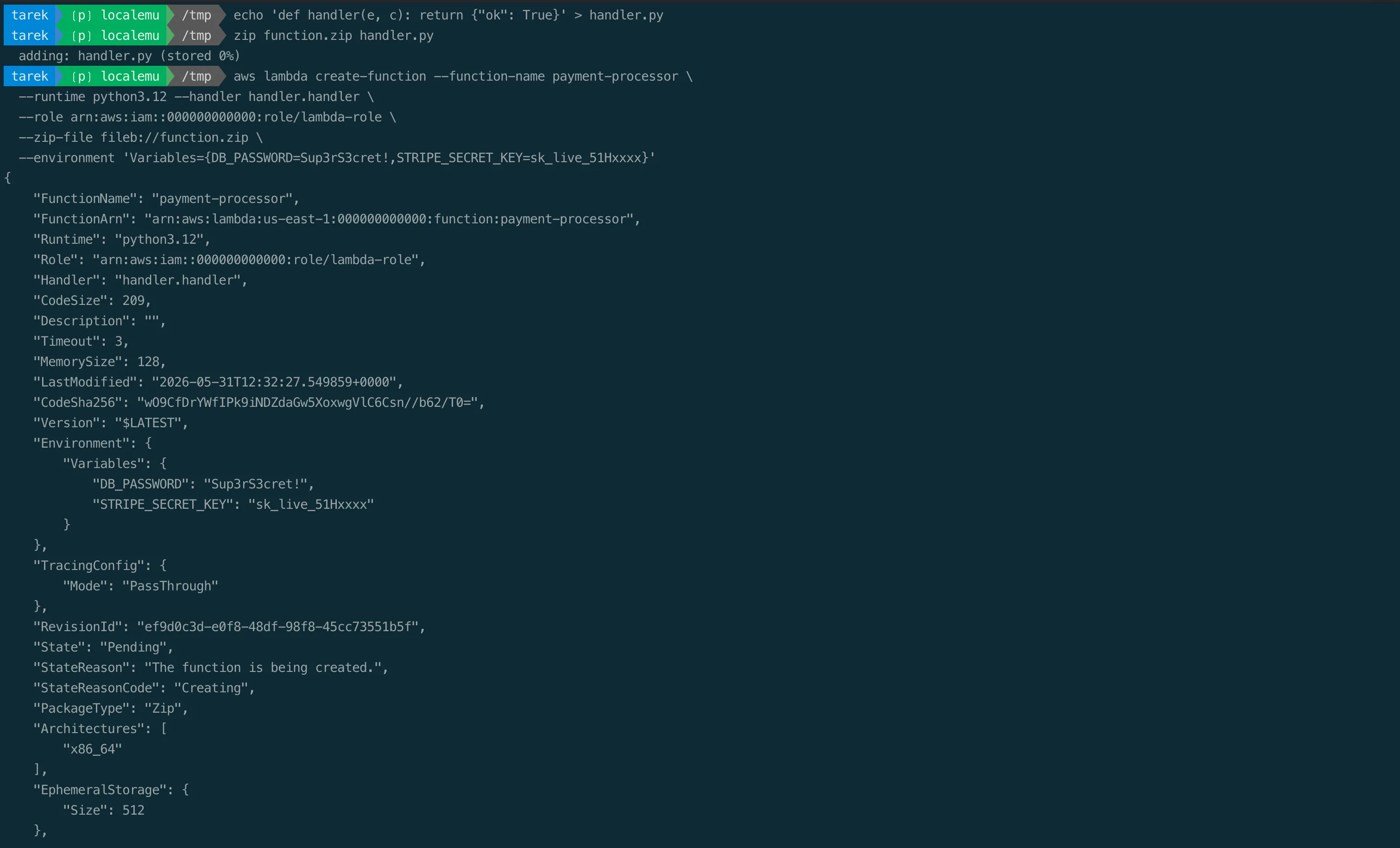
And two EC2 instances with public IPs, the old IMDSv1 metadata service, and a security group that opens SSH and RDP to the entire internet:
SG=$(aws ec2 create-security-group --group-name public-ssh-rdp \
  --description "open" --query GroupId --output text)
aws ec2 authorize-security-group-ingress --group-id $SG --protocol tcp --port 22 --cidr 0.0.0.0/0
aws ec2 authorize-security-group-ingress --group-id $SG --protocol tcp --port 3389 --cidr 0.0.0.0/0

AMI=$(aws ec2 describe-images --query 'Images[0].ImageId' --output text)
aws ec2 run-instances --image-id $AMI --instance-type t2.micro --count 2 \
  --security-group-ids $SG --associate-public-ip-address \
  --metadata-options "HttpTokens=optional,HttpEndpoint=enabled"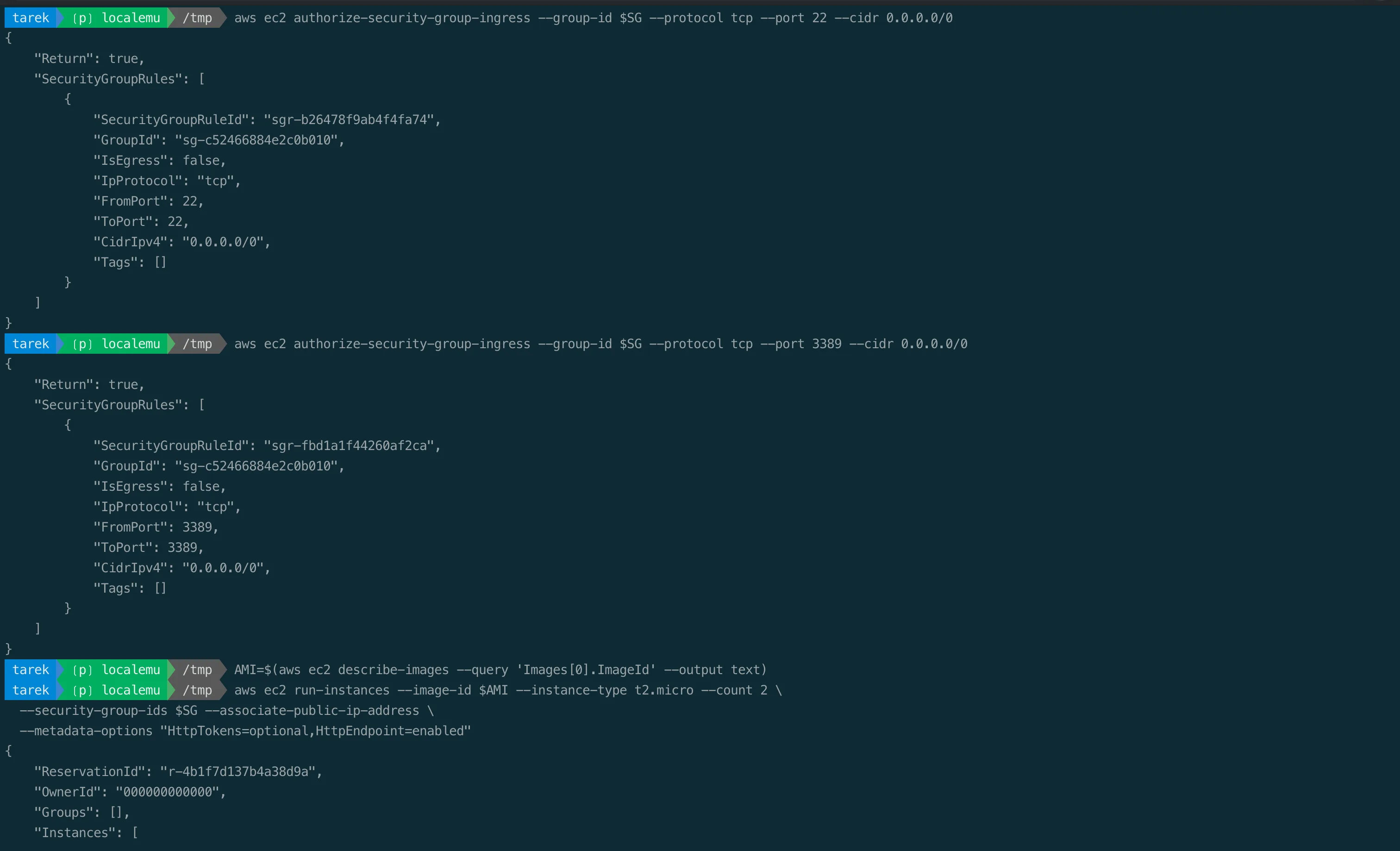
Notice we never left the laptop. No real bucket was ever public. No real secret was ever stored. No real instance was ever exposed.
Step 4: Scan it with real security scanners
Now the fun part. Install three open-source scanners and run them against your local cloud. They use boto3, so they pick up the same AWS_ENDPOINT_URL and hit LocalEmu automatically.
pip install s3-security-scanner lambda-security-scanner ec2-security-scannerScan the buckets:
s3-security-scanner securityYou get a per-bucket score, a summary, and a multi-framework compliance breakdown, for example:
   S3 Security Scan Summary - us-east-1
 Account ID              000000000000
 Total Buckets           4
 Average Security Score  52.5/100
 Public Buckets          1
 High Severity Issues    4

 Compliance Framework Summary
 CIS        25.0%   Poor
 AWS-FSBP   65.9%   Needs Work
 PCI-DSS    45.0%   Poor
 HIPAA      42.9%   Poor
 GDPR       36.9%   Poor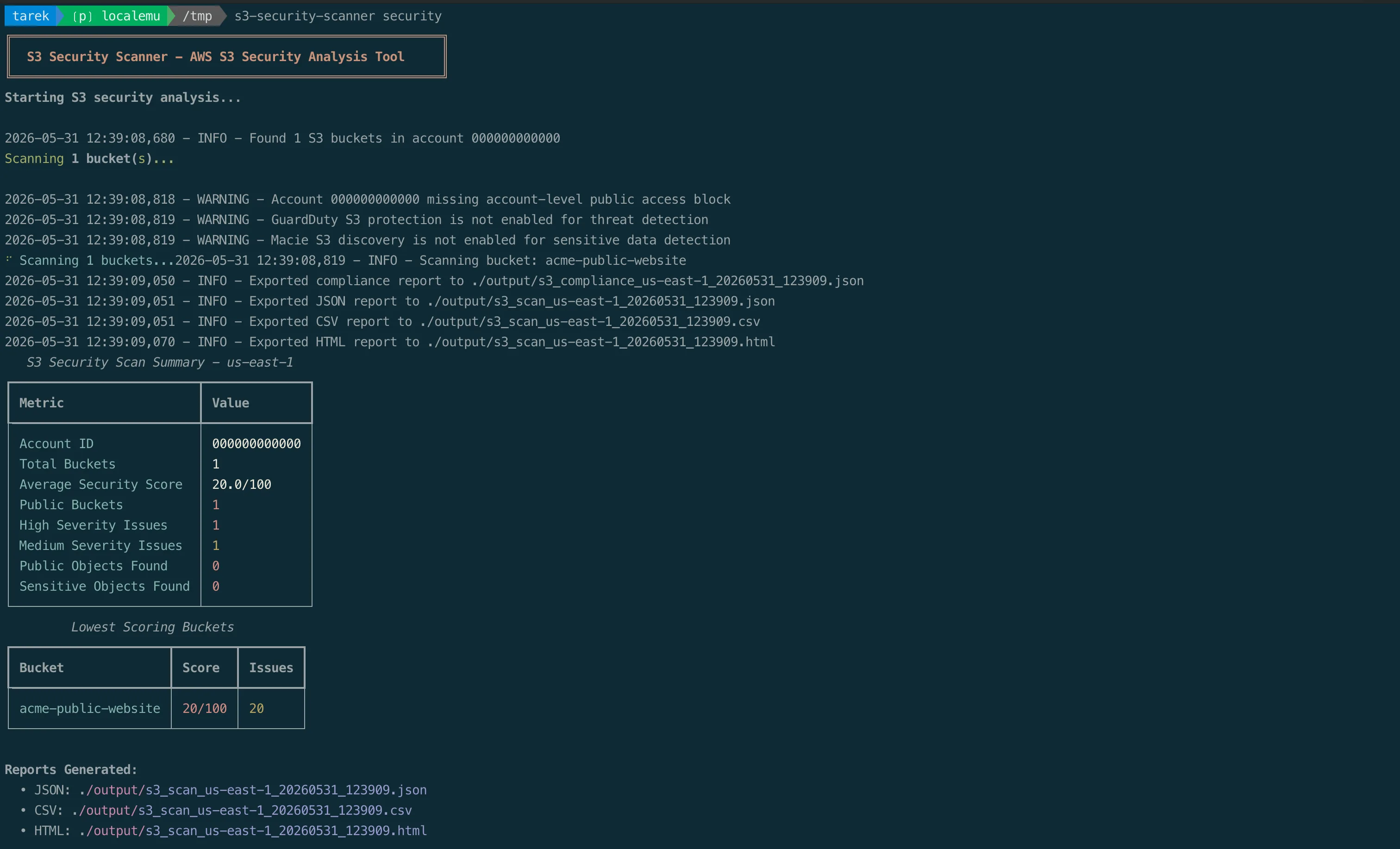
Now the functions:
lambda-security-scanner security Overall Metrics
Total Functions 4
Average Score 57.2
Public Functions 1
Functions with Secrets 1
Lowest Scoring Functions
payment-processor 16/100 10 issues python3.12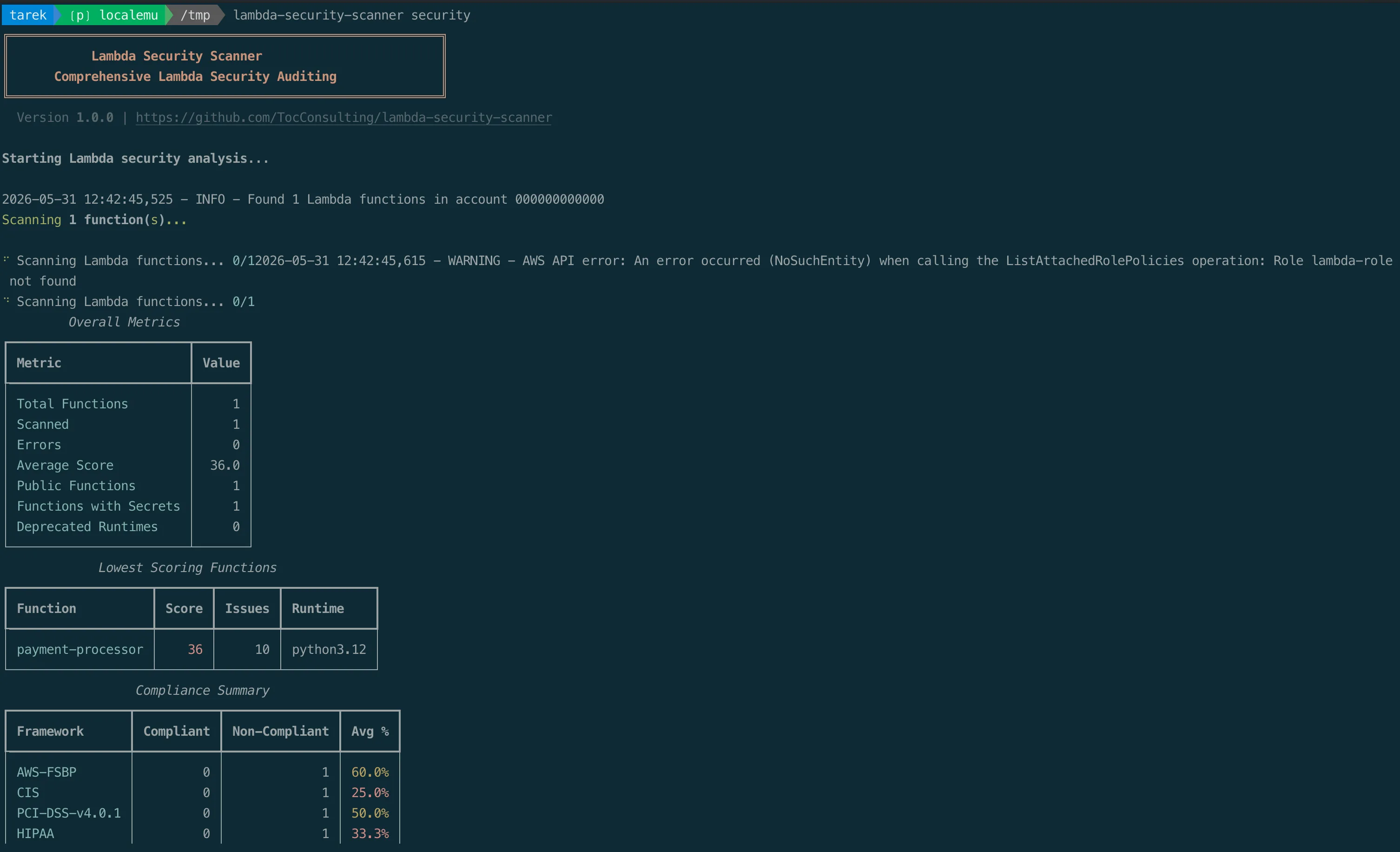
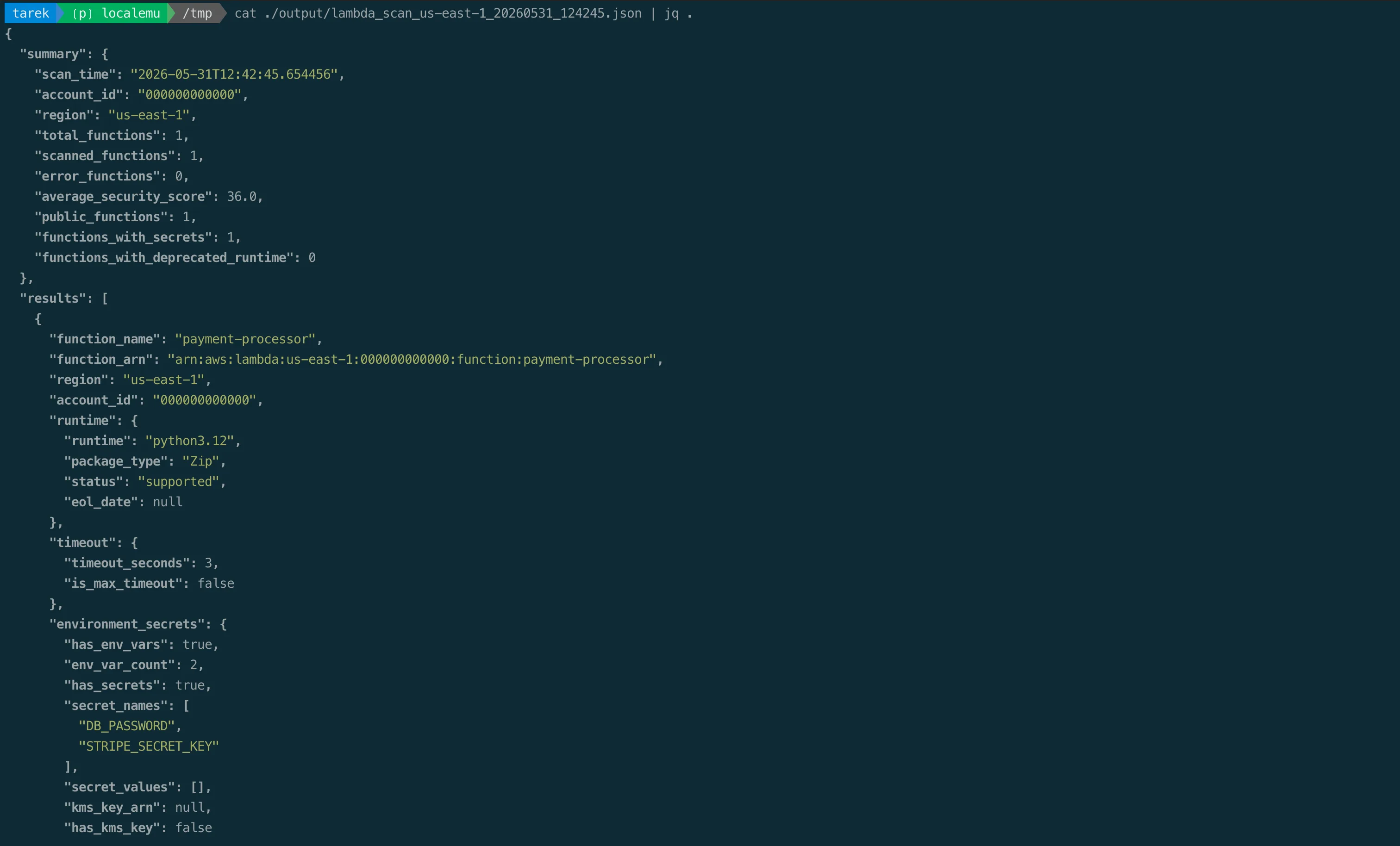
The scanner flagged the public function URL, the secrets in the environment variables, and a dozen more issues, mapped against CIS, PCI-DSS, HIPAA, SOC 2, ISO, GDPR, and NIST. All on a function that exists only on your laptop.
And the instances:
ec2-security-scanner security EC2 Security Scan Summary
Account 000000000000
Total Instances 2
Public IP 2
Unencrypted Volumes 2
Avg Instance Score 2.0/100
Lowest Scoring Instances
i-0b38f30c1e8621065 2/100 18 issues running
i-71d05a2f5ea049654 2/100 18 issues running
Compliance Framework Summary
AWS-FSBP 43.8% CIS 14.3% PCI-DSS 25.0% HIPAA 20.0% GDPR 0.0%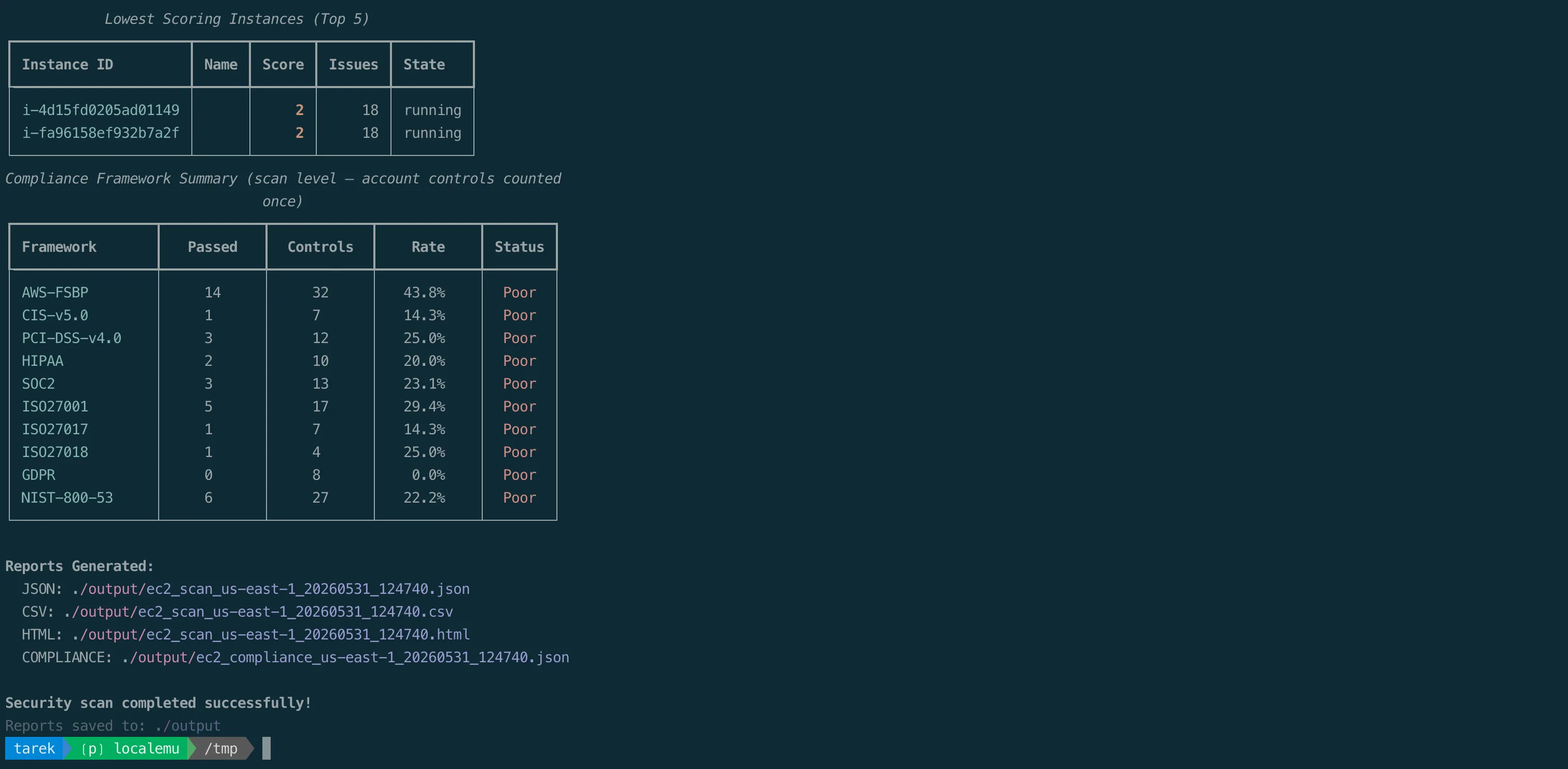
Both instances scored 2 out of 100. The scanner caught the public IPs, IMDSv1 (the older, SSRF-prone metadata service), the unencrypted EBS volumes, and the security group exposing SSH and RDP to the world, plus environment-level issues like the permissive default security group, missing VPC flow logs, and no GuardDuty.
Step 5: Fix it and re-scan
This is where a local lab really pays off: the feedback loop is seconds, not a deploy cycle. Lock the bucket down:
aws s3api put-public-access-block --bucket acme-public-website \
  --public-access-block-configuration \
  BlockPublicAcls=true,IgnorePublicAcls=true,BlockPublicPolicy=true,RestrictPublicBuckets=true
aws s3api put-bucket-encryption --bucket acme-public-website \
  --server-side-encryption-configuration \
  '{"Rules":[{"ApplyServerSideEncryptionByDefault":{"SSEAlgorithm":"AES256"}}]}'

s3-security-scanner security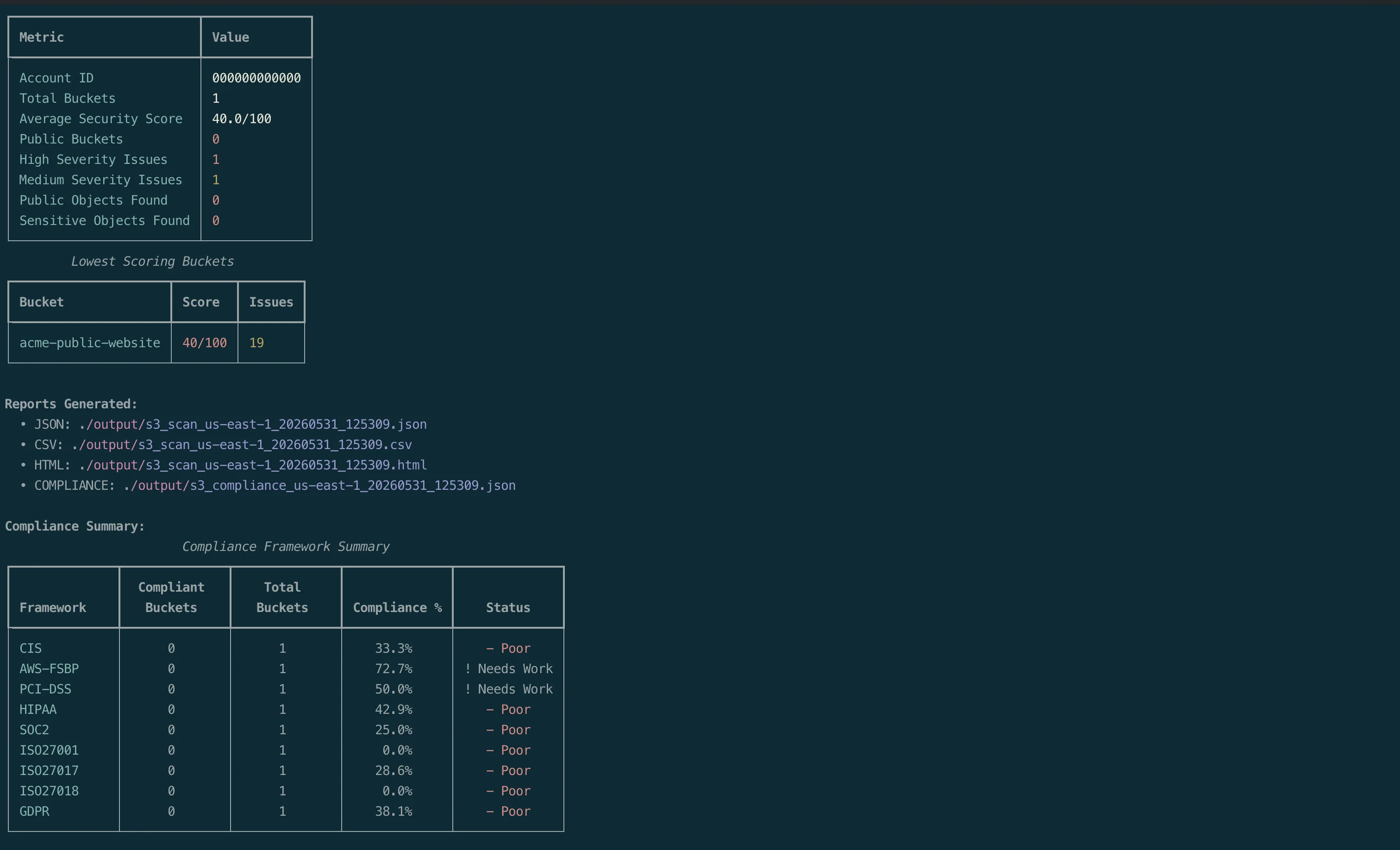
Watch the score climb and the “Public Buckets” count drop to zero. You just practiced detection and remediation without ever touching a real account.
Why this is genuinely useful
This is not just a party trick. A local AWS plus a scanner is a real tool:
- Learn cloud security for free. Plant a misconfiguration, see how a scanner catches it, fix it, repeat. No bill, no risk.
- Develop and test security tooling. If you write scanners, policy checks, or remediation scripts, you need predictable, reproducible inputs. Seed the exact resource you want and assert on the output.
- Run it in CI. Spin up LocalEmu in a pipeline, apply your Terraform, scan it, and fail the build on a critical finding, all before anything reaches AWS.
- Onboard and demo safely. Teach a team what “good” looks like without handing out real credentials.
- Reproduce findings. Got a weird scanner result against prod? Recreate the resource locally and debug it in isolation.
An honest caveat
LocalEmu is an emulator, not AWS. Coverage and fidelity vary by service, and it will not perfectly mirror every IAM edge case or every API quirk. You will actually see this in the EC2 scan: a few of the scanner's checks call newer APIs the emulator has not implemented yet (snapshot block-public-access, serial console, patch state), and the scanner reports those as errors rather than crashing. That is the right behavior, and it is also a useful reminder that local results are a strong approximation, not ground truth. Treat LocalEmu as what it is: an excellent environment for learning, building tooling, and CI, and a complement to, not a replacement for, scanning your real accounts. Use it to get your tooling and your instincts sharp, then point those same tools at production with confidence.
Wrap-up
In about ten minutes, with no AWS account and no spend, we stood up a local cloud, planted realistic misconfigurations, caught them with real security scanners across ten compliance frameworks, and remediated one in a seconds-long loop. That is a security lab you can keep on your laptop and rebuild from scratch any time.
Spin one up and try breaking it. It is the safest place to do so.
Links
LocalEmu is an independent project and is not affiliated with or endorsed by LocalStack Inc.
Go Deeper: The State of AWS Security 2026
This article is just the start. Get the full picture with our free whitepaper - 8 chapters covering IAM, S3, VPC, monitoring, agentic AI security, compliance, and a prioritized action plan with 50+ CLI commands.
More Articles
Fixing EC2 Security Issues: A Practical Remediation Guide
Part 3 of 3 in the EC2 Security Series. A hands-on remediation guide mapped to the scanner findings: AWS CLI commands, Terraform snippets, and console steps for every category.
Building an EC2 Security Scanner: 46 Checks, 137 Controls, Zero Excuses
Part 2 of 3 in the EC2 Security Series. One open-source command that scores every EC2 instance 0-100 across 46 checks and maps each finding to 137 controls in 10 compliance frameworks.
Your EC2 Instances Are Probably Exposed Right Now
Part 1 of 3 in the EC2 Security Series. The real EC2 attack surface, from IMDSv1 and secrets in UserData to public snapshots, and the breaches that prove it matters.