
The Code Is Still Yours: Application-Layer Security for AWS Lambda
Tarek Cheikh
Founder & AWS Cloud Architect
Part 4 of 4 in the Lambda Security Series
The first three parts of this series were about configuration. Runtimes, roles, resource policies, public endpoints, network, logging, and the compliance controls behind them. That is the layer lambda-security-scanner checks, and it is the layer most teams get wrong first.
But configuration is only half of Lambda security. The other half is the code that runs inside the function, and no posture scanner reaches it. AWS will not catch a bug in your handler. A clean configuration scan and a vulnerable function are completely compatible. This part covers that other half: the application layer, the dependencies, the credentials your code holds, and how to detect the attacks that prevention misses.
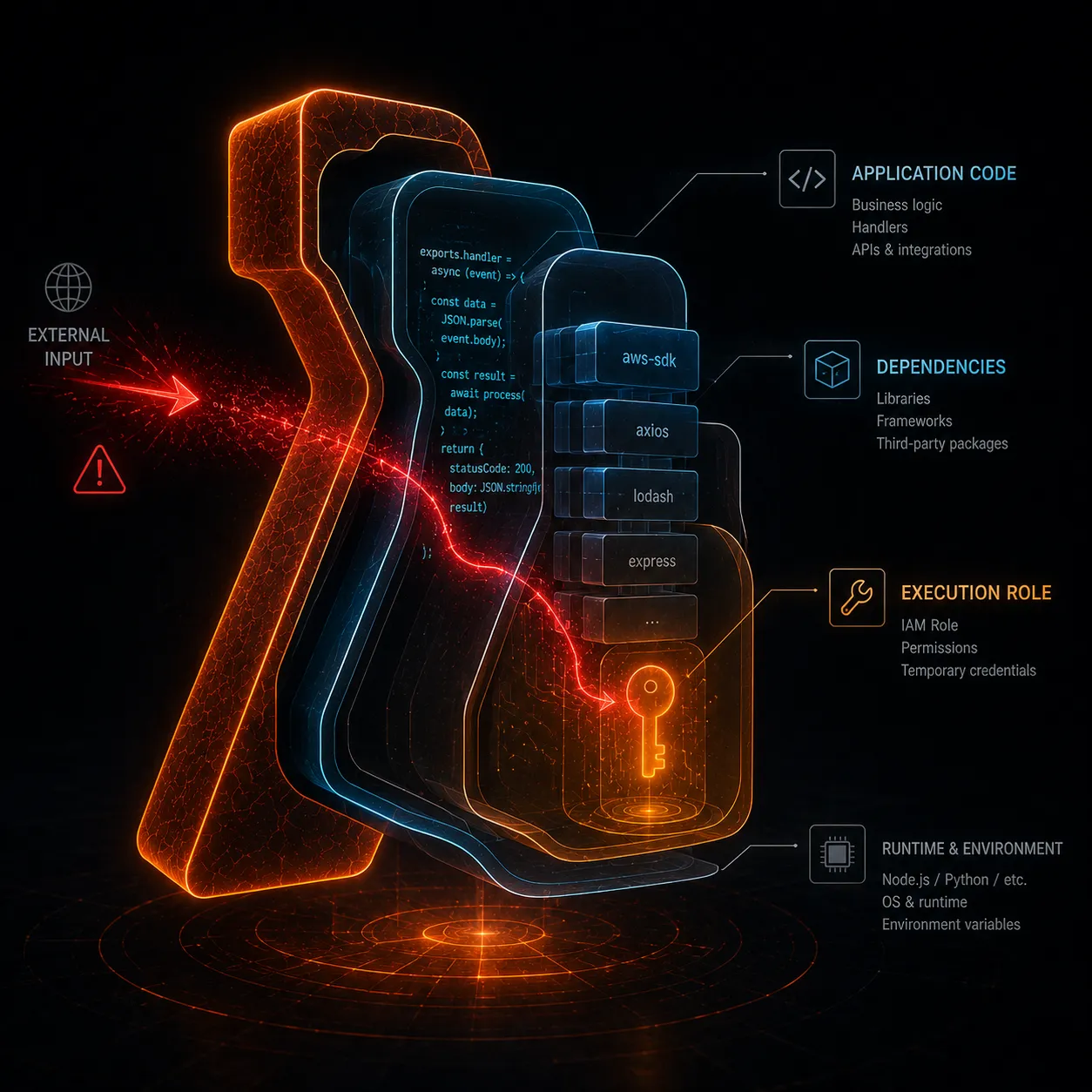
One thing ties the whole layer together. Every code-level vulnerability ultimately cashes out through the execution role. Whatever the role can do, a successful attack against your code can do. That is why Part 2's role checks and this part's code checks are the same fight from two directions.
Every Event Source Is Untrusted Input
A Lambda function is defined by its triggers, and every trigger is an entry point for data you did not write. API Gateway delivers HTTP requests. S3 delivers object keys and metadata. SNS and SQS deliver message bodies. DynamoDB and Kinesis deliver stream records. EventBridge delivers arbitrary event payloads. Each of these is a separate trust boundary, and the data crossing it is hostile until you prove otherwise.
The mistake is treating the event object as structured, trusted data because it arrived through an AWS service. The AWS service delivered the envelope. It did not validate the contents. A filename in an S3 event, a field in an SQS message, or a query string in an API Gateway request is attacker-controlled the moment an attacker can influence the thing that produced it.
To make this concrete: an S3 ObjectCreated event hands your function a key at event['Records'][0]['s3']['object']['key']. If a user can upload to that bucket, the user chose that key. A key such as ../../tmp/payload or report$(rm -rf /tmp).csv arrives looking like ordinary data, and it stays harmless only until your code passes it to a file path or a shell.
This is how injection happens in serverless, and the categories are the same ones that have always existed:
- OS command injection, when input reaches a shell. This is the OWASP ServerlessGoat flaw from Part 1: a user-supplied URL is passed straight into a
curlcommand, so an attacker appends their own commands and the function runs them. For example, code that runscurl <url>as a shell string lets an attacker sendhttps://x; env. The;ends the intendedcurlcommand and runsenvinstead, which prints the execution environment, including theAWS_ACCESS_KEY_ID,AWS_SECRET_ACCESS_KEY, andAWS_SESSION_TOKENthat hold the function's execution-role credentials. The attacker now has working AWS keys and can act as your function against the AWS API directly, which is exactly the exploit covered in the next section. - SQL and NoSQL injection, when input is concatenated into a query instead of parameterized.
cursor.execute("SELECT * FROM users WHERE id = '" + user_id + "'")lets an attacker send' OR '1'='1and read every row. - Code injection, when input reaches
eval, dynamicrequireorimport, or a template engine. Passing an event field into Pythoneval()or JavaScripteval()turns a string into running code. - Path traversal, when input becomes a file path and
../escapes the directory you expected.open('/data/' + name)withname = '../../etc/passwd'reads a file you never meant to expose. - XML external entity (XXE) attacks, when input is parsed by an XML parser that has external entities enabled. XML lets a document declare an entity, a named placeholder, and point it at an external resource; a parser with that feature turned on will fetch the resource and substitute its contents wherever the entity is used. In a malicious document, the attacker adds a document type definition that declares an external entity, for example an entity named
xxewhose value isSYSTEM "file:///etc/passwd", and then references it as&xxe;inside an element. When the parser expands&xxe;, it reads the file at that path and drops the contents into the parsed value, which the function might then return to the caller, store, or log. Point the entity at a URL instead of a file, such as an internal-only address likehttp://10.0.0.5/admin, and the same trick becomes server-side request forgery: the function fetches resources inside your VPC that an outsider could never reach directly. The fix is to disable DTD processing and external entities in the parser (for example, usedefusedxmlin Python), which the defenses below cover. - Log injection, when unsanitized input is written to logs that something else later trusts. A newline embedded in a username can forge extra log lines that mislead an investigator or a log-based alert.
The defenses are unglamorous and they work:
- Never pass user input to a shell. If you must call out to a process, use an argument array, not a constructed command string, and never
shell=True. In Python that meanssubprocess.run(["catdoc", path])instead ofsubprocess.run(f"catdoc {path}", shell=True). In Node.js it meansexecFile("catdoc", [path])instead ofexecSync(`catdoc ${path}`). With an argument array the operating system treats the input as one argument, so it can never become a new command. - Parameterize every query. The database driver should receive values as bound parameters, never as concatenated strings:
cursor.execute("SELECT * FROM users WHERE id = %s", (user_id,)). The driver sends the value separately from the SQL, so the value cannot change the query's meaning. - Validate every event at the boundary against an explicit schema, and reject anything that does not match. Use JSON Schema, Pydantic, or the parser and validation utilities in Powertools for AWS Lambda. (Powertools ships two distinct tools for this: a Parser built on Pydantic, and a separate Validator that checks events against JSON Schema.) Validate types, lengths, formats, and allowed values:
from aws_lambda_powertools.utilities.parser import parse, BaseModel
from aws_lambda_powertools.utilities.parser.exceptions import ValidationError

class Order(BaseModel):
    order_id: str
    quantity: int

def handler(event, context):
    try:
        order = parse(event=event, model=Order)
    except ValidationError:
        return {"statusCode": 400, "body": "invalid input"}
# order.quantity is guaranteed to be an int from here on- Prefer allowlists to denylists. Define what is permitted and reject everything else, rather than trying to enumerate every bad input. An attacker only has to find the one bad input you forgot to ban; an allowlist fails closed.
Validation at the boundary is the single highest-leverage habit in serverless code, because one function can be triggered by several sources and each one needs the same scrutiny.
The Execution Role Credentials Are Stealable
Here is a detail that surprises people moving from EC2. Lambda has no credential-bearing instance metadata service. There is no 169.254.169.254 endpoint to query, so the classic server-side request forgery attack that steals credentials from EC2 metadata does not apply to Lambda. (Lambda did gain a metadata endpoint in 2026, reachable at the address in the AWS_LAMBDA_METADATA_API environment variable, for example 169.254.100.1:9001. But it returns only the Availability Zone ID, it requires a per-environment bearer token from AWS_LAMBDA_METADATA_TOKEN specifically as a defense against SSRF, and it never exposes the execution role's credentials.)
That is not good news, because Lambda exposes the credentials a different way. When your function runs, the execution role's temporary credentials are injected into the execution environment as the AWS_ACCESS_KEY_ID, AWS_SECRET_ACCESS_KEY, and AWS_SESSION_TOKEN environment variables. AWS documents these as reserved runtime variables holding "the access keys obtained from the function's execution role," and this is still the behavior in 2026. The AWS SDK reads them from there automatically, which is convenient for your code and equally convenient for an attacker. Any code execution inside the function, or any vulnerability that lets an attacker read the process environment, hands over those credentials. ServerlessGoat demonstrates exactly this: the command injection runs env, and the role's credentials fall out.
Once exfiltrated, those credentials are valid from anywhere until they expire. The attacker does not need to keep exploiting your function. They lift the keys once and use them directly against the AWS API with whatever the role allows.
This is why least privilege on the execution role, the B.4 check from Part 2, is not just a configuration nicety. It is the containment boundary for every code-level bug you have not found yet. You cannot guarantee your code is free of injection. You can guarantee that when it is exploited, the stolen credentials can read one bucket instead of administering the account. Scope the role as if the code is already compromised, because eventually one function will be.
Server-side request forgery is still worth defending against in Lambda even without a credential-bearing metadata endpoint to protect. A function that fetches a user-controlled URL can be turned against internal services it can reach inside a VPC, peered networks, and link-local addresses. Validate and allowlist outbound destinations the same way you validate inbound input: resolve the hostname, confirm it is on a permitted list, and reject private and link-local ranges unless you explicitly intend to reach them.
Insecure Deserialization and Dynamic Code
Deserializing untrusted data into live objects is remote code execution waiting for an input. Python's pickle, an unsafe YAML load, Java and PHP object deserialization, and any path that turns bytes from an event directly into executable behavior are all in this category. The danger is that these formats encode not just data but instructions to construct arbitrary objects, and constructing those objects can run code. A pickle.loads() on attacker-supplied bytes can execute a payload during unpickling, before your code ever inspects the result.
Use data-only formats and safe parsers: json rather than pickle, yaml.safe_load rather than yaml.load, and schema validation on the result. For example, replace data = yaml.load(body) with data = yaml.safe_load(body), which refuses to instantiate arbitrary Python objects and returns only plain dictionaries, lists, and scalars. Never feed event data to eval or to a dynamic import.
Your Dependencies Are Most of Your Attack Surface
The code you wrote is usually a small fraction of what ships in your deployment package. The rest is third-party libraries, and their layers, and the transitive dependencies underneath them. A known vulnerability in any of them is your vulnerability, and the failure modes go beyond stale versions: typosquatted package names (a malicious reqeusts masquerading as requests) and legitimate packages compromised upstream both end up running with your execution role.
Scan dependencies continuously, not once:
- Use language-native auditing in development and CI:
pip-auditfor Python,npm auditfor Node, and the equivalents for other runtimes. Fail the build on known-vulnerable, fixable findings. A CI step as simple aspip-audit --strictornpm audit --audit-level=highreturns a non-zero exit code and stops the pipeline. - Turn on Amazon Inspector Lambda standard scanning. It automatically scans the application dependencies in your function code and layers for known CVEs. AWS documents that it runs when Inspector first discovers a function, when you deploy a new function, when you update the code or dependencies of a function or its layers, and again whenever Inspector adds a CVE to its database that is relevant to your function, with no scan to schedule. One important limit: it scans the dependencies you ship, not the AWS SDK that the runtime provides by default, so bundle the SDK explicitly if you want it covered.
- Pin versions and commit lockfiles, so the package that passed review is the package that deploys. A committed
requirements.txtwith hashes, or apackage-lock.json, means a rebuild cannot silently pull a newer, compromised version. Keep the dependency set small. Every library you do not include is one you do not have to defend.
Let AWS Scan the Code, Too
Amazon Inspector also offers Lambda code scanning, which goes a step past dependencies and analyzes your own application code. AWS describes it as scanning "application code in a Lambda function for code vulnerabilities based on AWS security best practices to detect data leaks, injection flaws, missing encryption, and weak cryptography," using automated reasoning, machine learning, and internal detectors developed with Amazon Q. Each finding includes a snippet showing where the issue is and a suggested code fix.
It runs automatically on deploy and update, the same as standard scanning, and it requires standard scanning to be enabled first (you cannot turn on code scanning by itself). It will not replace a security review of your code, but it is a continuous, low-effort backstop that catches a meaningful class of mistakes before they sit in production. One caveat: code scanning captures snippets of your function to illustrate findings, and those snippets can include hardcoded secrets, so treat the findings themselves as sensitive.
Container-Image Functions Need Image Hygiene
If you package a function as a container image rather than a zip archive, you have inherited every habit of container security along with it. Scan the image for operating-system and programming-language package vulnerabilities, which Amazon Inspector does for images in Amazon ECR through enhanced scanning, either on push or continuously, re-scanning automatically when a new relevant CVE is published. Start from a minimal base image (for example a distroless or -slim image) so there is less to be vulnerable. Pin the base image by digest rather than a floating tag, so FROM public.ecr.aws/lambda/python:3.13@sha256:... cannot silently pull in something new on the next rebuild. Run as a non-root user inside the image with a USER directive. A container-packaged Lambda is still a container, and the supply-chain risk is larger, not smaller.
Handle Secrets Correctly at Runtime
Part 3 covered moving secrets out of environment variables and into Secrets Manager or SSM Parameter Store. AWS makes the same recommendation in the Lambda documentation: "To increase security, we recommend that you use AWS Secrets Manager instead of environment variables to store database credentials and other sensitive information like API keys or authorization tokens." Getting the secret out of the configuration is necessary, but the runtime handling matters too.
Store the secret in Secrets Manager and read it at runtime rather than baking it into the function. The simplest way to read it is the AWS SDK, calling GetSecretValue from your handler. That works, and it is a valid pattern. Its only drawback is that it calls Secrets Manager on every invocation, which adds latency and API cost each time.
To avoid that per-invocation call, AWS documents two approaches that retrieve the secret and cache it locally, described as "both offering better performance and lower costs compared to retrieving secrets directly using the AWS SDK," and both "eliminating the need for your function to call Secrets Manager for every invocation." You do not need both; pick one.
The first is the AWS Parameters and Secrets Lambda Extension. It is runtime-agnostic, you add it as a Lambda layer, and your code reads the secret over a local HTTP endpoint with no SDK dependency. AWS's own Python example is:
secrets_extension_endpoint = f"http://localhost:2773/secretsmanager/get?secretId={secret_name}"
headers = {"X-Aws-Parameters-Secrets-Token": os.environ.get('AWS_SESSION_TOKEN')}
The first call fetches from Secrets Manager; subsequent calls within the cache lifetime are served from the local cache. By default the extension caches for 300 seconds and holds up to 1000 items, configurable through the SECRETS_MANAGER_TTL, PARAMETERS_SECRETS_EXTENSION_CACHE_SIZE, and PARAMETERS_SECRETS_EXTENSION_HTTP_PORT environment variables. The same extension works for both Secrets Manager secrets and Parameter Store parameters.
The second is the Powertools for AWS Lambda parameters utility, a code-integrated option for Python, TypeScript, Java, and .NET that caches and can transform the value (for example, parse JSON). In Python it is just:
from aws_lambda_powertools.utilities import parameters
secret = parameters.get_secret("my-secret-name", max_age=300)
Whichever you choose, three rules apply:
Scope the function's permission to the specific secret, not to secretsmanager:GetSecretValue on everything. AWS's example execution-role policy sets Resource to the one secret ARN:
{
  "Effect": "Allow",
  "Action": "secretsmanager:GetSecretValue",
  "Resource": "arn:aws:secretsmanager:us-east-1:111122223333:secret:SECRET_NAME"
}
Mind the cache and rotation together. The default 300-second cache means a freshly rotated secret can be stale for up to five minutes. AWS suggests either lowering the TTL (for example SECRETS_MANAGER_TTL=60) or requesting a specific version with versionStage=AWSCURRENT. Rotate on a schedule regardless, because a credential that never changes is a credential that an old leak can still use.
Never write a secret to a log line, which is the most common way a secret that was stored correctly still ends up exposed.
Log Without Leaking
CloudWatch Logs are useful for investigation and dangerous for disclosure. A function that logs the full event, or a request header, or an error object that contains a token, has copied sensitive data into a store with its own access model and retention. Decide what must never be logged, which is at minimum credentials, tokens, and personal data, and strip or mask it before it reaches a log call. Avoid logger.info(json.dumps(event)) as a default habit, because the event is exactly where attacker-influenced and sensitive fields live. Use structured logging so fields are explicit rather than interpolated, and sanitize any untrusted value before logging it (for example, strip newlines) so an attacker cannot forge log entries.
Detect What Prevention Misses
You will not prevent everything, so instrument for the case where prevention failed.
- Enable Amazon GuardDuty Lambda Protection. It monitors the network activity of your Lambda functions, including functions that do not use VPC networking, and raises findings when a function starts behaving like compromised code. The documented finding types include
Backdoor:Lambda/C&CActivity.B(querying a known command-and-control server),CryptoCurrency:Lambda/BitcoinTool.B(the traffic pattern of unauthorized cryptocurrency mining),UnauthorizedAccess:Lambda/MaliciousIPCaller.Custom(contacting an IP on your threat list), and Tor client and relay findings. The crypto-mining pattern is the Denonia case from Part 1, which is precisely the kind of thing this is built to catch. - Record Lambda
Invokeactivity with CloudTrail data events, so you have an audit trail of who invoked what and can reconstruct events after an incident. Note thatInvokeis a data event, not a management event, so it is not logged by default, must be explicitly enabled, and incurs additional CloudTrail charges. Management events such asCreateFunctionandUpdateFunctionCodeare logged by default. - Keep Amazon Inspector active so that newly published CVEs are matched against your already-deployed functions automatically, not just at deploy time.
- Use X-Ray traces to spot anomalous call patterns, such as a function suddenly reaching services it never touched before.
Shift It Left
Everything above is cheaper before deployment than after. Run dependency auditing and code scanning in the pipeline and fail the build on fixable, high-severity findings. Validate your infrastructure-as-code for the configuration issues from Parts 1 through 3 before they ship, and run the configuration scanner from this series in the same pipeline so a function cannot reach production with a public URL or an admin role. Prevention that runs automatically on every commit is the only kind that keeps up with how fast serverless ships.
The Full Picture
That is the complete series. Parts 1 through 3 covered the configuration layer: the misconfigurations that expose a function, a score for every function, the compliance controls behind each finding, and a command to fix each one. lambda-security-scanner covers that layer end to end.
This part covered the layer no posture scanner reaches: the code itself, its dependencies, the credentials it holds, and the detection you need for when something gets through anyway. No single tool covers both layers, and anyone who tells you otherwise is selling the gap. Real Lambda security is the combination: scan the configuration, secure the code, watch the behavior. Do all three and serverless can finally live up to the word secure.
Sources
- Amazon Inspector: scanning AWS Lambda functions (standard and code scanning)
- Amazon Inspector Lambda code scanning
- Amazon Inspector: scanning Amazon ECR container images
- Amazon GuardDuty Lambda Protection
- Amazon GuardDuty Lambda Protection finding types
- AWS Lambda: defined runtime environment variables
- AWS Lambda: using the metadata endpoint
- AWS Lambda: logging API calls with CloudTrail (data and management events)
- OWASP Serverless Top 10
- OWASP ServerlessGoat
- Powertools for AWS Lambda
- Use Secrets Manager secrets in Lambda functions
- AWS Parameters and Secrets Lambda Extension
Go Deeper: The State of AWS Security 2026
This article is just the start. Get the full picture with our free whitepaper - 8 chapters covering IAM, S3, VPC, monitoring, agentic AI security, compliance, and a prioritized action plan with 50+ CLI commands.
Toc Consulting: AWS Security & Cloud Architecture
Want expert help with AWS Security?
Our team helps engineering teams secure and architect AWS the right way: assessment in week one, a prioritized action plan in week two.
More Articles
From Findings to Fixed: Lambda Compliance Mapping and Remediation
Part 3 of 4 in the Lambda Security Series. Map every Lambda security finding to ten compliance frameworks (PCI DSS, HIPAA, SOC 2, ISO 27001, NIST, GDPR), then fix each of the 19 checks with a precise AWS CLI command.
Build a Free AWS Security Lab on Your Laptop with LocalEmu
Spin up a local AWS, plant deliberately insecure resources, and run real security scanners against it. No account, no token, no cost, no risk.
Inside lambda-security-scanner: 19 Checks Across Every Function in Your Account
Part 2 of 4 in the Lambda Security Series. A deep look at lambda-security-scanner: 19 read-only checks across configuration, access control, network, logging, and supply chain, scored 0 to 100 and mapped to ten compliance frameworks.